How to tidy up stalls and paths of travel
Snap stalls and paths of travel that almost touch into one clean piece on the Design page.
Shapes placed by eye rarely line up exactly: a stall sits a foot off the row, or a path of travel leaves a sliver of a gap. By the end those shapes will sit flush and in line, as one piece. You need a design with stalls on it, as in How to add charging stalls to a design.
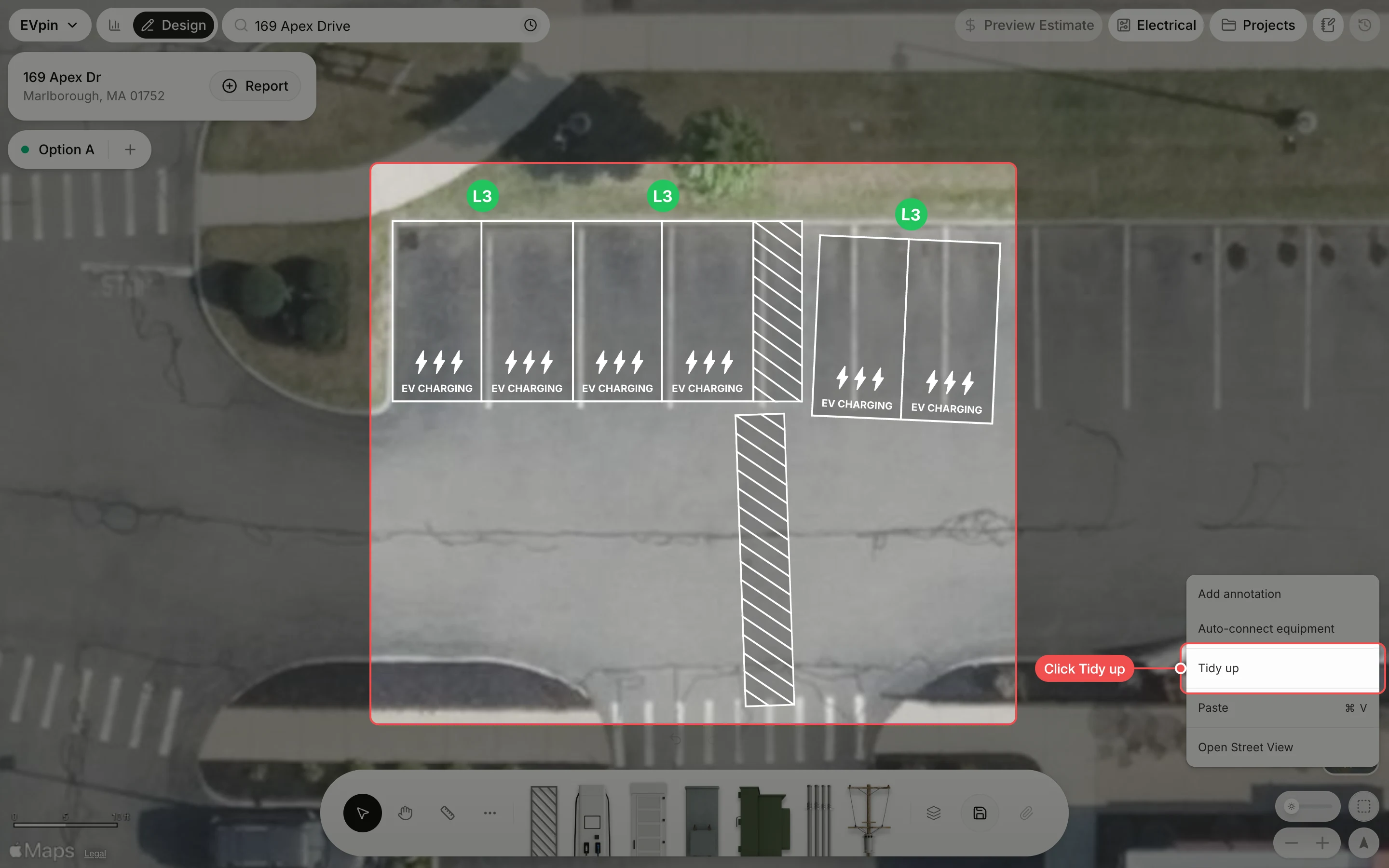
Right-click the map and click Tidy up
Right-click anywhere on the map, then click Tidy up in the menu that opens. It is only in the menu when something on the design can be tidied. Here the two stalls on the right sit low and at a slight angle, and the path of travel is off to one side of the access aisle.
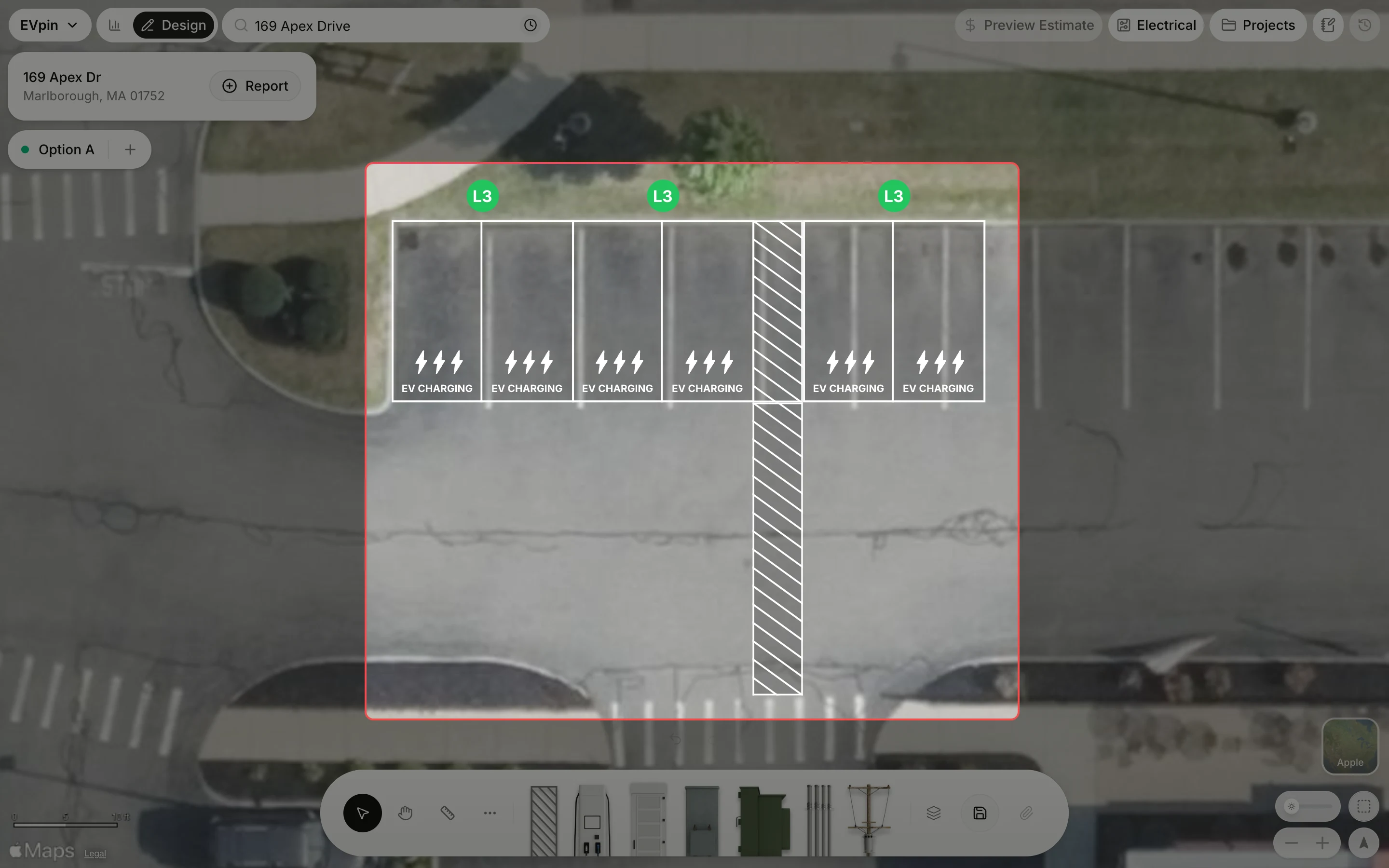
Check the result
Stalls and paths of travel that were within 2 feet of touching now sit edge to edge and square with their neighbour, either parallel to it or at a right angle. Ends that were a little out of step are lined up too; ends further out of step are left as they were. Shapes more than 2 feet apart, or more than 5° off square with their neighbour, stay where they are. Save the design to keep the change.
What's next
- How to undo a change on a design if a shape moved that you wanted left alone.
- How to add a path of travel to draw the accessible route from the stalls.