How to save part of a design as a template
Save a group of stalls, chargers and power equipment from a design so you can reuse it on other sites.
By the end you will have a template your whole team can place on any design. You need a design with equipment on it, as in How to auto-connect equipment.
Select the equipment
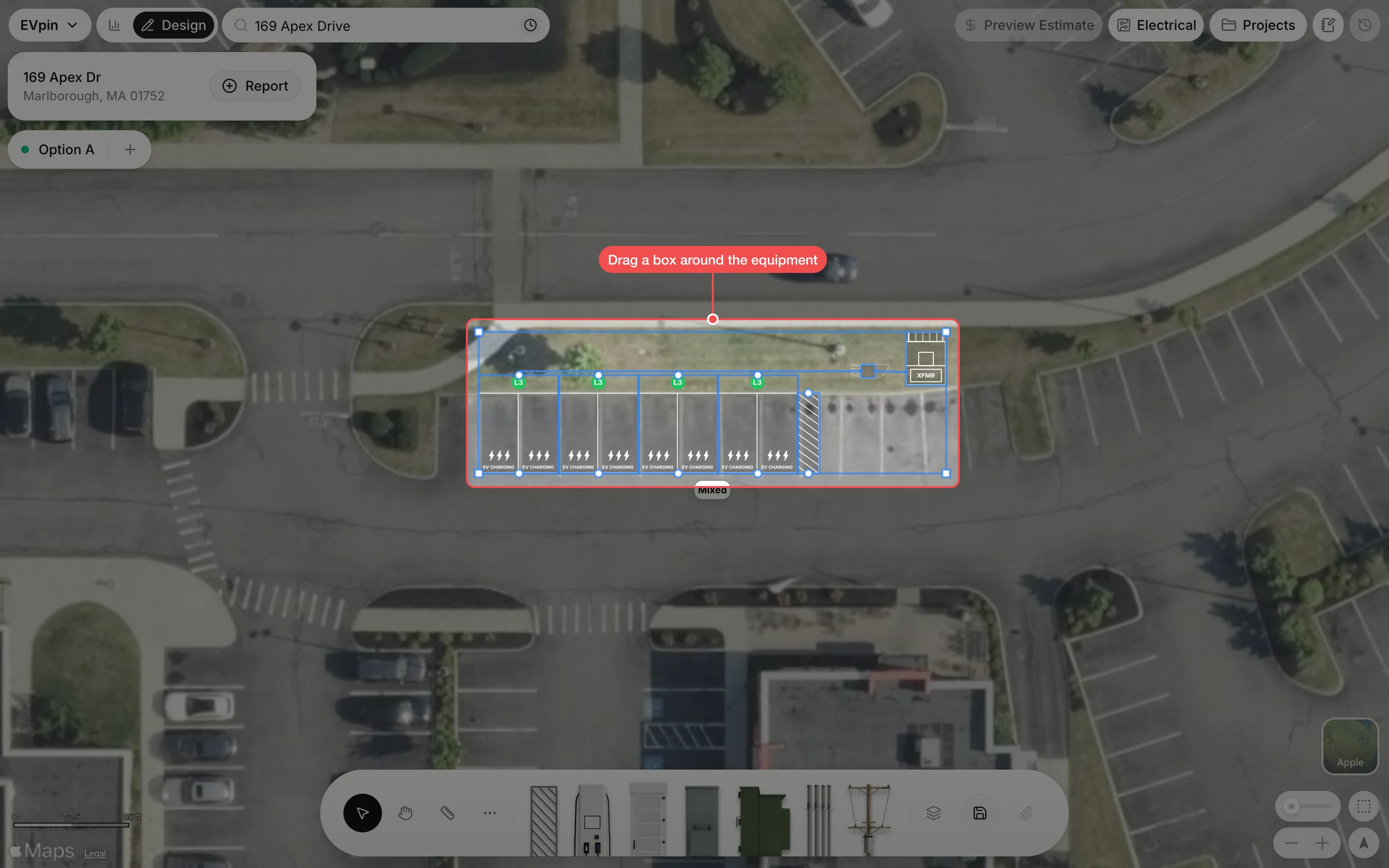
On the Design page, drag a box around the stalls, chargers, cabinet and transformer you want to reuse. Everything inside the box is selected.
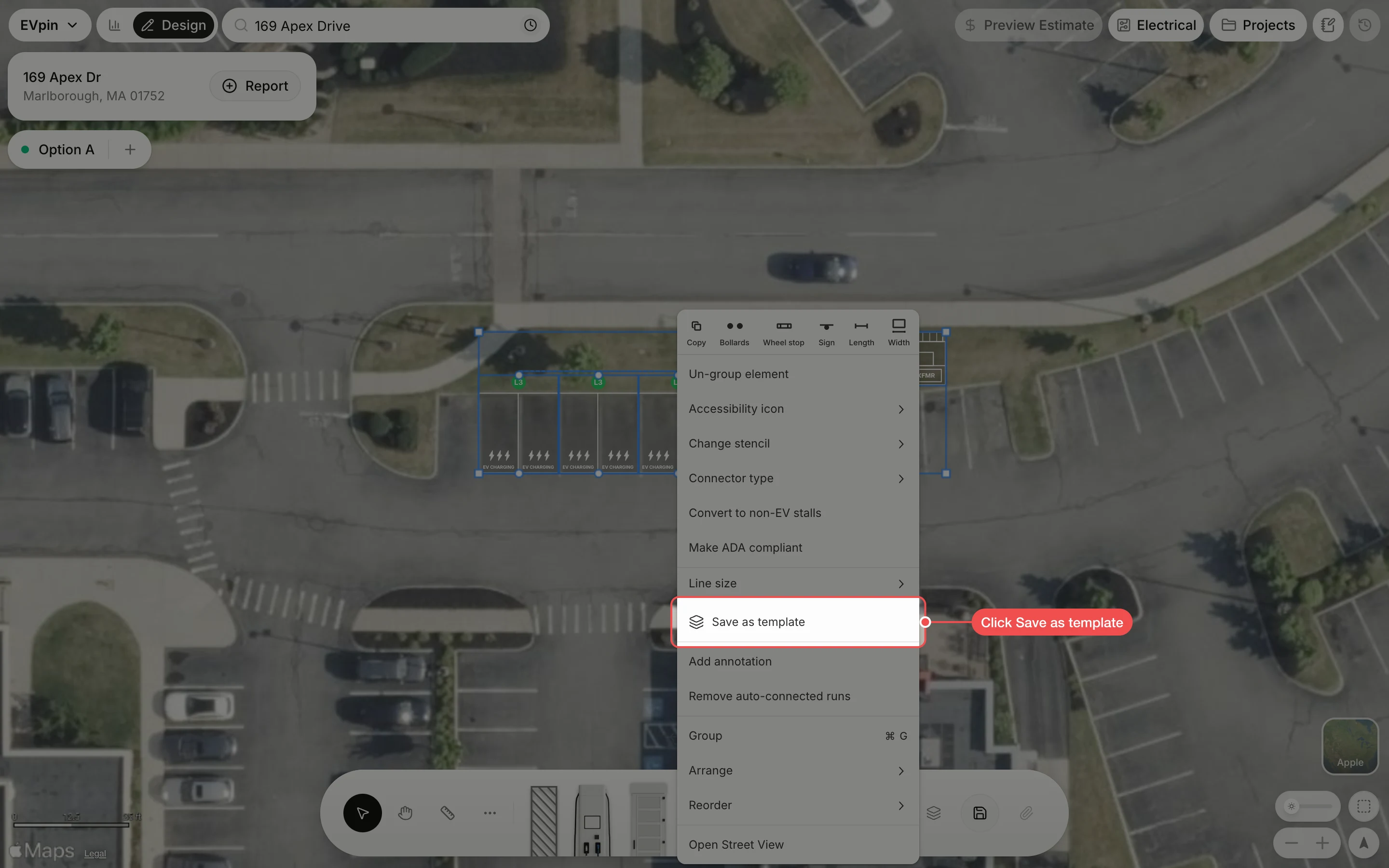
Name the template
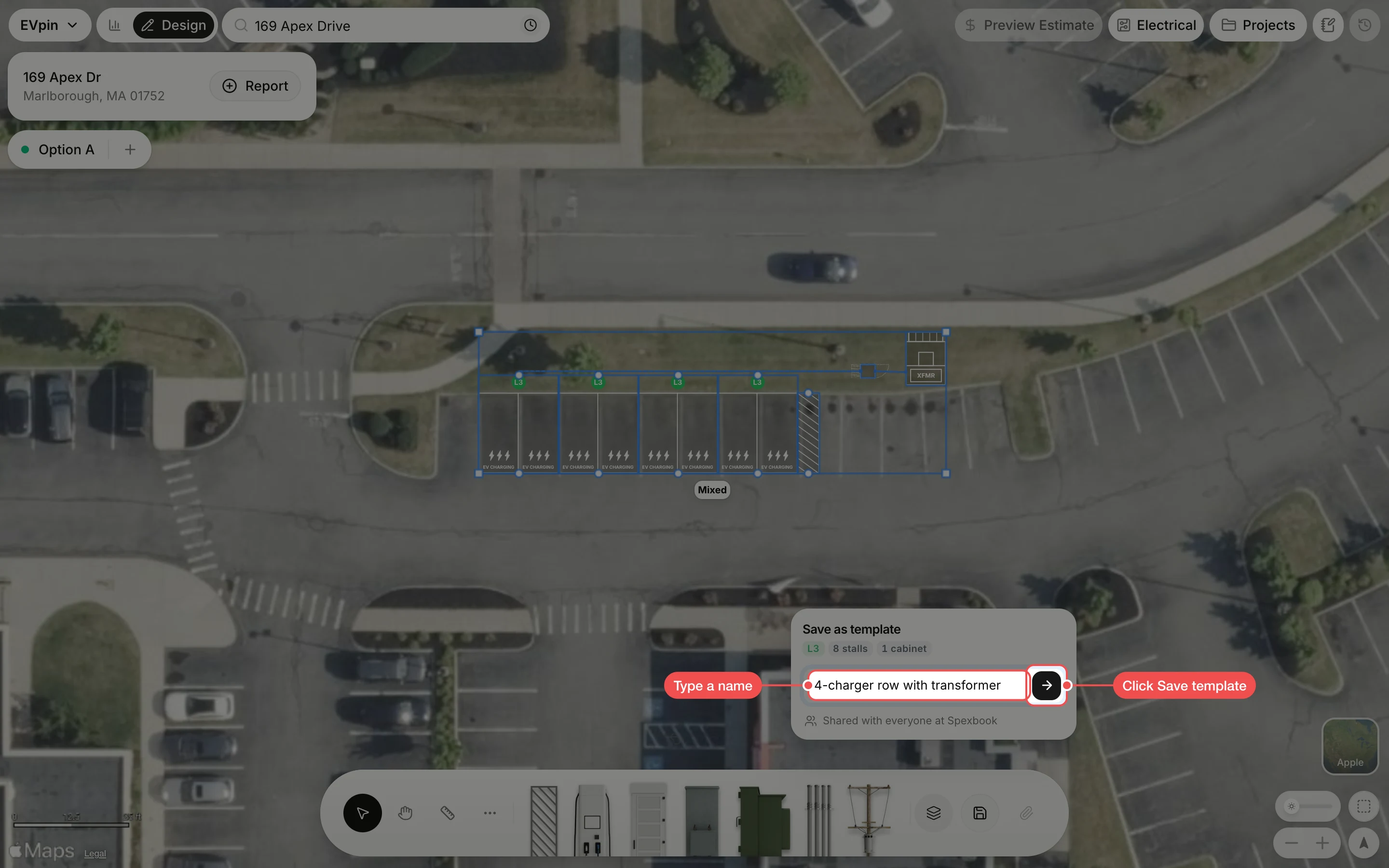
Type a name in the Save as template box, then click the arrow (Save template) to save it. The tags above the name show what the template holds.
Find it in your templates
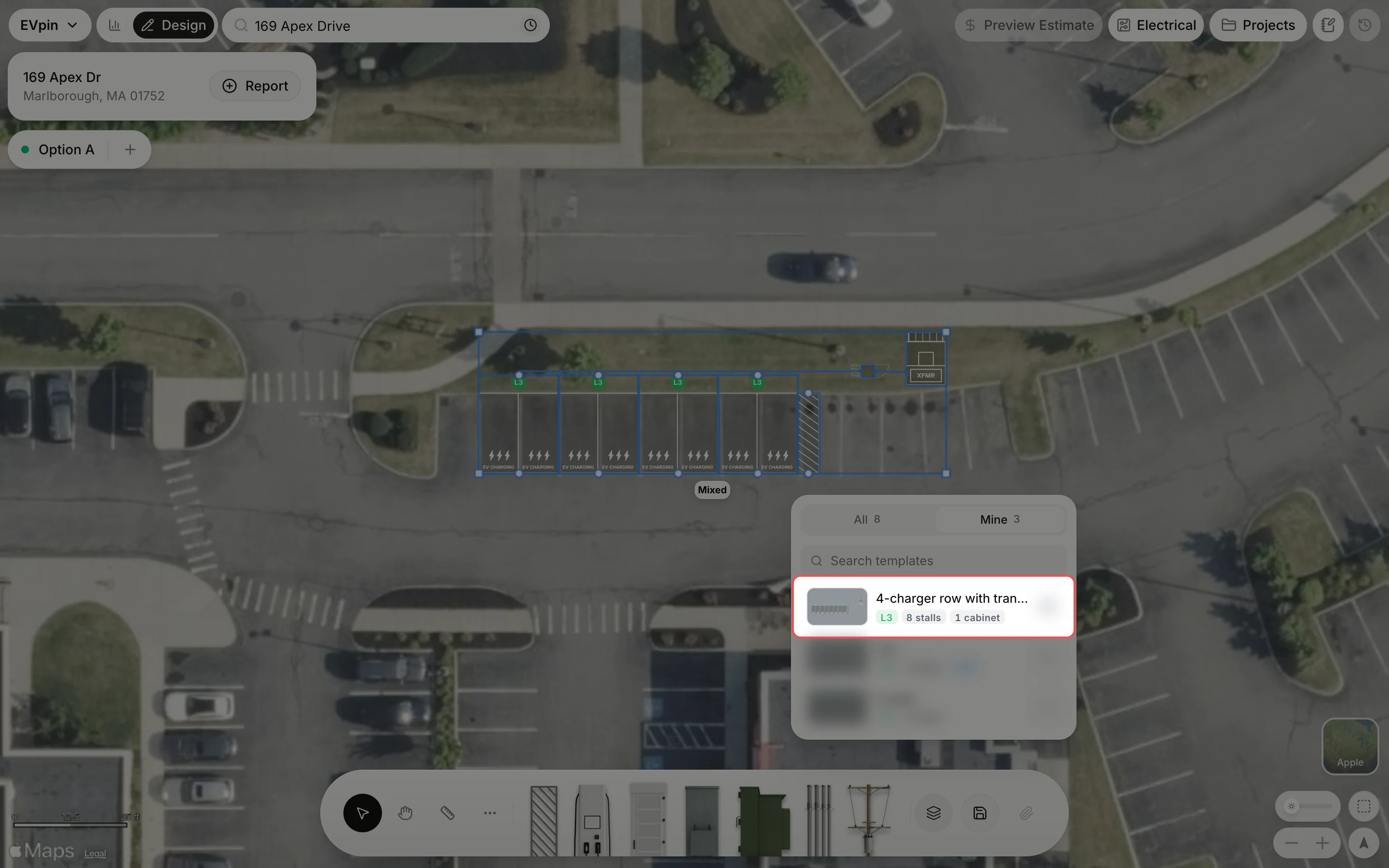
The template list opens on Mine, with the new template at the top. It is shared with everyone in your organization.
What's next
- How to place a template on a design to reuse it.
- How to manage your templates to rename or delete it.