How to place a template on a design
Drop a saved template of stalls and equipment onto a design and save it.
By the end your design will have a full set of stalls and equipment from a template, placed in one go. You need a template, as in How to save part of a design as a template, and the site open on the Design page with nothing placed yet.
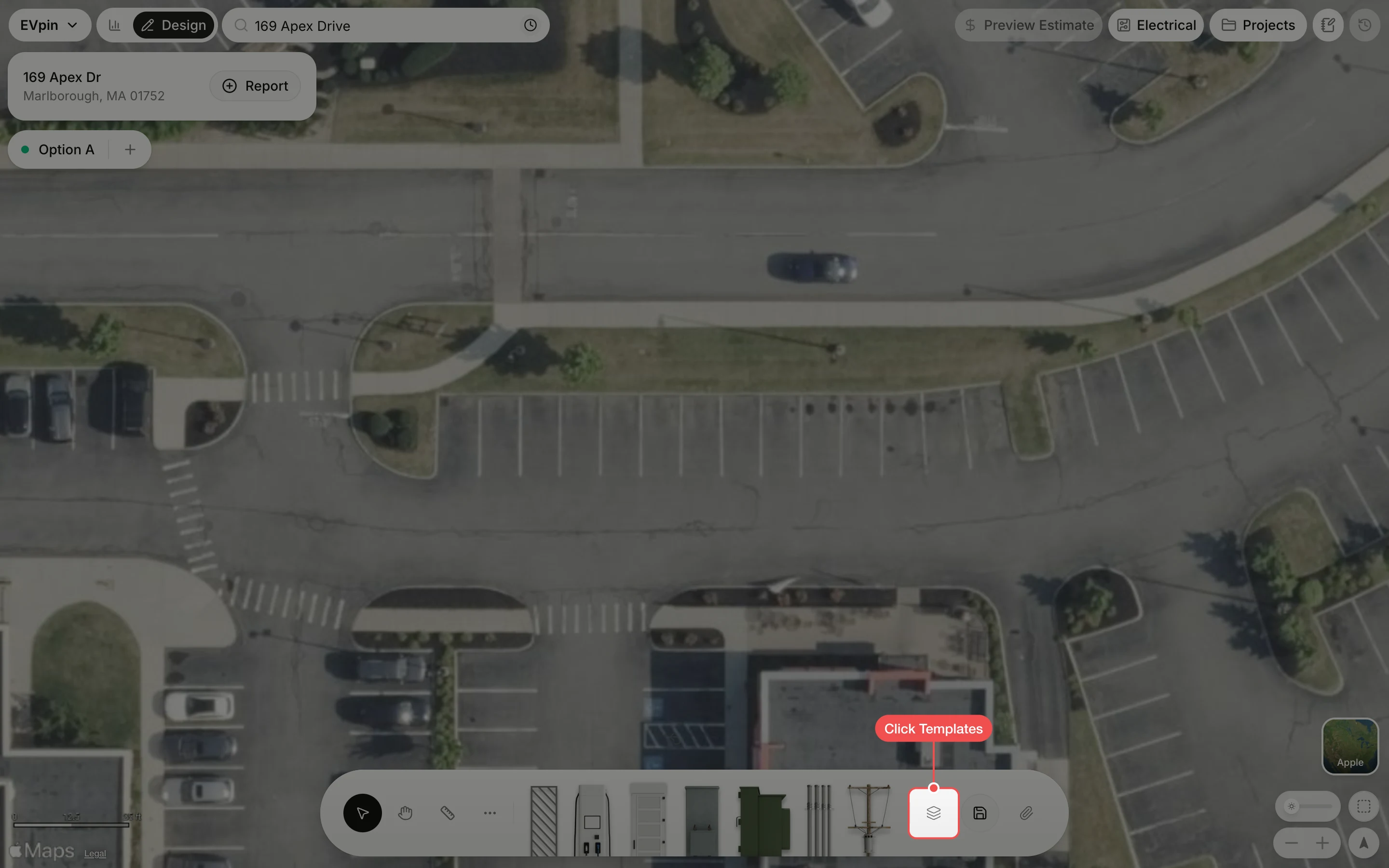
Find the template
Type part of the name in Search templates, then click the template. The list opens on Mine, your own templates. Click All first if a teammate saved the one you want.
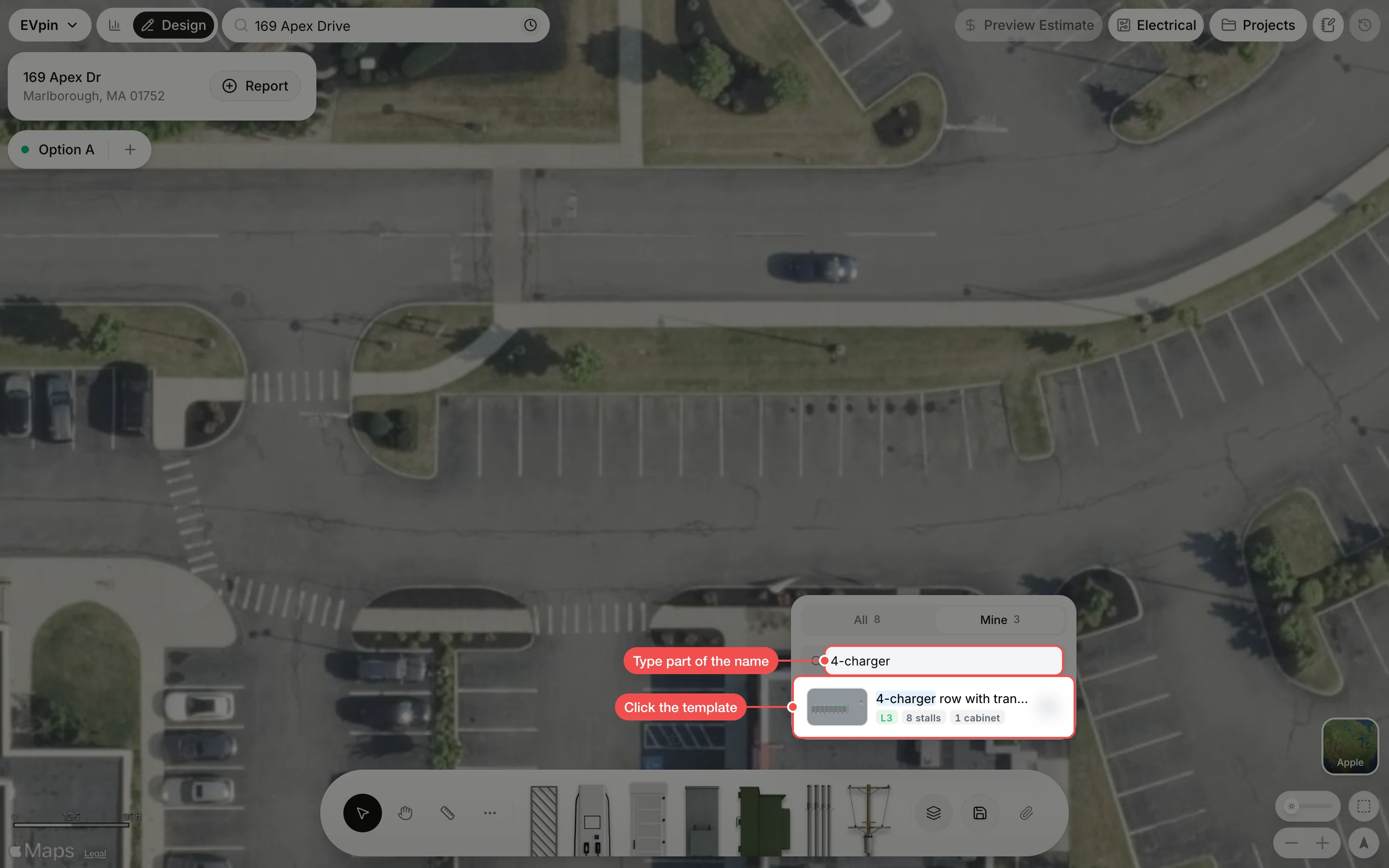
Drop it into place
The template follows your pointer. Move it so the stalls sit on the parking spaces, then click to drop it.
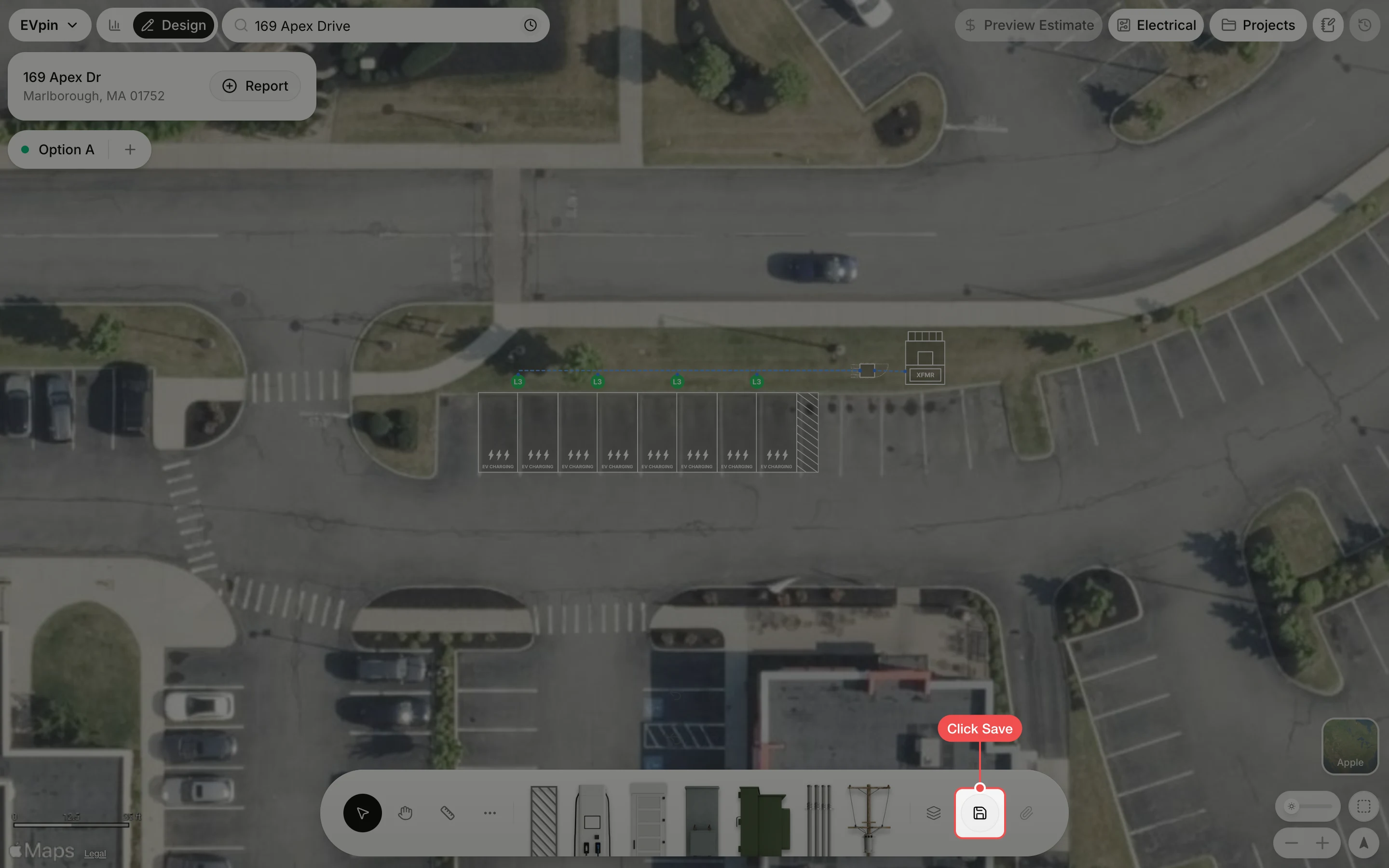
What's next
- How to manage your templates to keep the list tidy.