How to add a utility pole
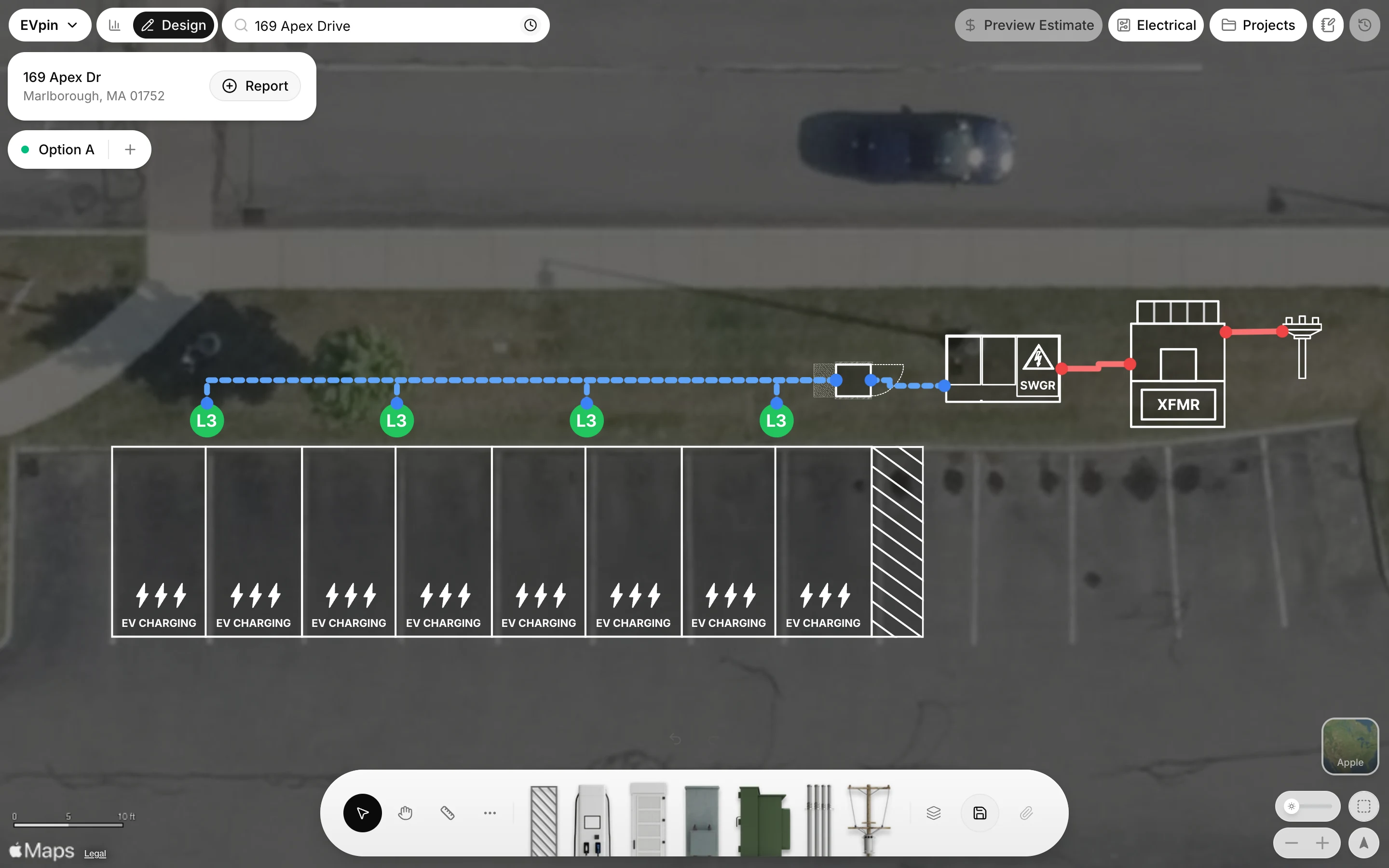
Mark the utility pole that feeds the site on the Design page and connect it to the transformer.
When the utility serves the site from overhead lines, a utility pole marks where that service comes from. By the end your design will show the pole with a run to the transformer. You need a design with a transformer, as in How to add a transformer.
Open Point of Connection (POC)
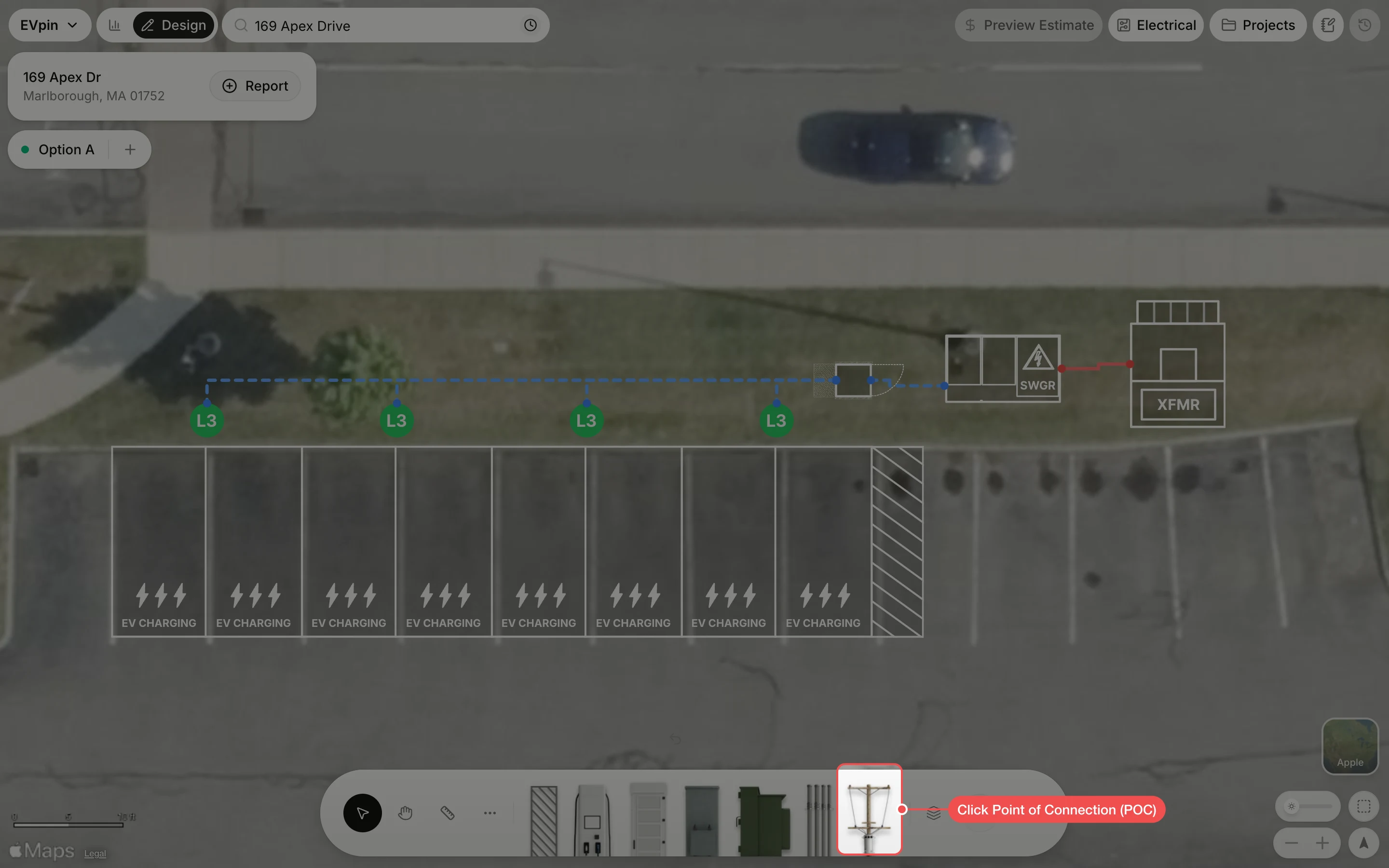
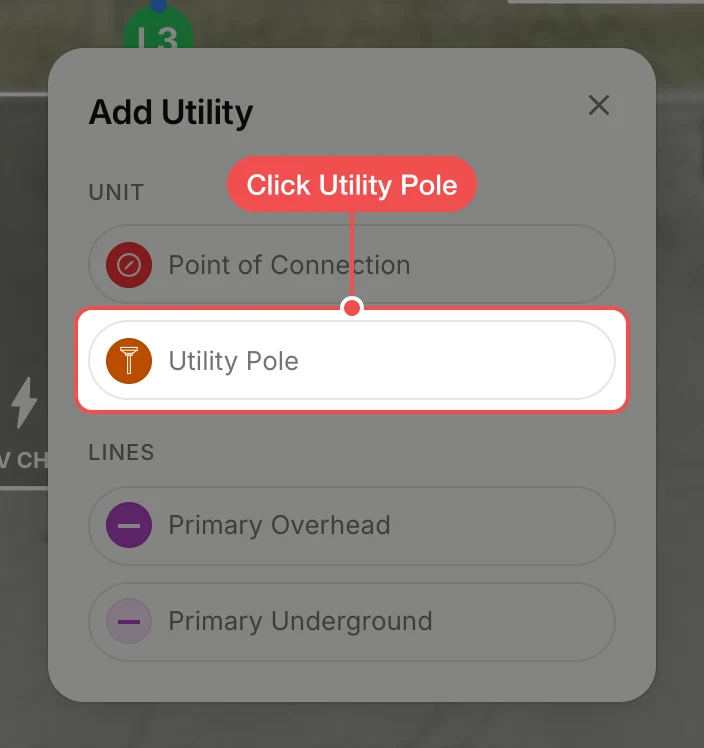
Click Point of Connection (POC) in the toolbar at the bottom. The Add Utility menu opens.
Click where the pole stands
Click the map where the pole is, here on the grass east of the transformer. The tool stays on, so every click adds another pole; press Escape when you are done.
Check the connection
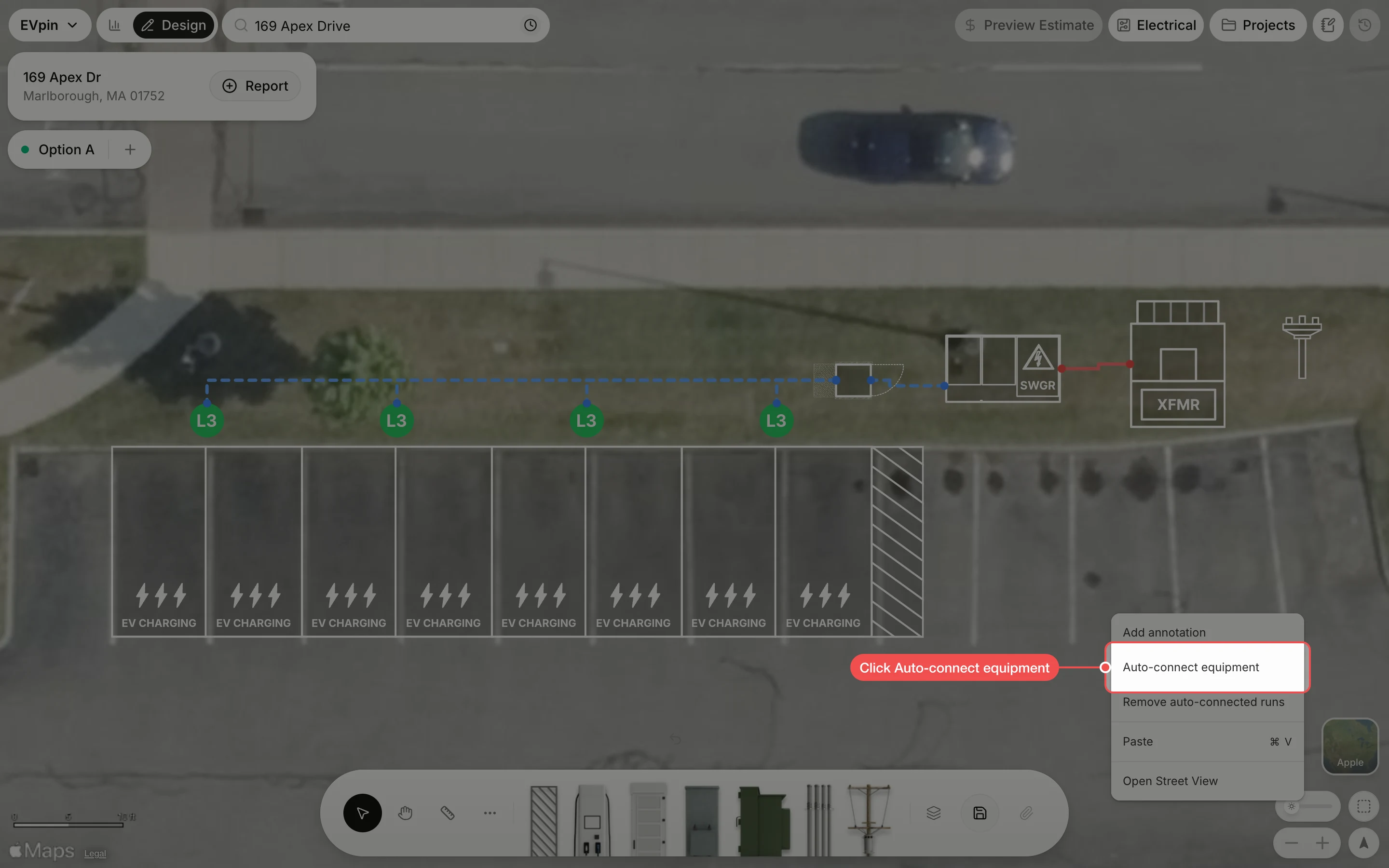
A red primary run now joins the pole to the transformer, so the design shows the whole path from the utility to the chargers.
What's next
- How to draw a primary overhead or underground line to show the utility's line reaching the pole.
- How to set a site's service capacity to tell EVpin how much the utility can supply.