How to draw a primary overhead or underground line
Draw the utility's primary line from the street to the utility pole or point of connection on a design.
A primary line shows the utility's own line reaching the site, overhead on poles or buried. By the end your design will show a primary overhead line running from the street to the utility pole. The line is there for the drawing: it shows no length and is left out of the conduit in the estimate, since the utility builds it. You need a design with a utility pole or a point of connection, as in How to add a utility pole.
Open Point of Connection (POC)
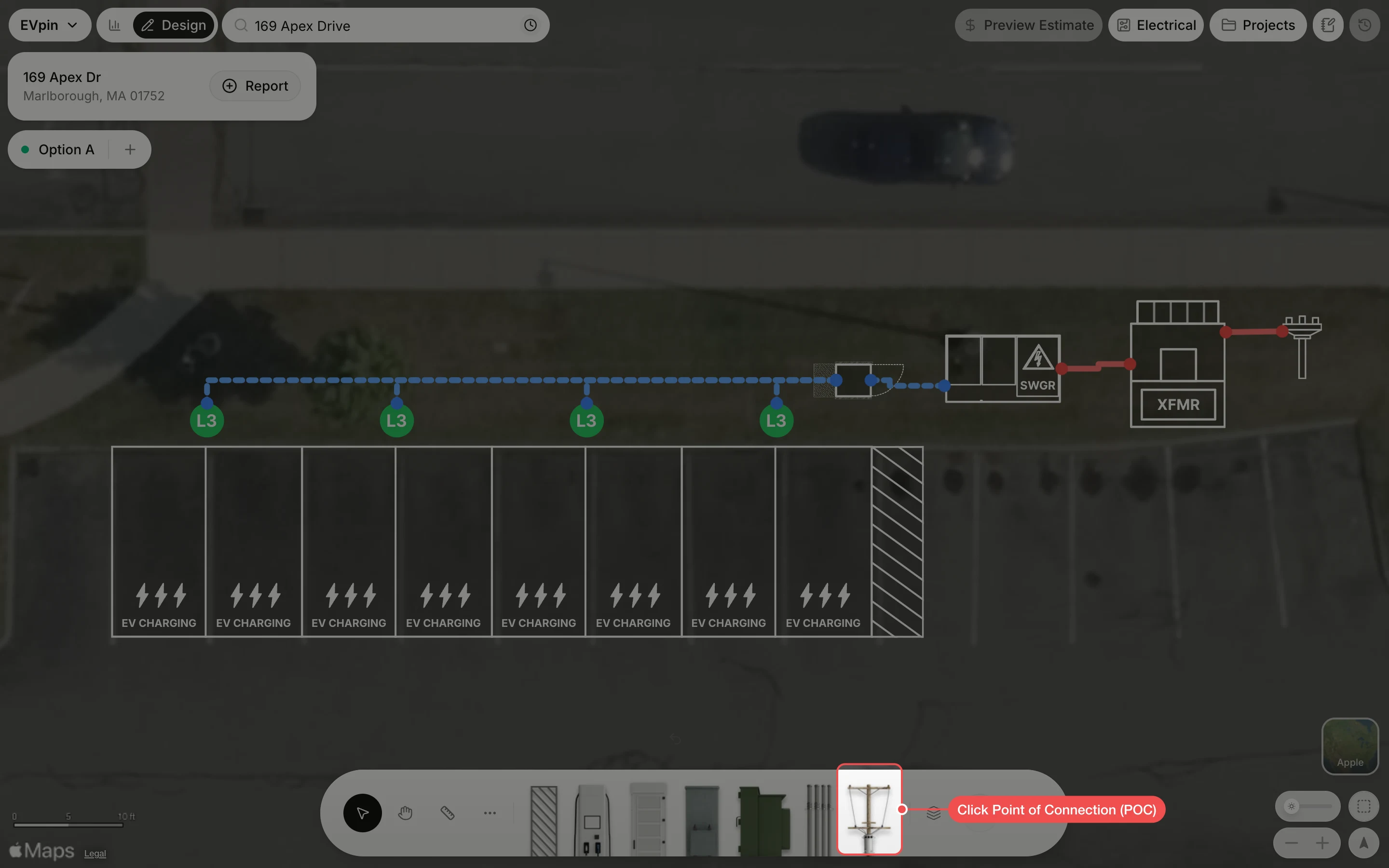
Click Point of Connection (POC) in the toolbar at the bottom. The Add Utility menu opens.
Click the line type
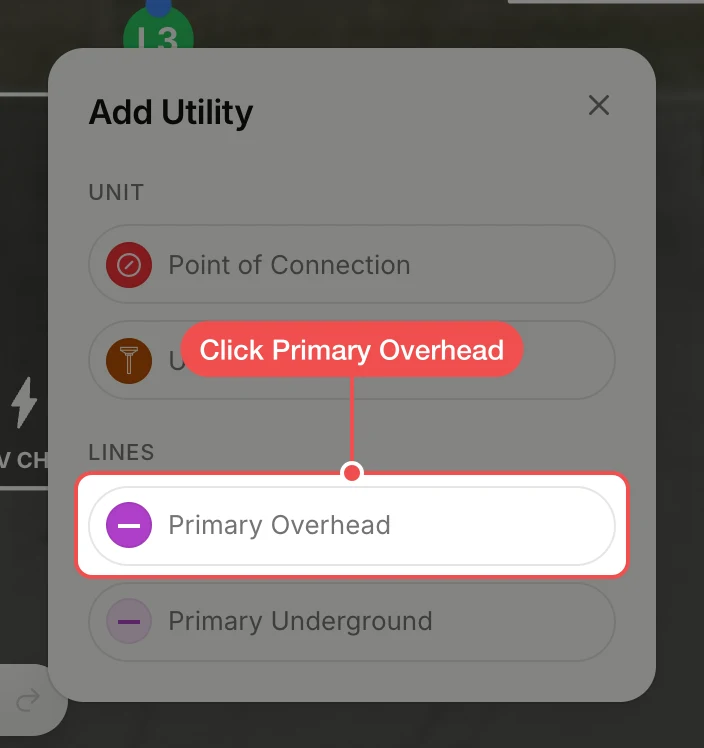
Under Lines, click Primary Overhead for a line on poles. Click Primary Underground instead for a buried line; it draws the same way and shows dashed.
Drag from the street to the pole
Drag from where the utility's line comes from, here the edge of the street, to the utility pole. The end snaps to the pole's nearest connection point.
Check the line
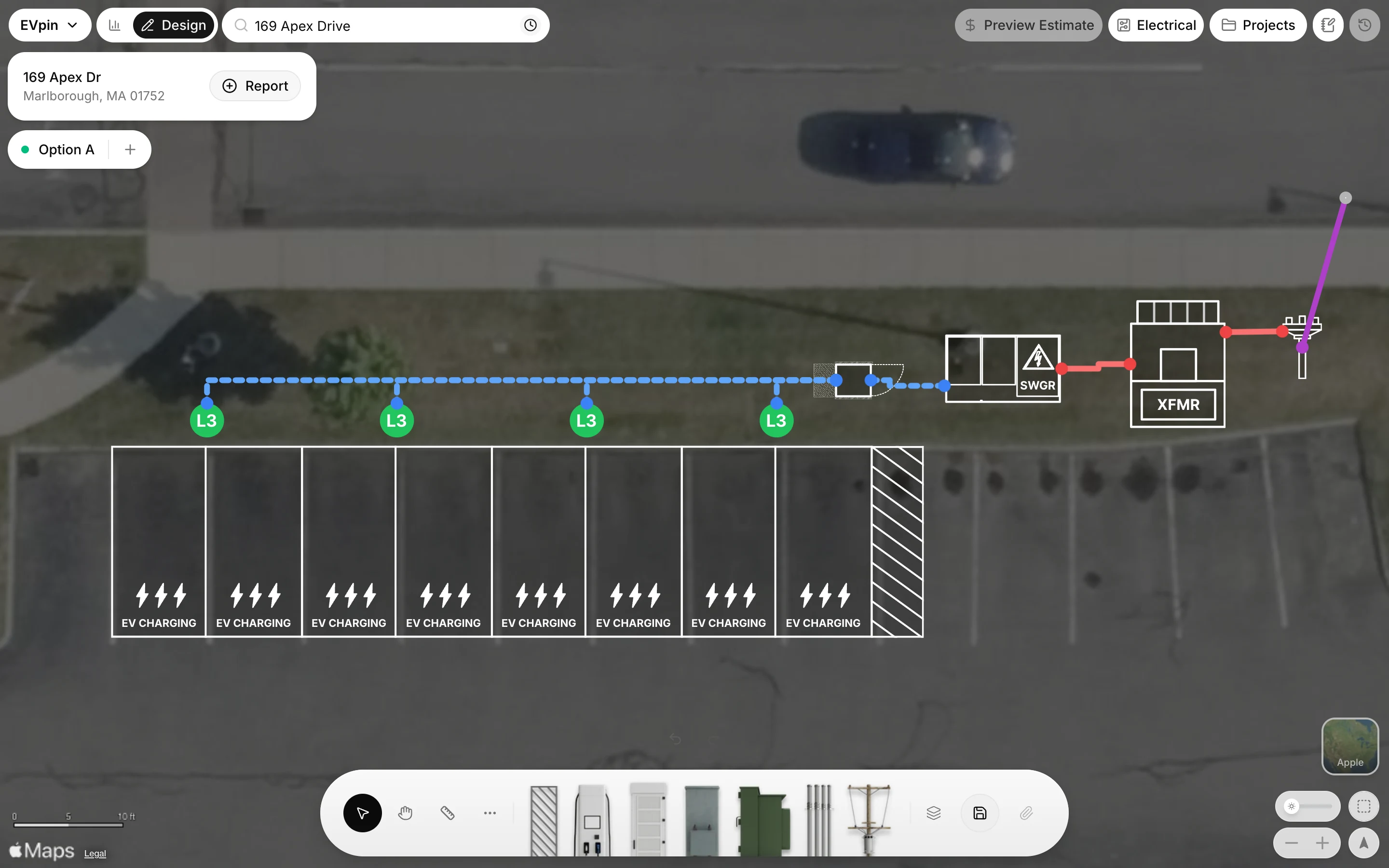
The purple primary line now runs from the street to the pole, and the red run carries the service on to the transformer.
What's next
- How to set a site's service capacity to tell EVpin how much the utility can supply.