How to see planned Tesla Superchargers near a site
Show Supercharger sites that are planned or in permitting around a site and open one to see its size and owner.
By the end you will know whether a Supercharger is coming near your site, so you can plan for the competition. Start with the address open on the Evaluate map, as in How to look up an address on the Evaluate map. Tesla Pipeline needs a Pro plan.
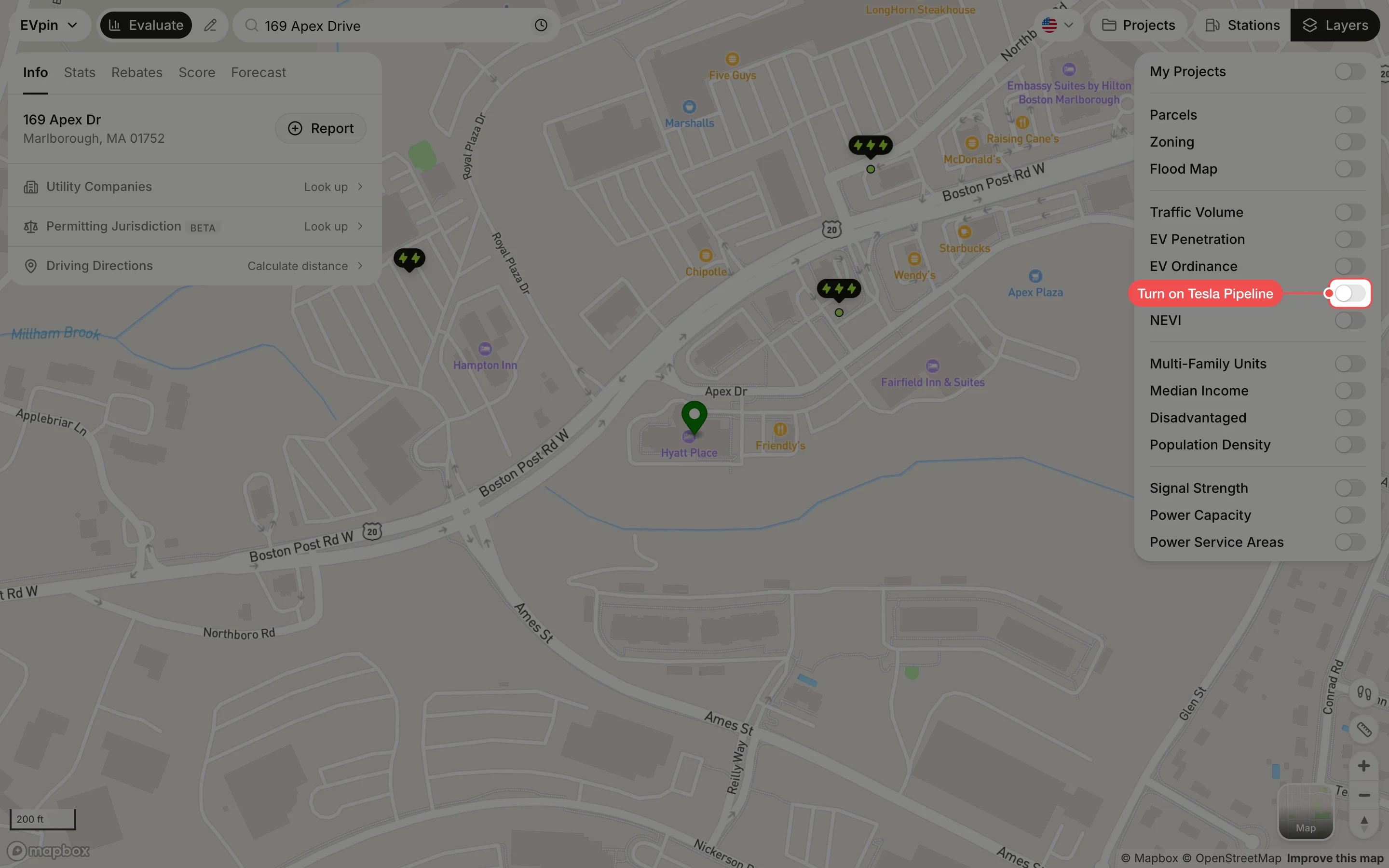
Turn on Tesla Pipeline
In the Layers panel at the top right, turn on Tesla Pipeline. Each upcoming site shows as a Tesla marker, with one colour for planned sites and another for sites that have a permit. Zoom out to look a few miles around the site.
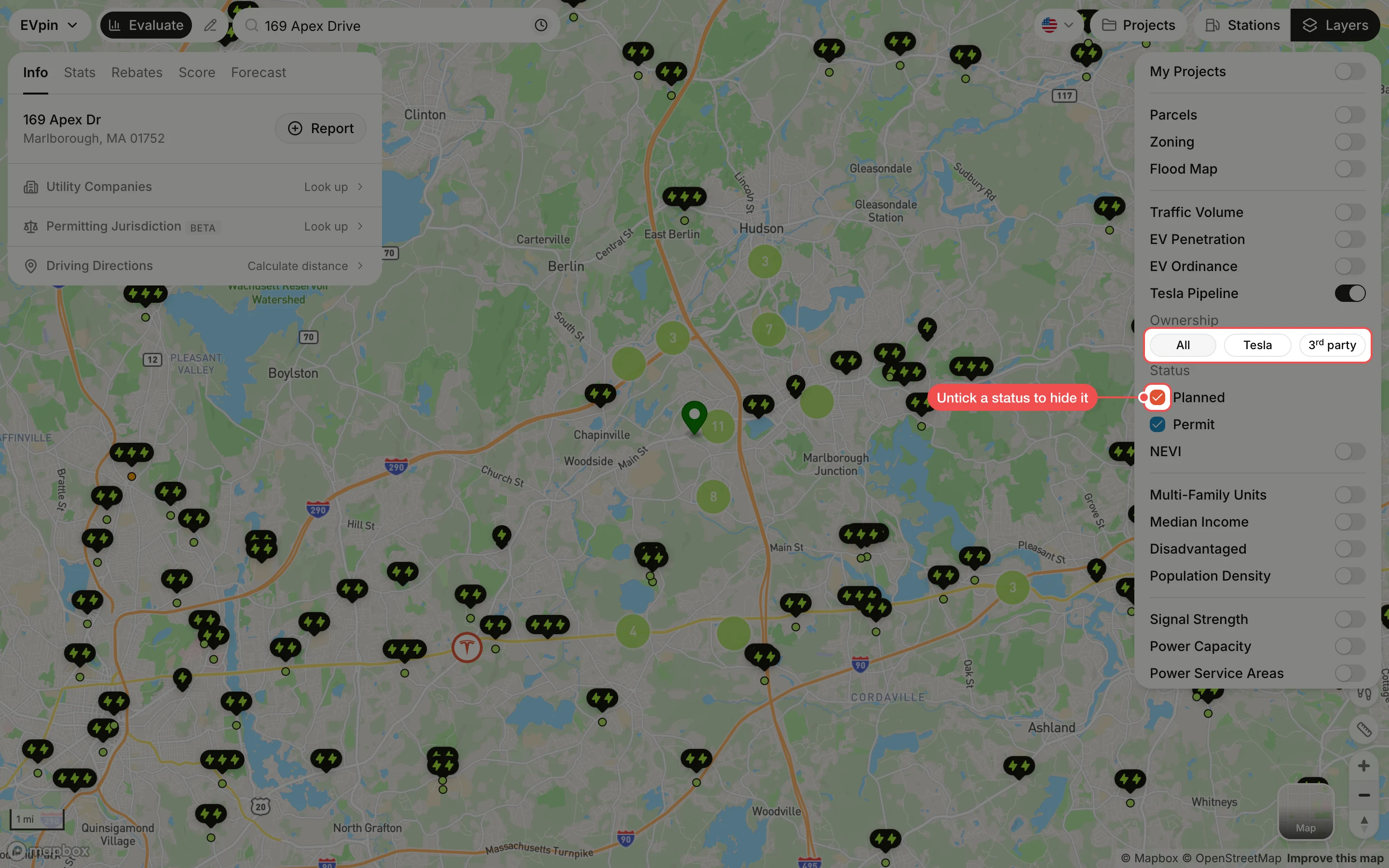
Narrow the sites
Under Ownership, click Tesla for sites Tesla will own or 3rd party for Superchargers owned by someone else. Under Status, untick Planned or Permit to hide sites at that stage.
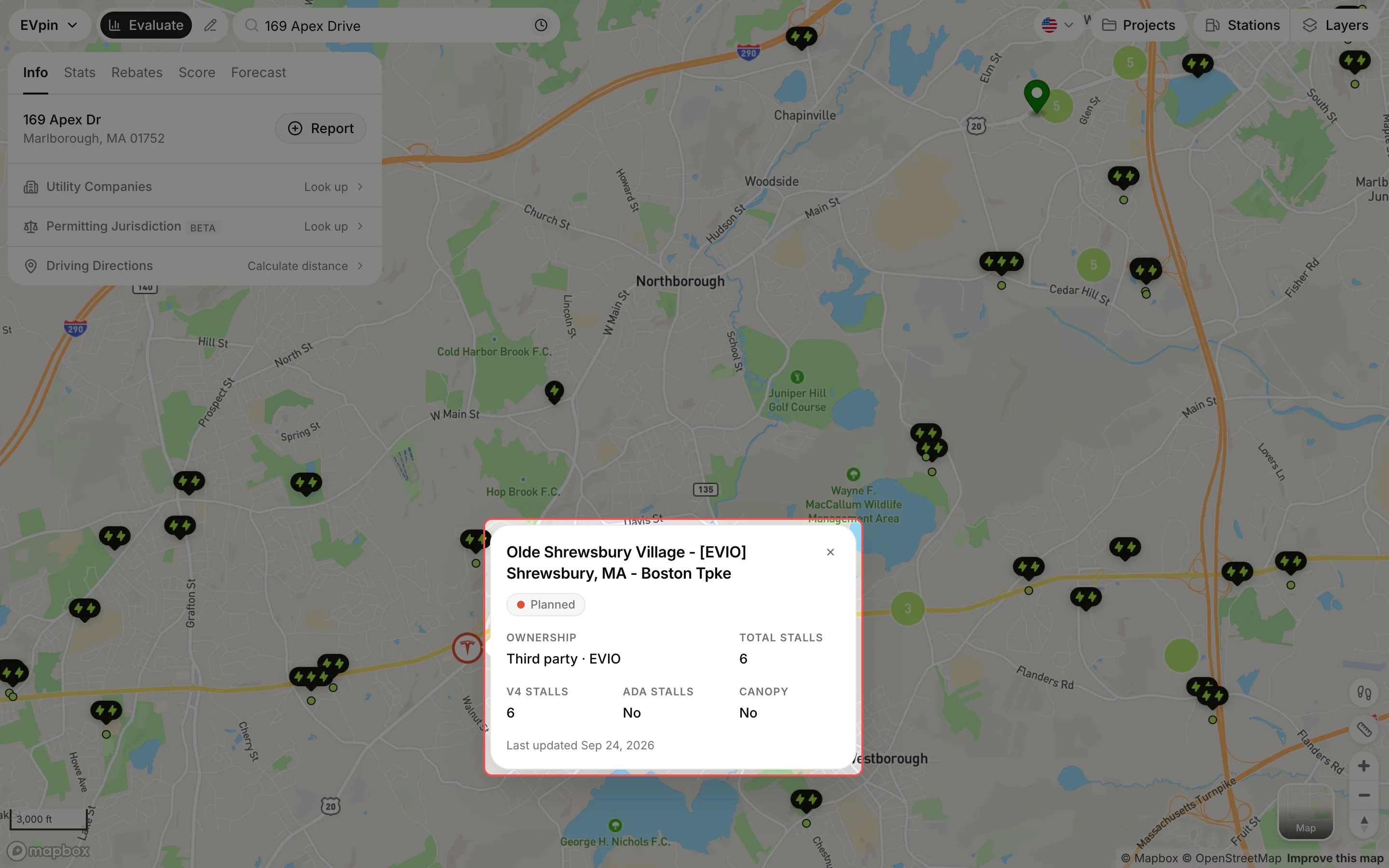
Click a Tesla marker
Click a Tesla marker. The popup shows the site's name, status, owner, number of stalls (including V4 and ADA stalls), whether it has a canopy and when the record was last updated.
What's next
- How to see existing charging stations on the map that are already open.