How to leave factors out of a score
Turn off the score factors that don't matter for a site and rerun its utilization score without them.
By the end the site's utilization score will be recalculated from only the factors you care about. You need a score open, as in How to get a utilization score for an address.
Open the factor editor
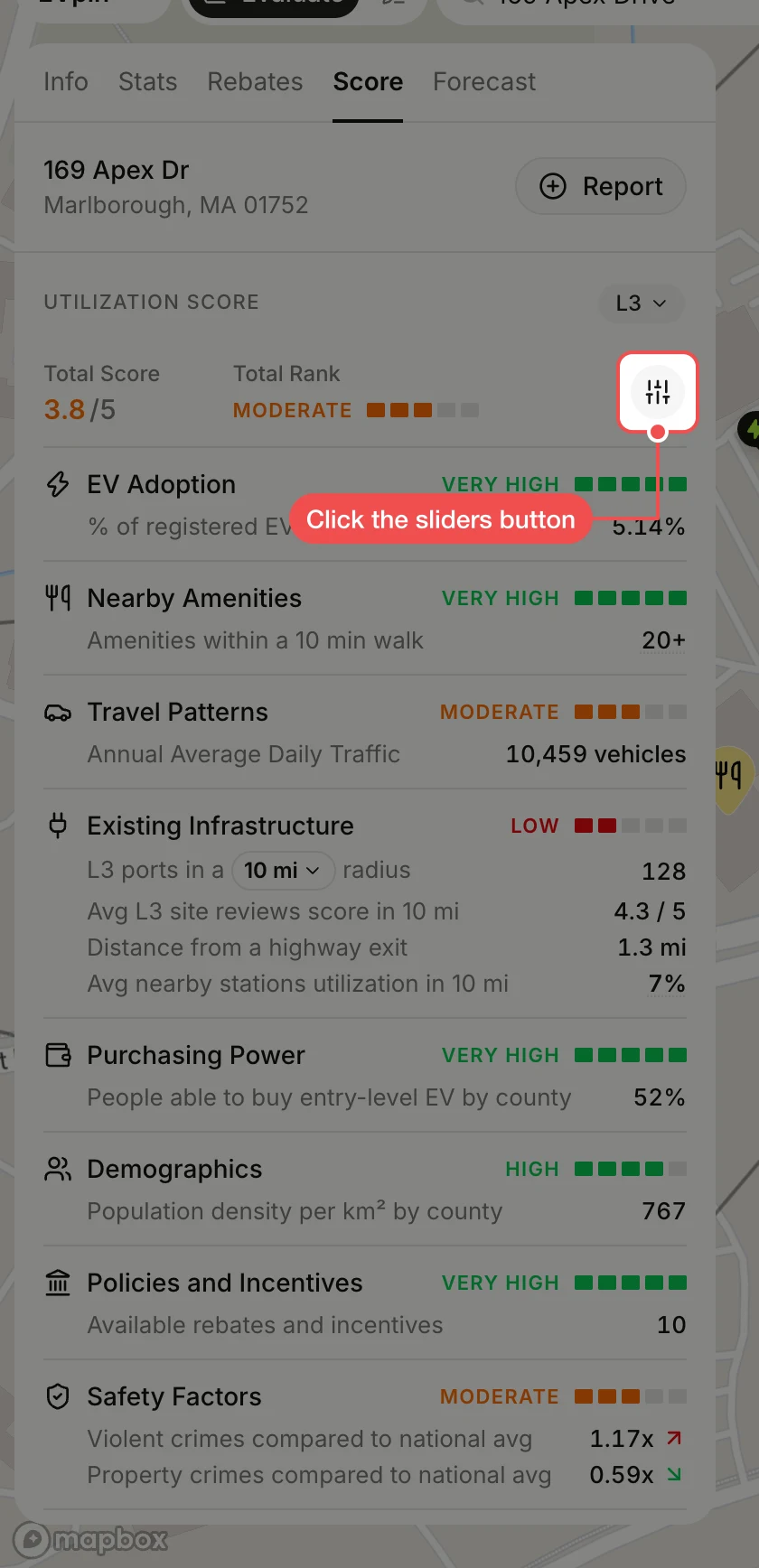
Click the sliders button to the right of Total Rank. A toggle appears next to every factor.
Turn off a factor
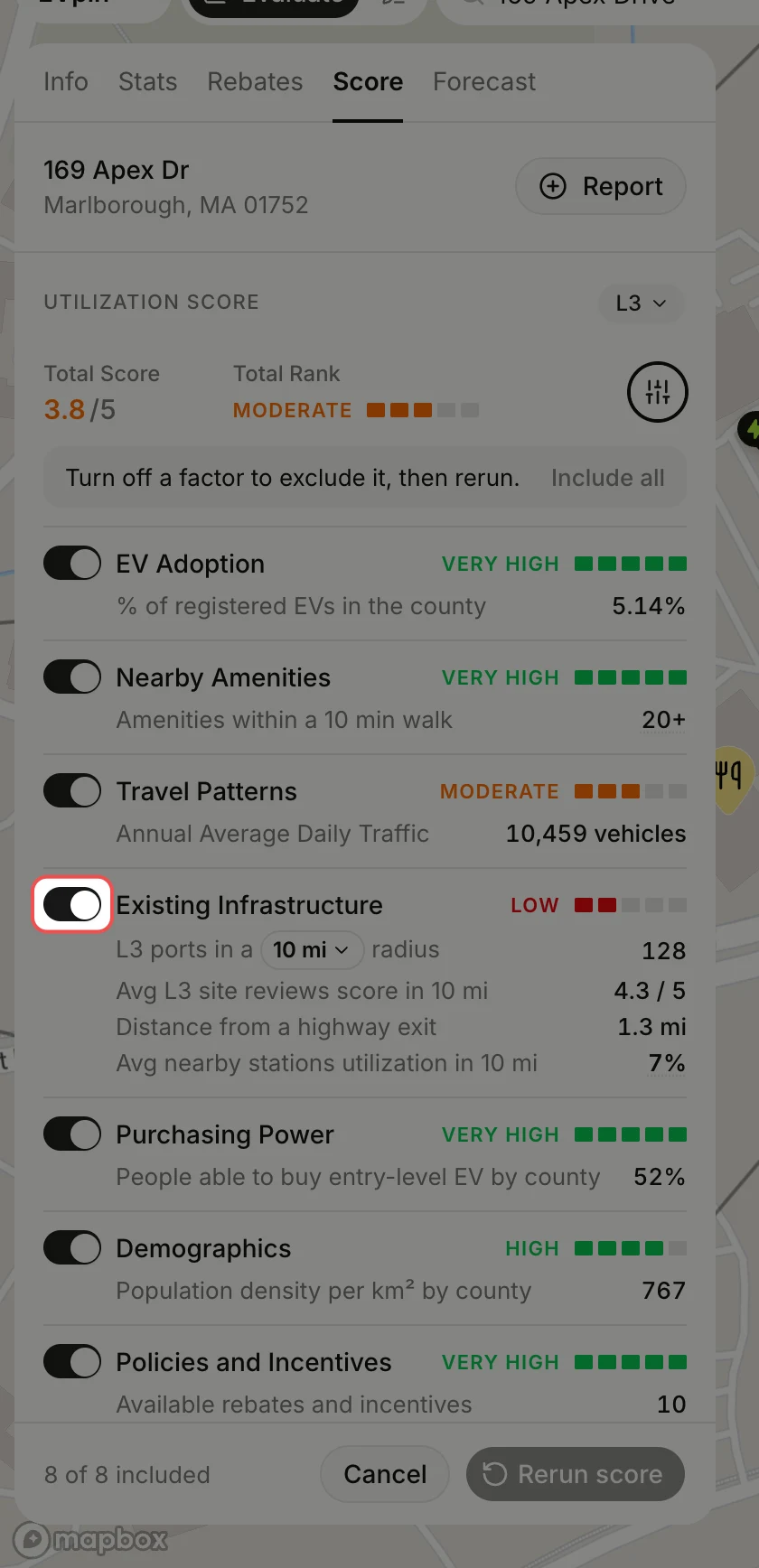
Turn off the toggle next to each factor you want left out. The factor greys out and is marked Excluded. Include all turns them all back on.
Click Rerun score
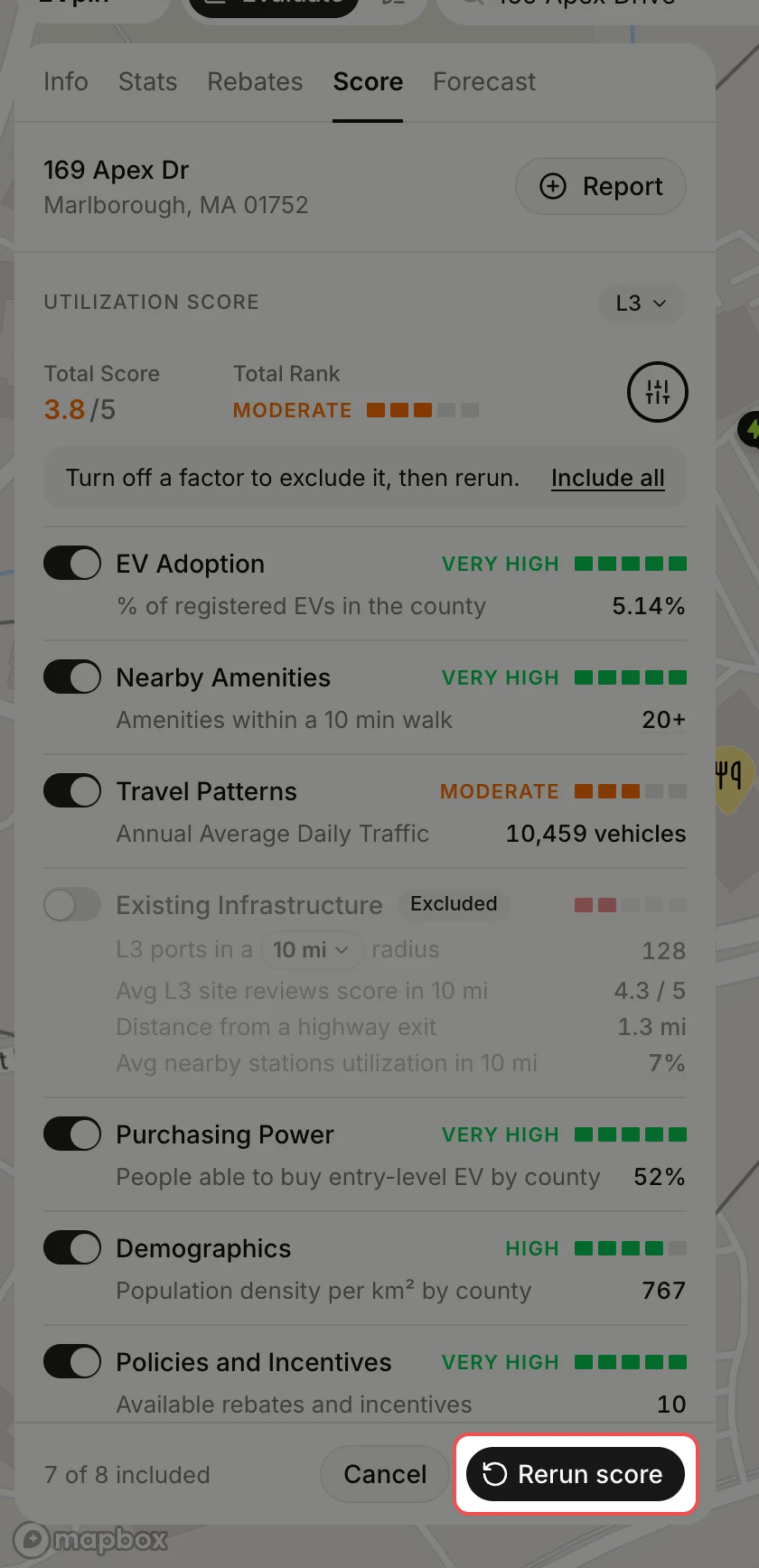
The count at the bottom shows how many factors are still included. Click Rerun score, or Cancel to keep the score as it was.
Read the new score
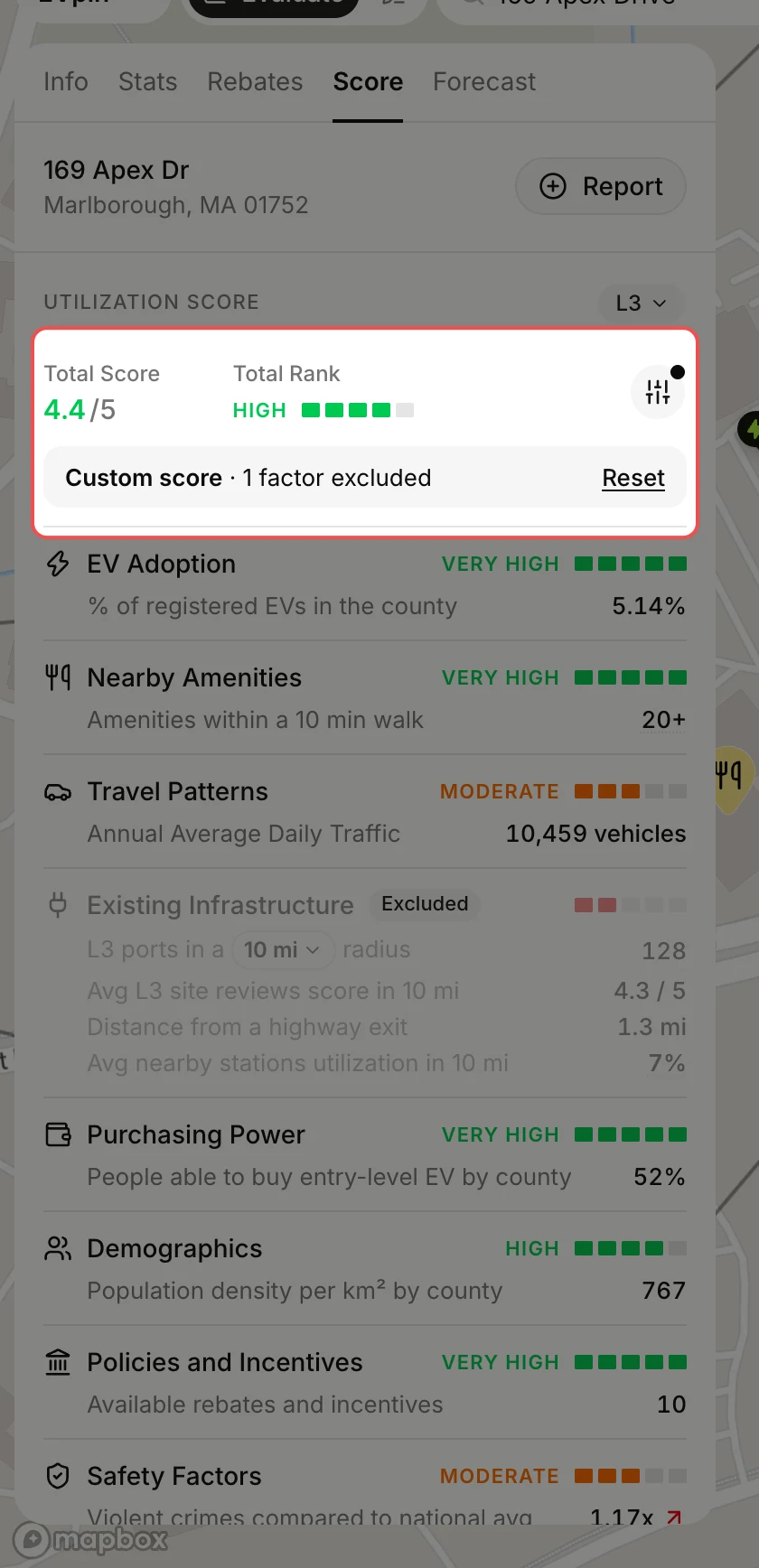
The total is recalculated without the factors you turned off and marked Custom score, with how many factors were excluded. Click Reset to go back to the score with every factor.
What's next
- How to generate a report from the Evaluate map to share the adjusted score.