How to find the utility that serves a site
Draw electric utility service areas on the Evaluate map and open the utility that covers a site.
By the end you will know which electric utility you will apply to for service at the site. Start with the address open on the Evaluate map, as in How to look up an address on the Evaluate map.
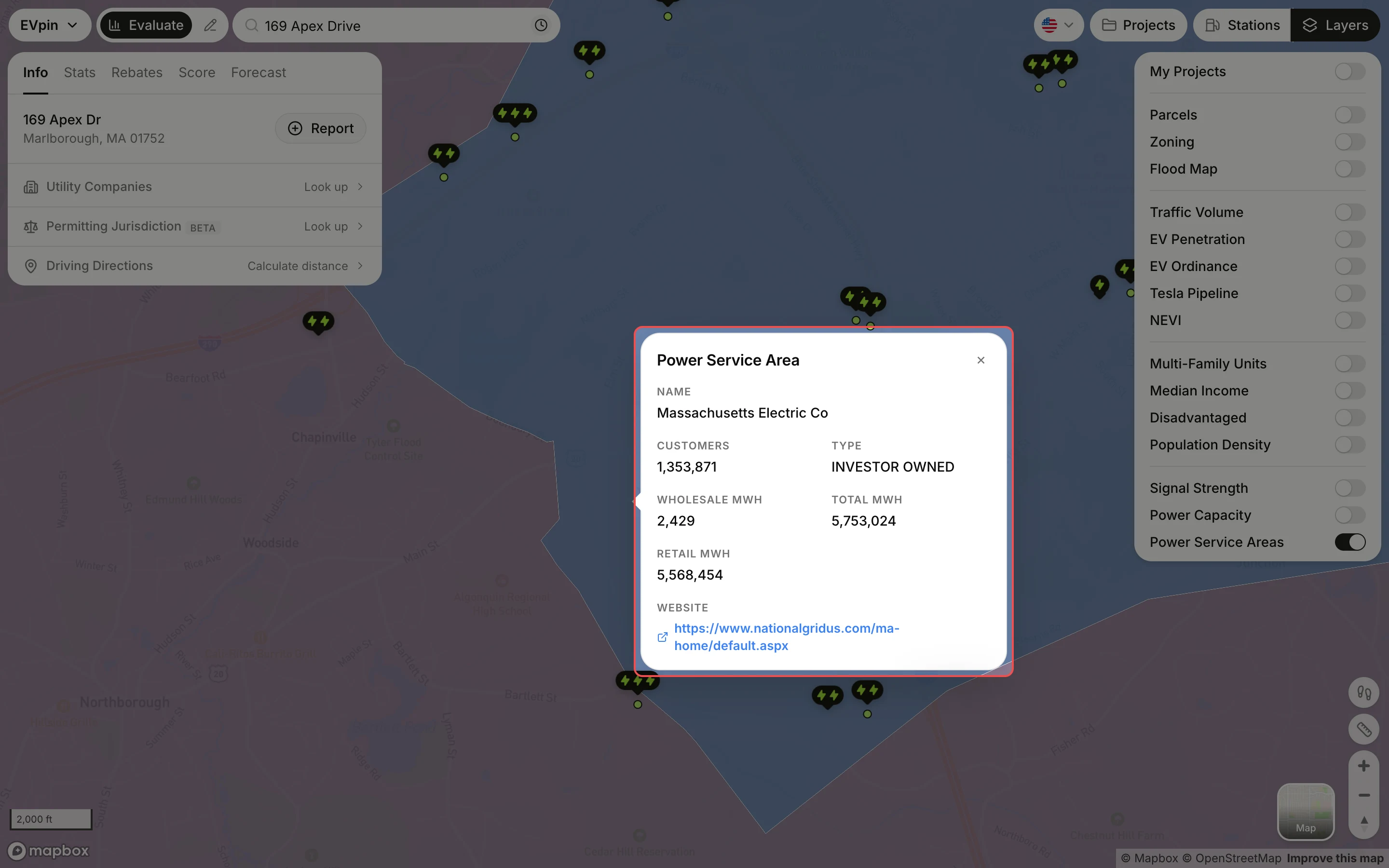
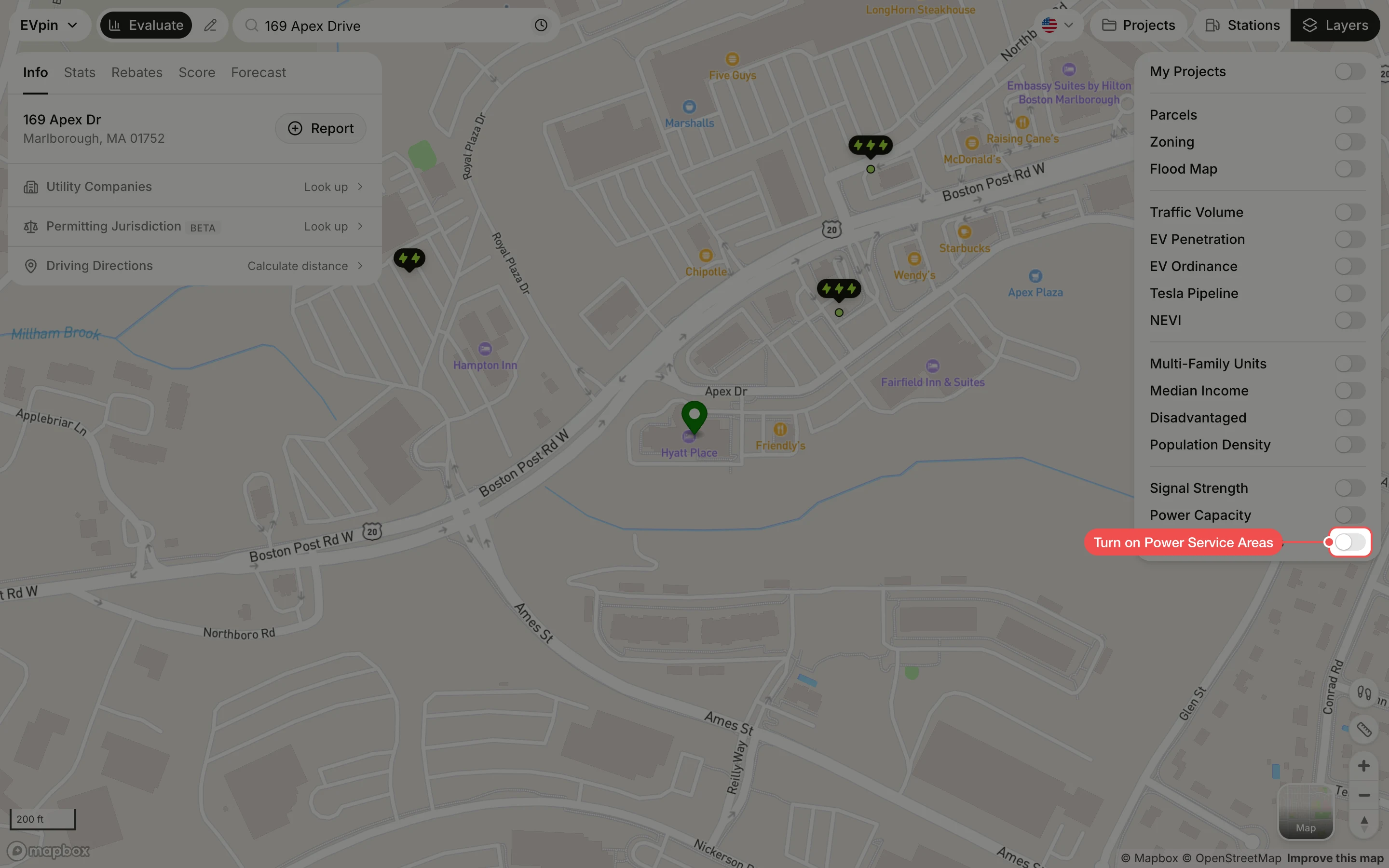
Turn on Power Service Areas
In the Layers panel at the top right, turn on Power Service Areas. Each utility's territory is shaded in its own color. Zoom out if you don't see the shading; it is hidden when the map is zoomed far out.
Click the area under the site
Click the shading under the site. The popup names the utility and shows its customer count, ownership type, annual sales in MWh and website. Where territories overlap, the popup reads 1 of 3 at the bottom; click the arrow next to it to see the next utility.