How to check mobile signal at a site
Shade the map by cellular signal strength for a carrier and compare carriers at a site, so networked chargers can stay online.
Networked chargers talk to their network over cellular data, so a weak signal means dropped sessions. By the end you will know how strong each carrier's signal is at the site. Start with the address open on the Evaluate map, as in How to look up an address on the Evaluate map. Signal Strength needs a Pro plan.
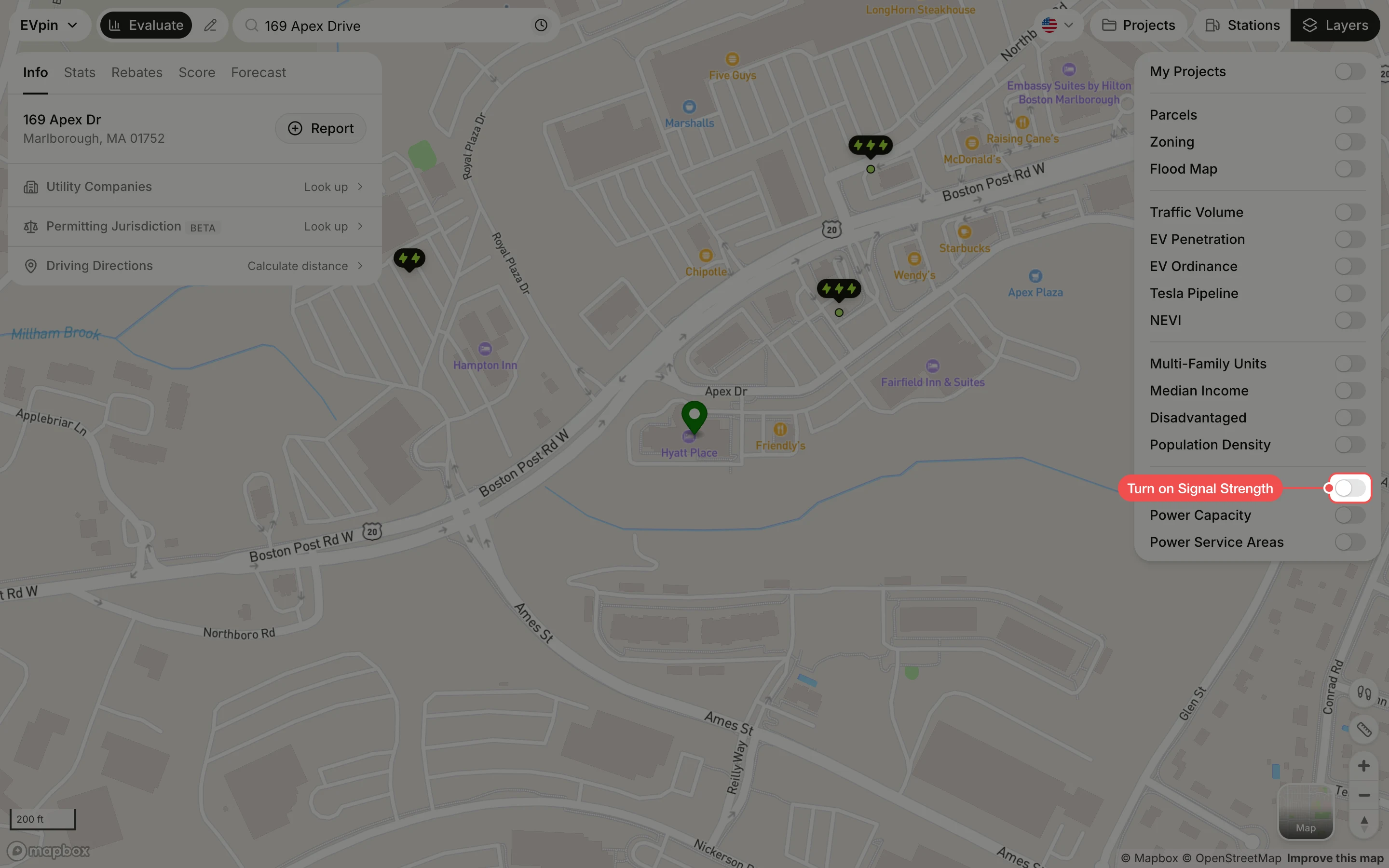
Turn on Signal Strength
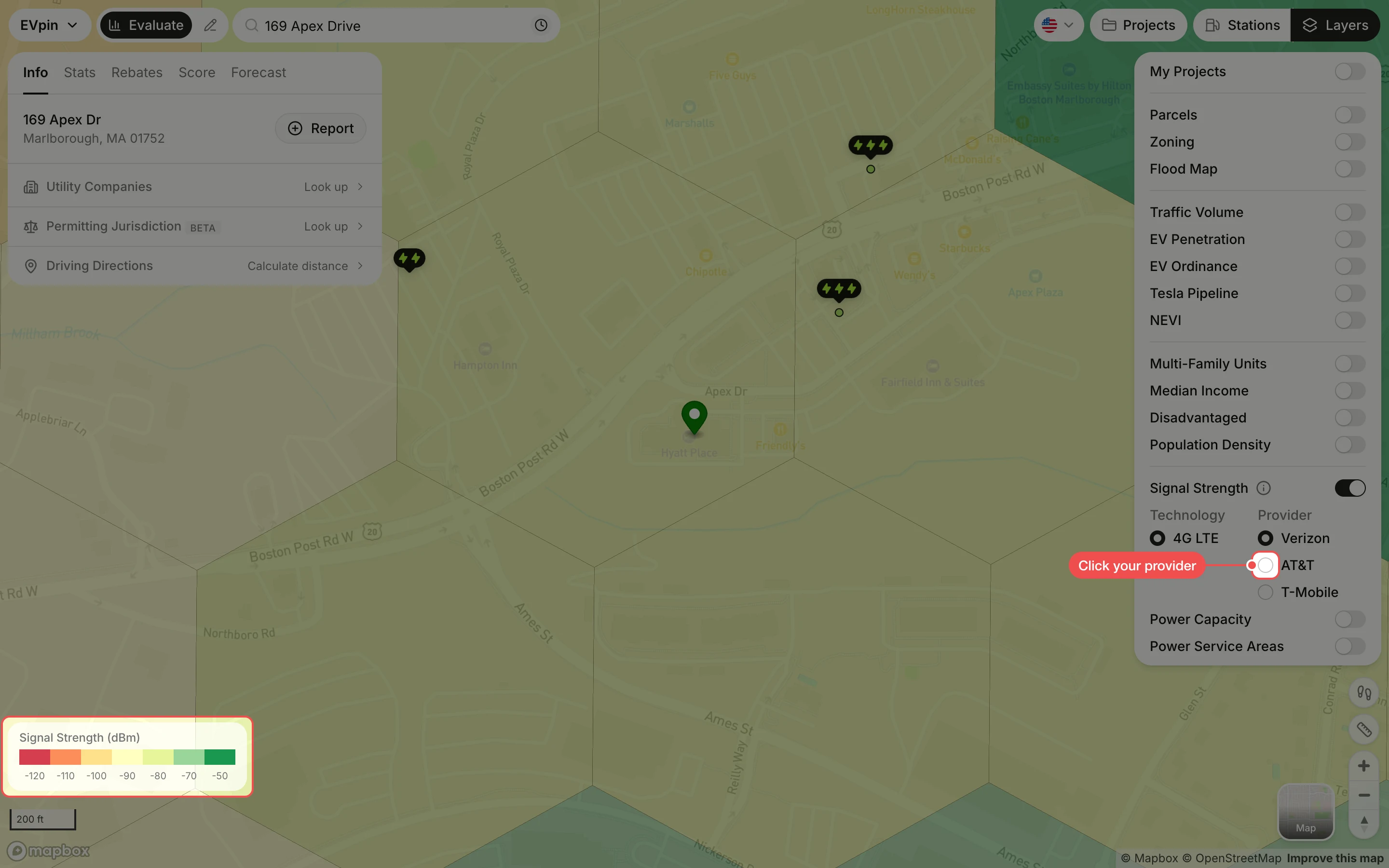
In the Layers panel at the top right, turn on Signal Strength. The map is split into hexagons shaded from red (weak, -120 dBm) to green (strong, -50 dBm).
Click the carrier your chargers use
Under Provider, click Verizon, AT&T or T-Mobile. Under Technology, click 5G if your chargers use it; 4G LTE is the default.
Click the hexagon at the site
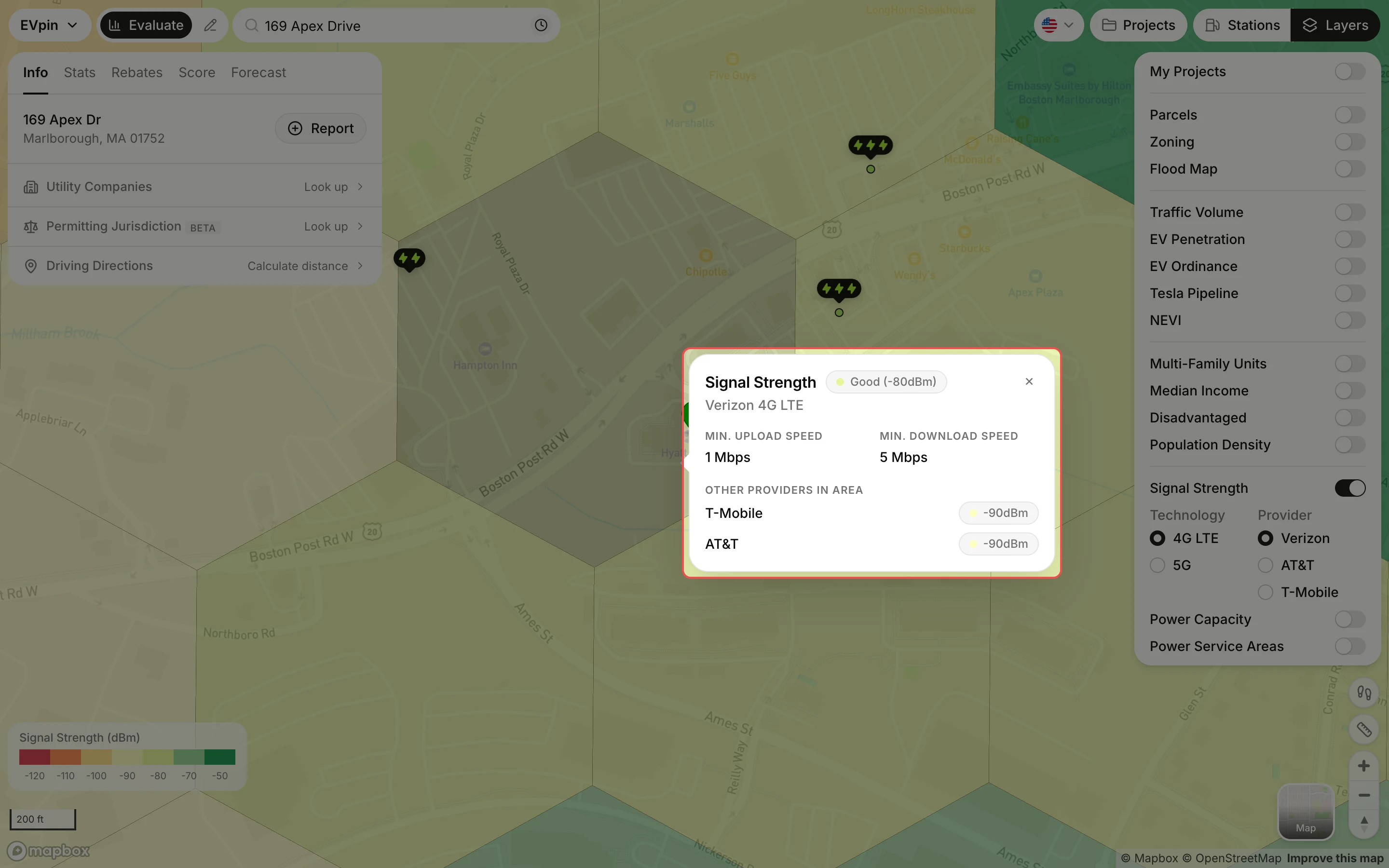
Click the hexagon where the chargers will go. The popup rates the signal (for example Good (-80dBm)), gives the minimum upload and download speeds, and lists the other carriers' signal in the same area.