How to view a design's single line diagram
Open the single line diagram EVpin draws from a design, from the utility source through the switchgear and cabinet to each charger.
By the end you will see the single line diagram for one design option. You need a saved design with electrical design turned on and nothing left on its checklist, as in How to turn on electrical design.

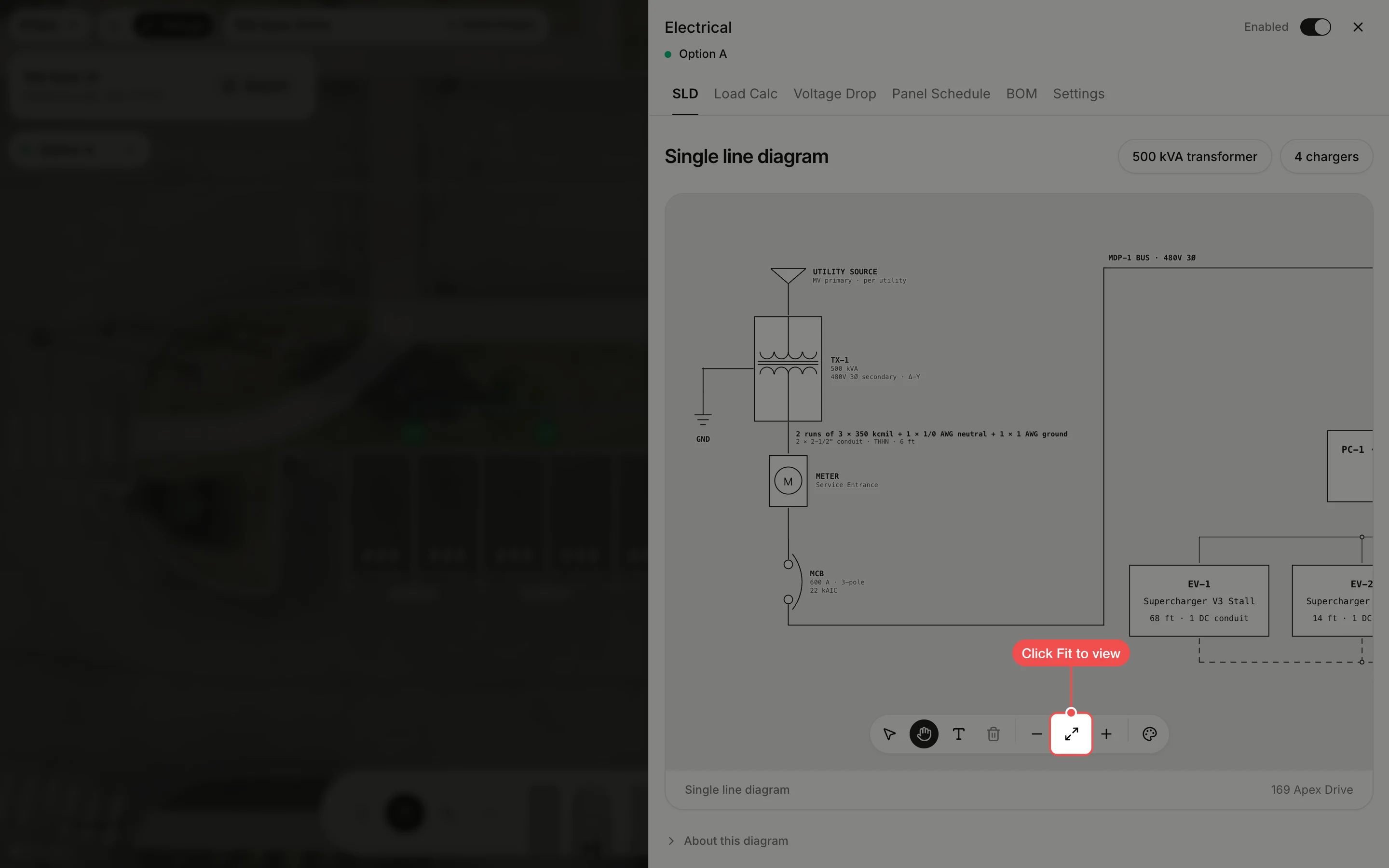
Fit the diagram to the panel
The SLD tab opens on the start of the diagram. Click Fit to view in the toolbar under the diagram to see all of it.
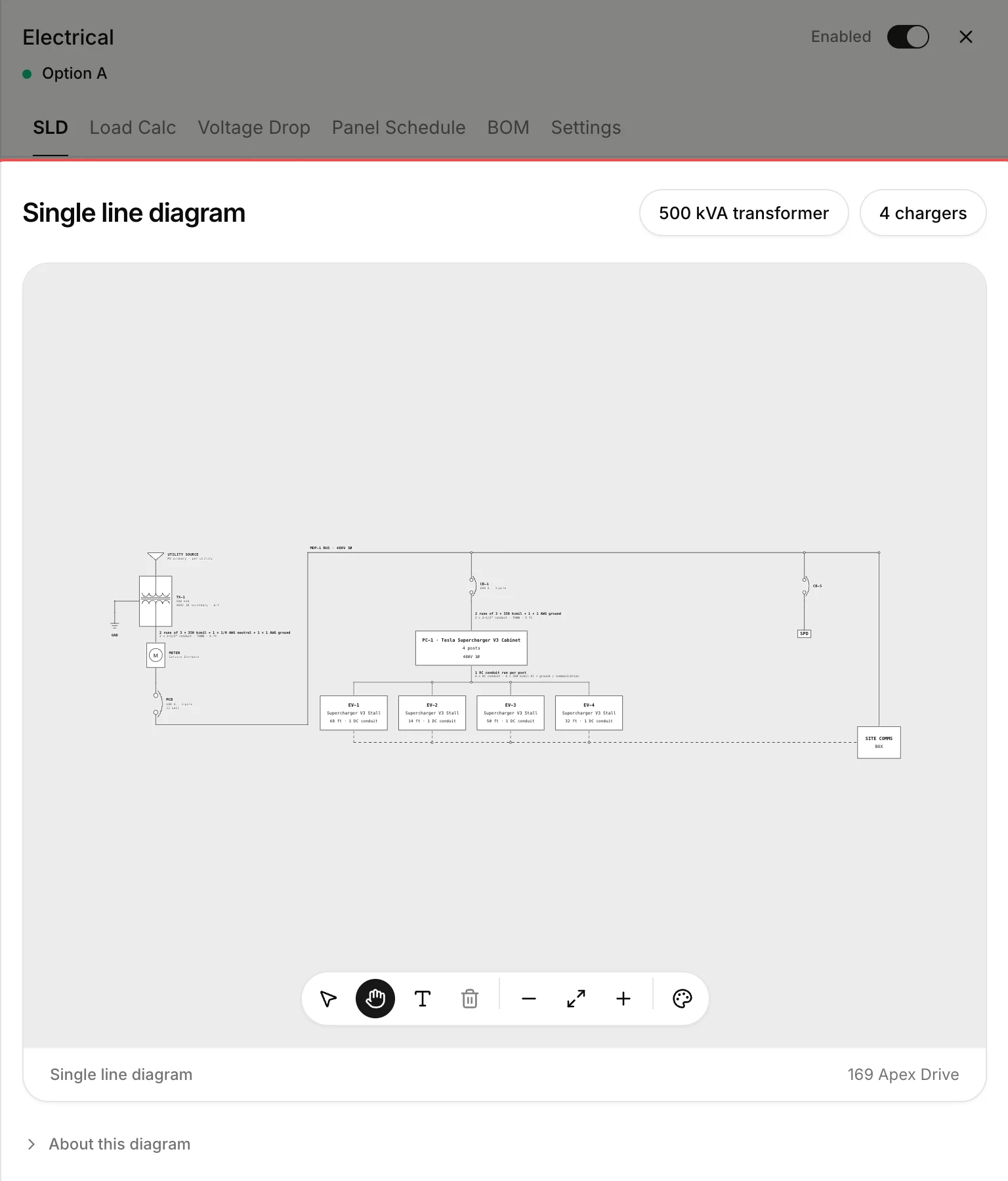
Read the diagram
The diagram runs from the utility source through the transformer, meter and main breaker to the switchgear bus, then through the cabinet's breaker to the power cabinet and on to each charger. Scroll to zoom, and use Add text in the toolbar to add notes.
What's next
- How to check a design's load calculation to see whether the transformer is big enough.