How to make stalls ADA compliant
Turn a pair of charging stalls into an accessible stall with an access aisle from the right-click menu.
By the end one of your stalls will be a wider accessible stall with a striped access aisle beside it. You need a design with charging stalls on it, as in How to add charging stalls to a design.
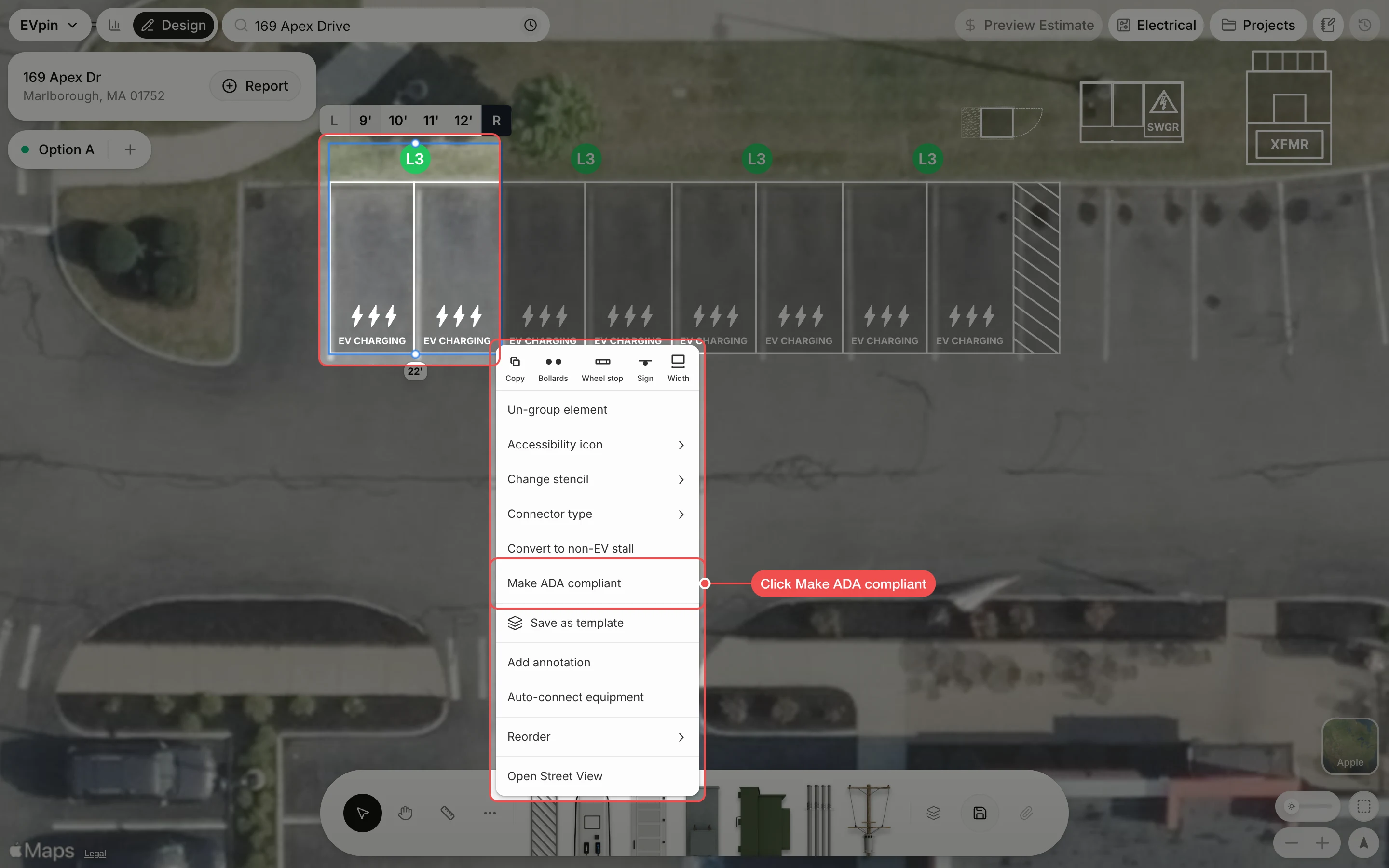
Right-click the stalls
Right-click a pair of stalls that share a charger, then click Make ADA compliant.
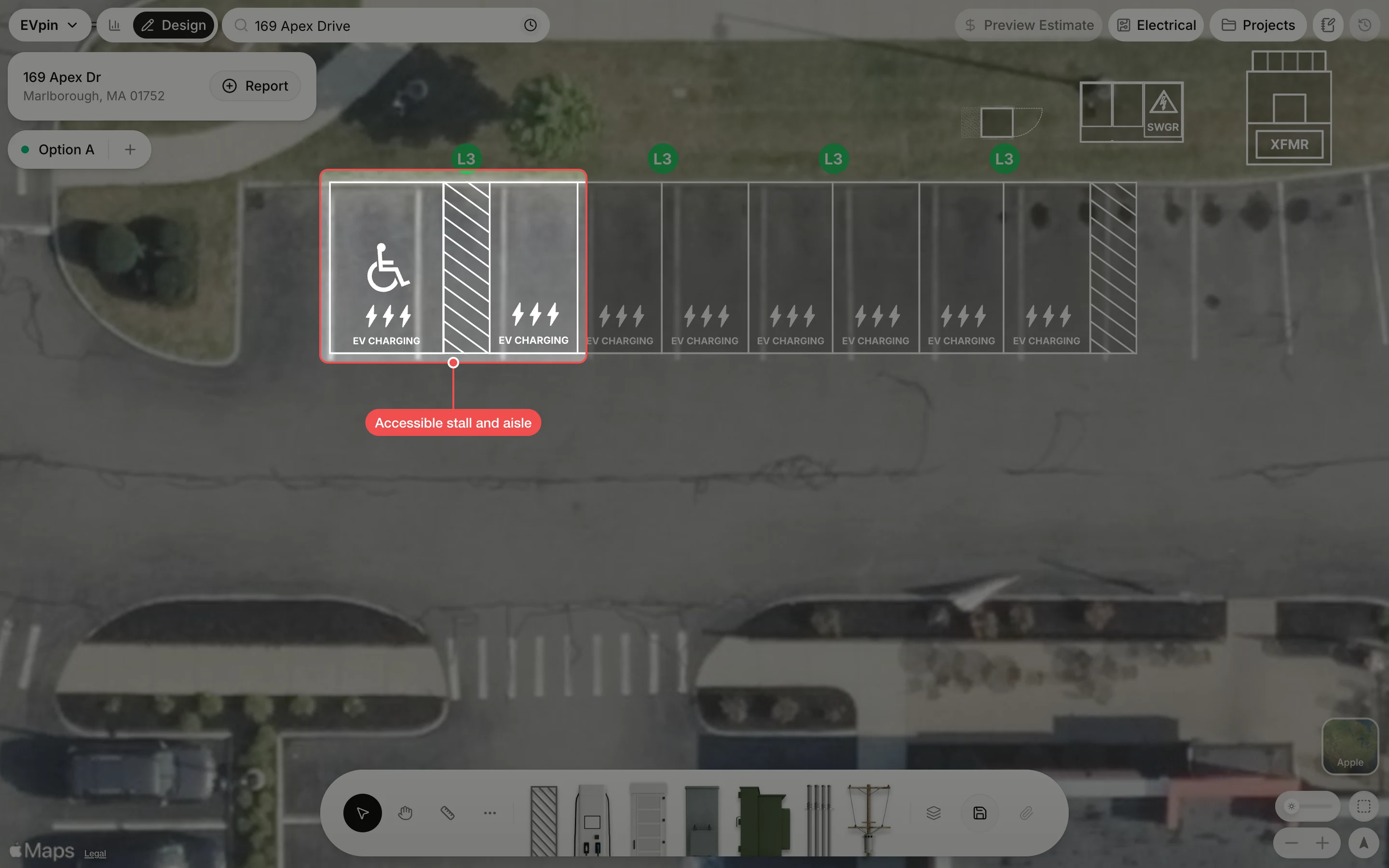
Check the accessible stall
The left stall becomes an accessible stall with the accessibility symbol, a striped access aisle is added next to it, and the rest of the row moves over to make room. Check that the row still fits the painted spaces, then save the design.
What's next
- How to change a stall's stencil to paint EV Accessible on the stall.