How to change a stall's stencil
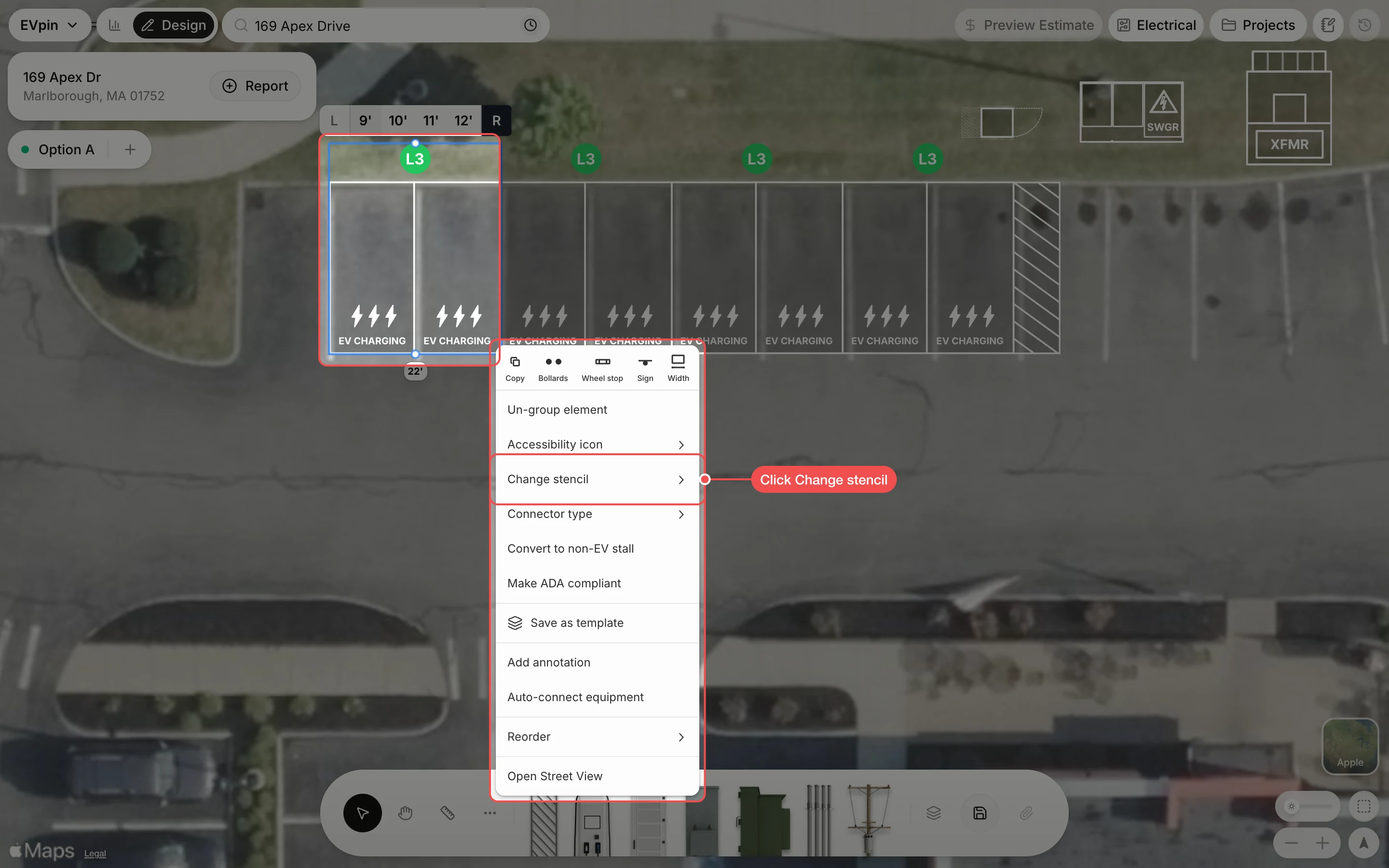
Change the text painted on a charging stall, such as EV Charging or EV Parking, from the right-click menu.
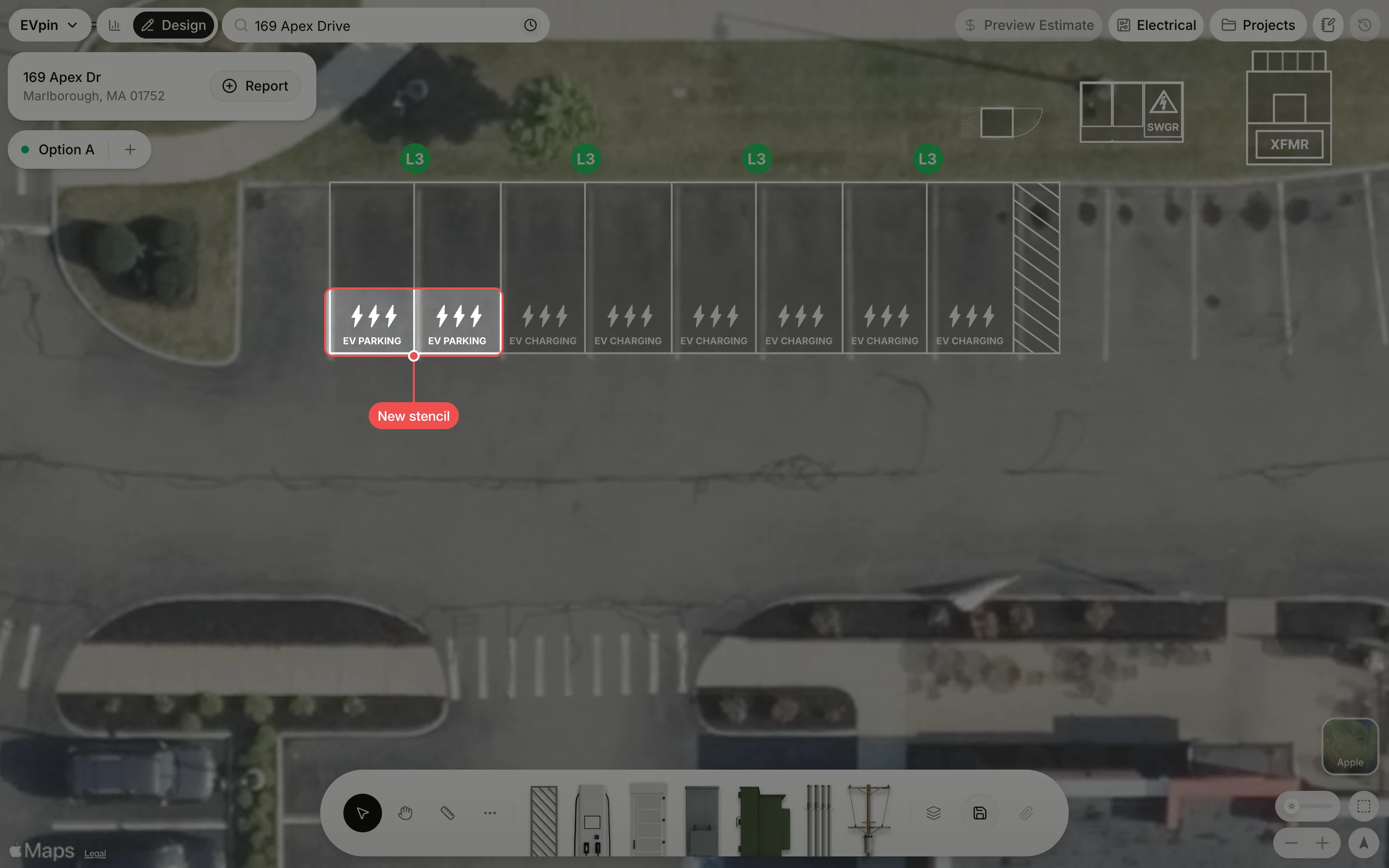
By the end the stalls you pick will show the stencil you want painted on the pavement. You need a design with charging stalls on it, as in How to add charging stalls to a design.
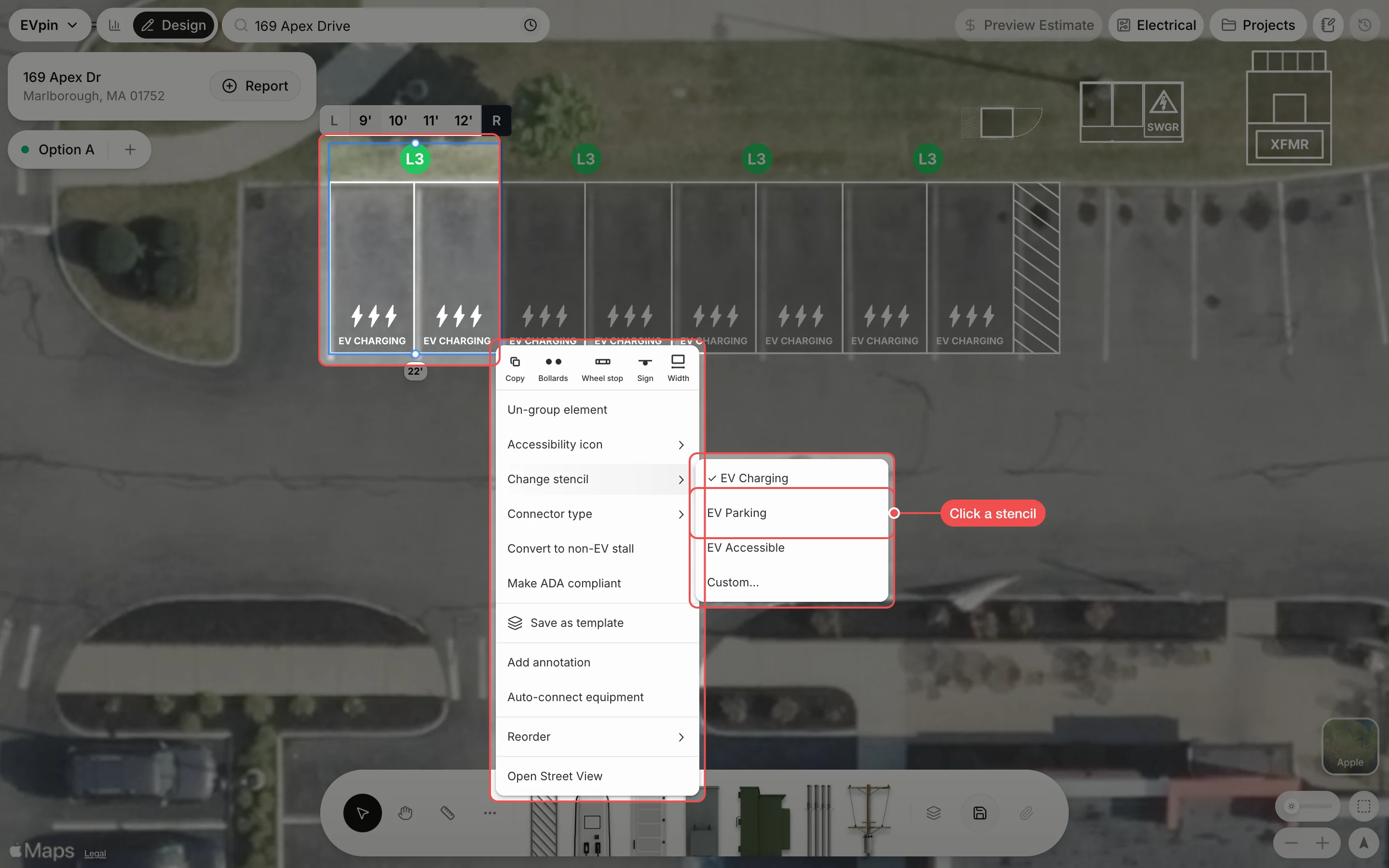
Click a stencil
Click EV Charging, EV Parking or EV Accessible. The current stencil has a tick. For other wording, click Custom..., type it and click Apply; the stencil only changes once you click Apply.
What's next
- How to add parking signs to stalls to go with the stencil.