How to copy and paste shapes on a design
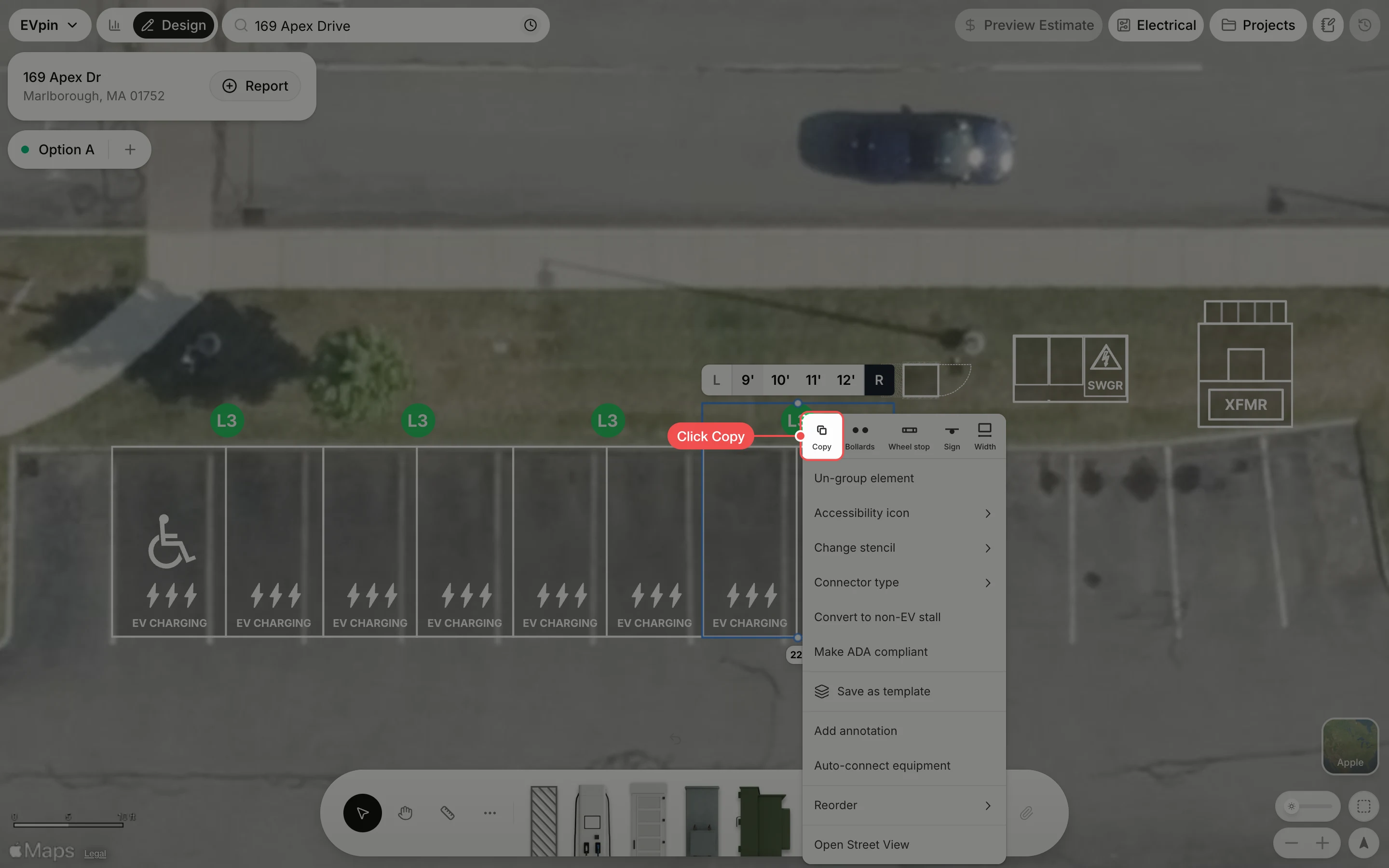
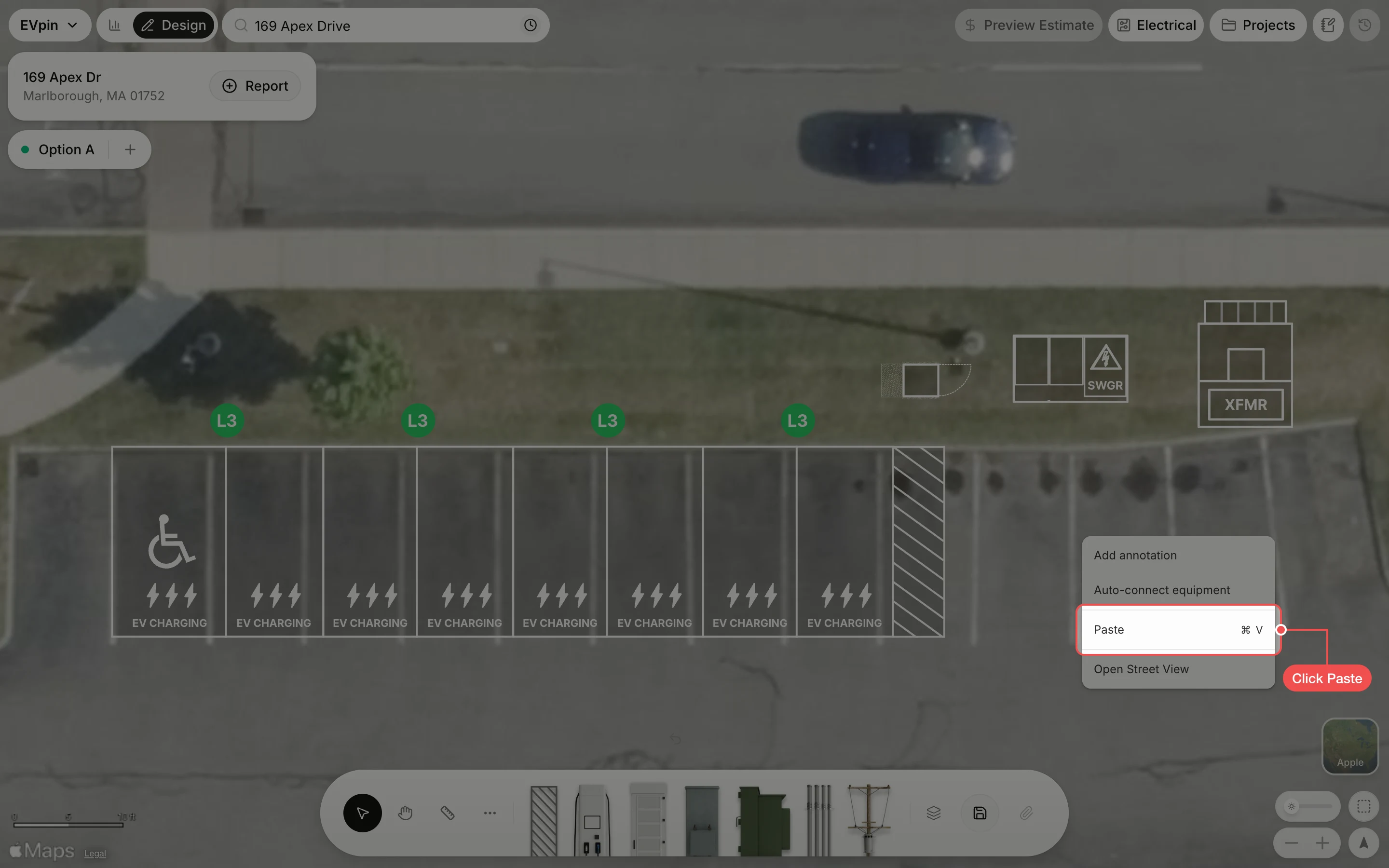
Copy stalls or equipment on the Design page and paste the copy where you right-click.
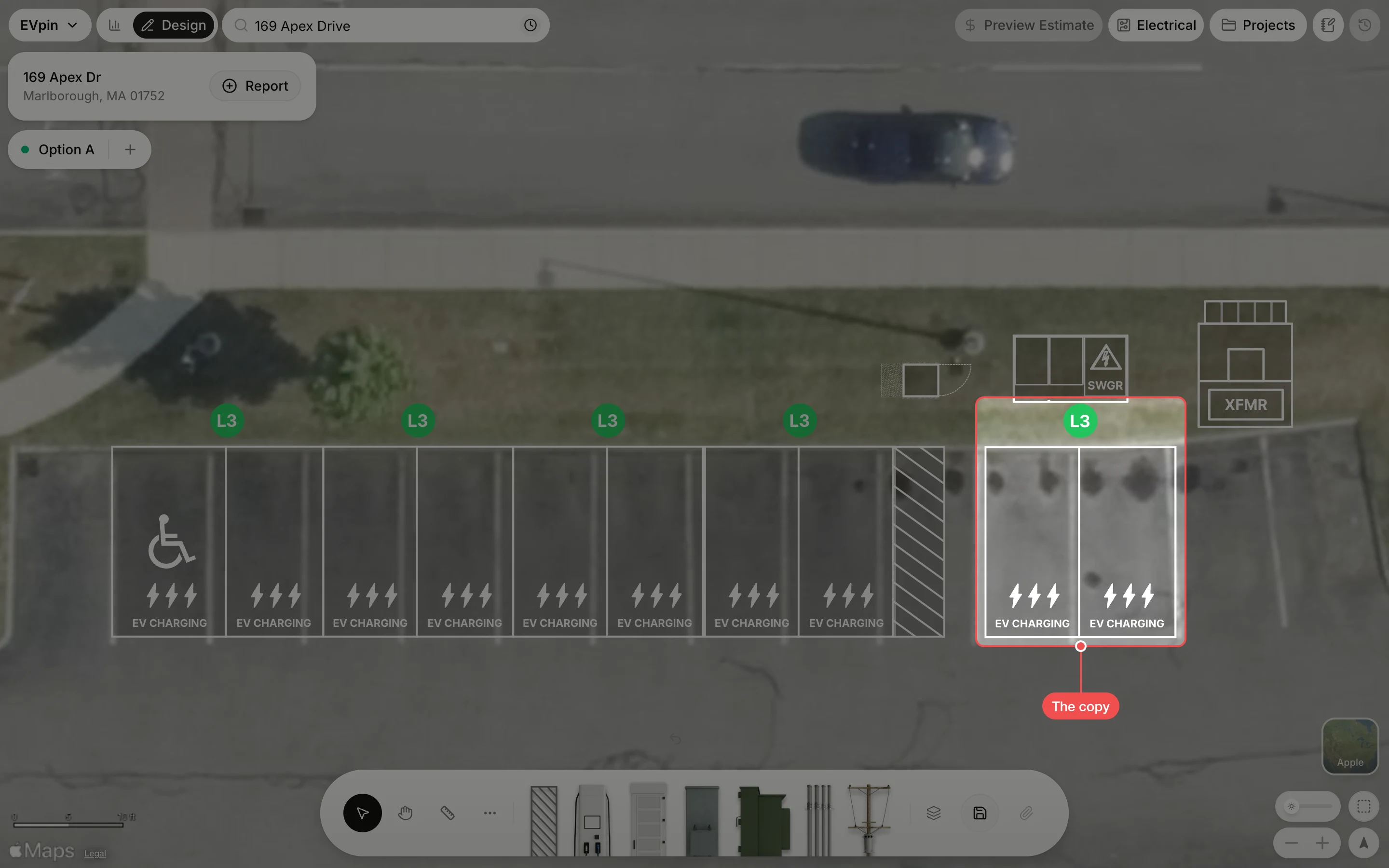
By the end you will have a second copy of the shapes you pick, such as a pair of charging stalls, placed where you want it. You need a design with shapes on it, as in How to add charging stalls to a design.
Check the copy
The copy appears where you right-clicked, with the same settings as the original. Drag it to fine-tune its place, then save the design.
What's next
- How to group shapes on a design so a set of shapes copies and moves as one.