How to group shapes on a design
Group equipment on the Design page so it moves together as one piece.
By the end the shapes you pick, such as a power cabinet, switchgear and transformer, will move together when you drag any of them. You need a design with equipment on it, as in How to add a transformer.
Select the shapes
Drag a box across the shapes you want to group. Every shape the box touches is selected.
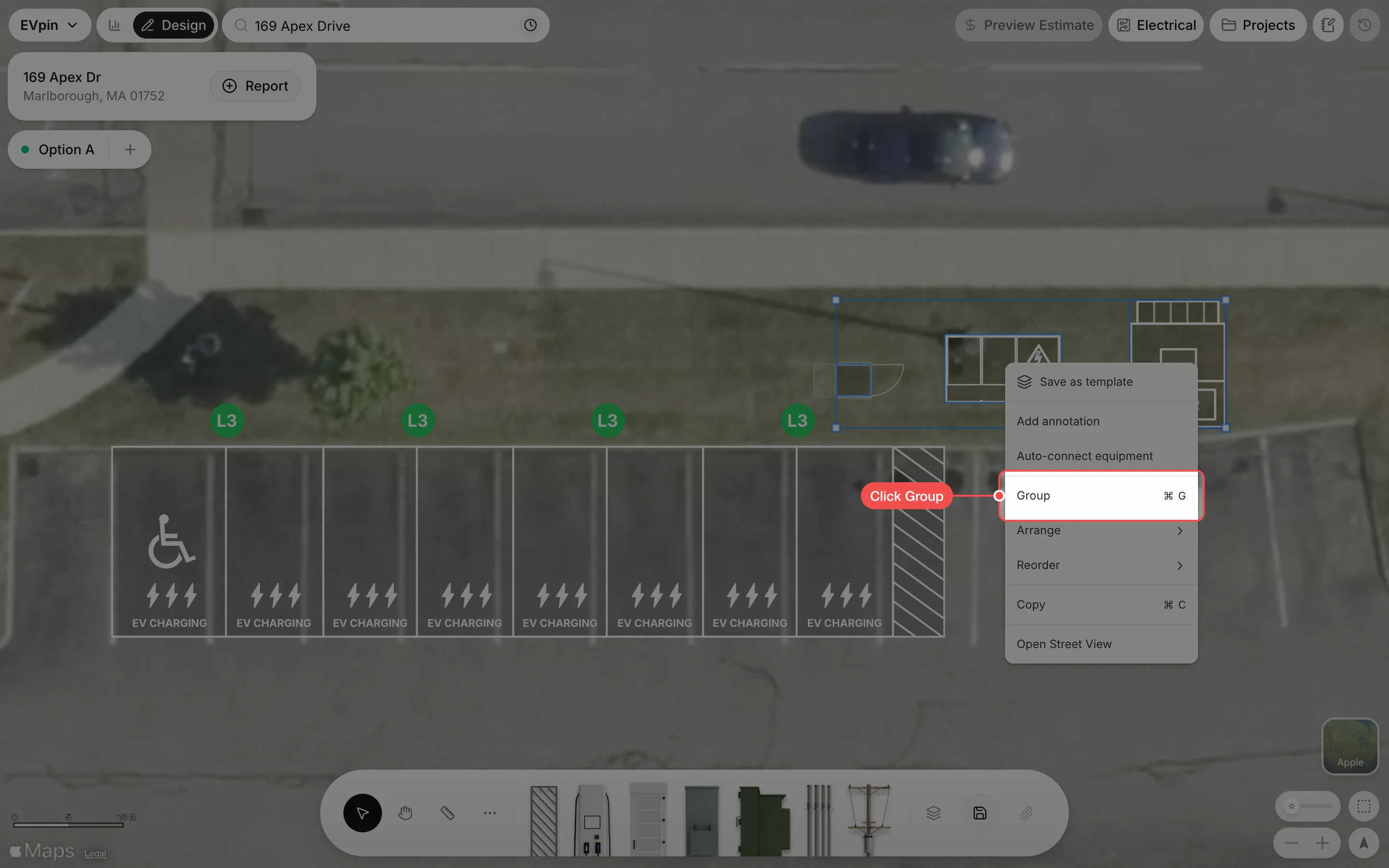
Drag the group
A dashed frame now surrounds the group. Drag any shape in it and the whole group moves together. Save the design to keep the group.
What's next
- How to save part of a design as a template to reuse the same equipment on other sites.