How to change the width of stalls
Make a charging stall wider or narrower from the size bar above it on the Design page.
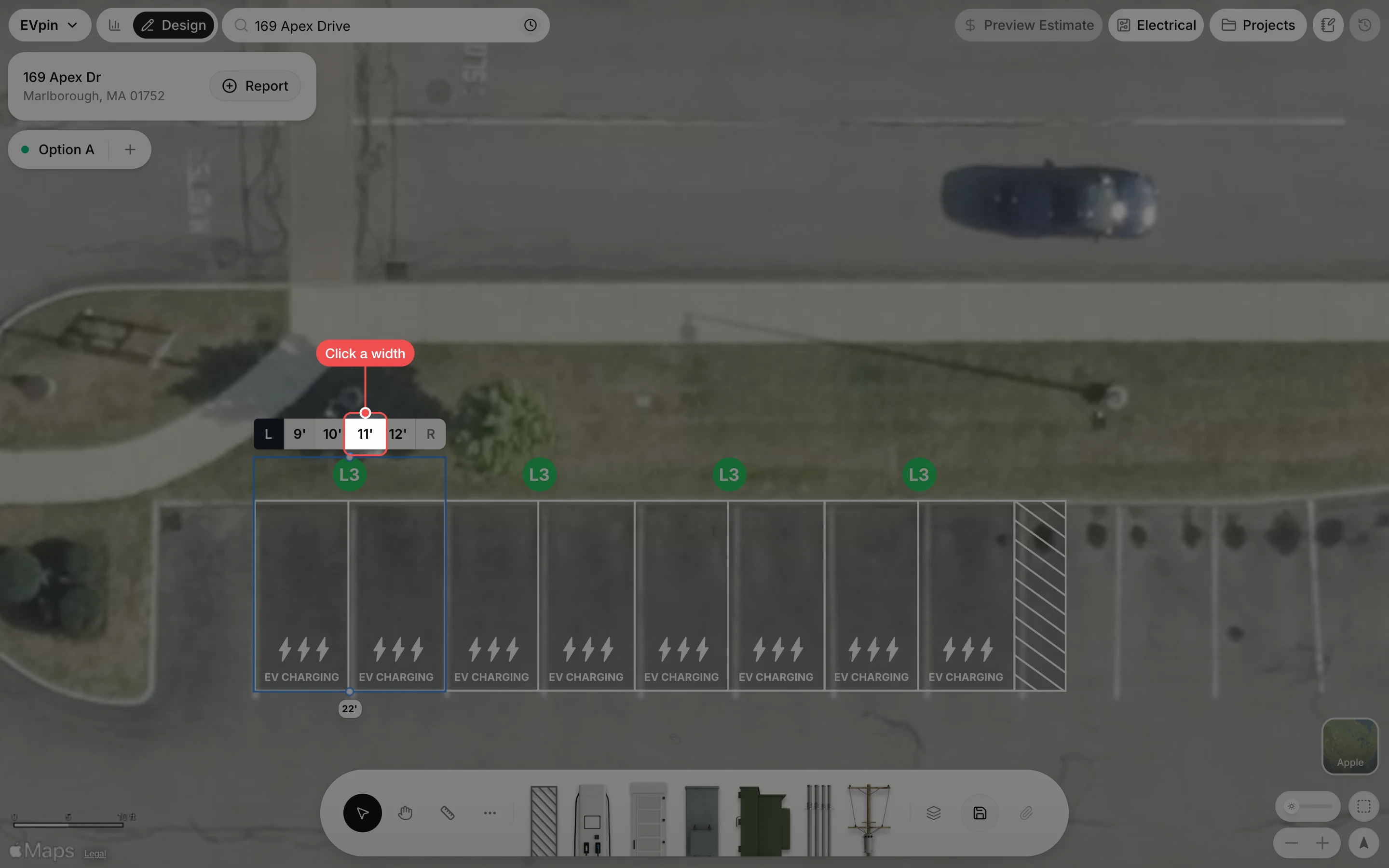
By the end the stall you pick will have the width you need, such as 11' for a roomier space, and the stalls beside it will move over to make room. You need a design with charging stalls on it, as in How to add charging stalls to a design.
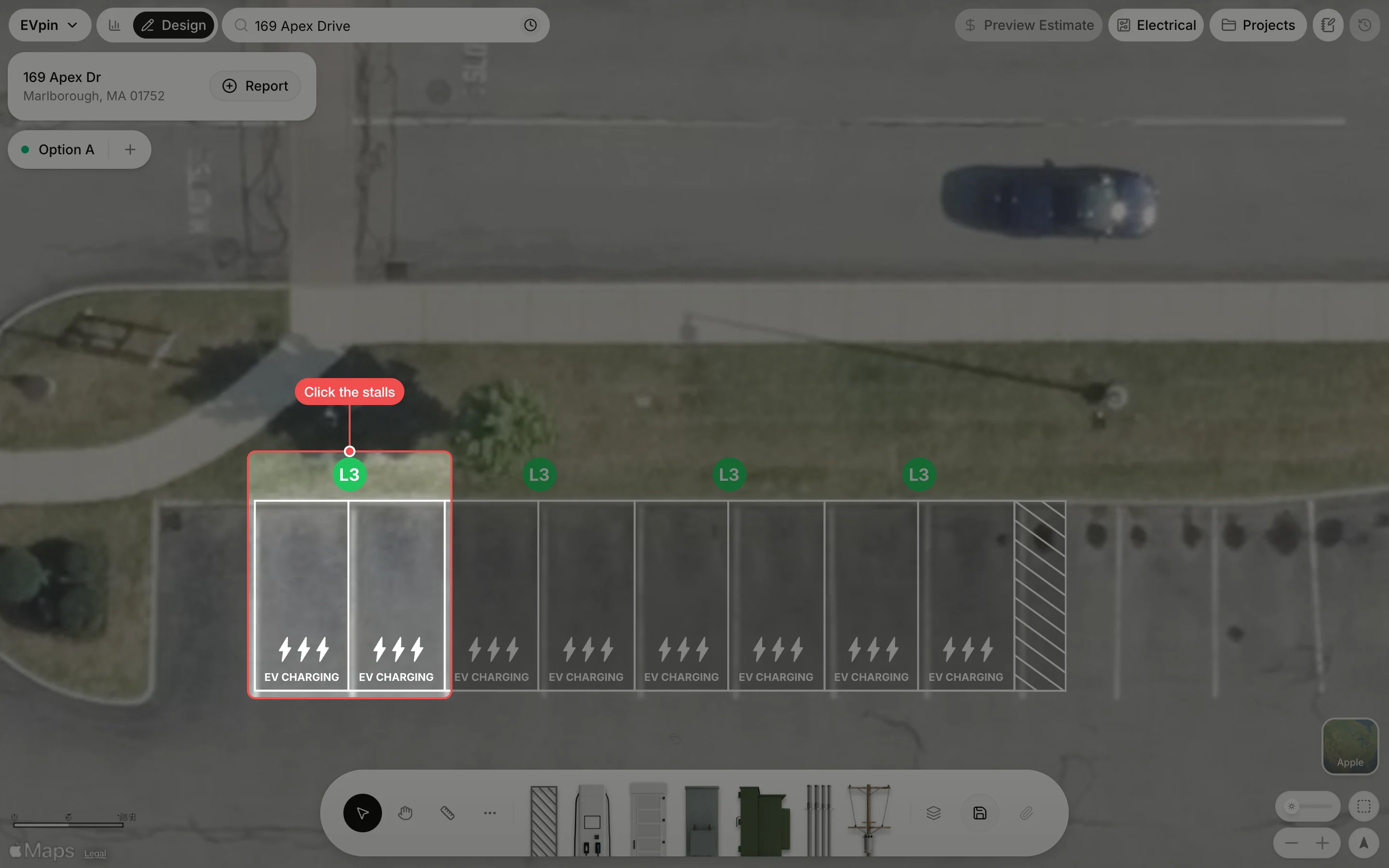
Pick the side
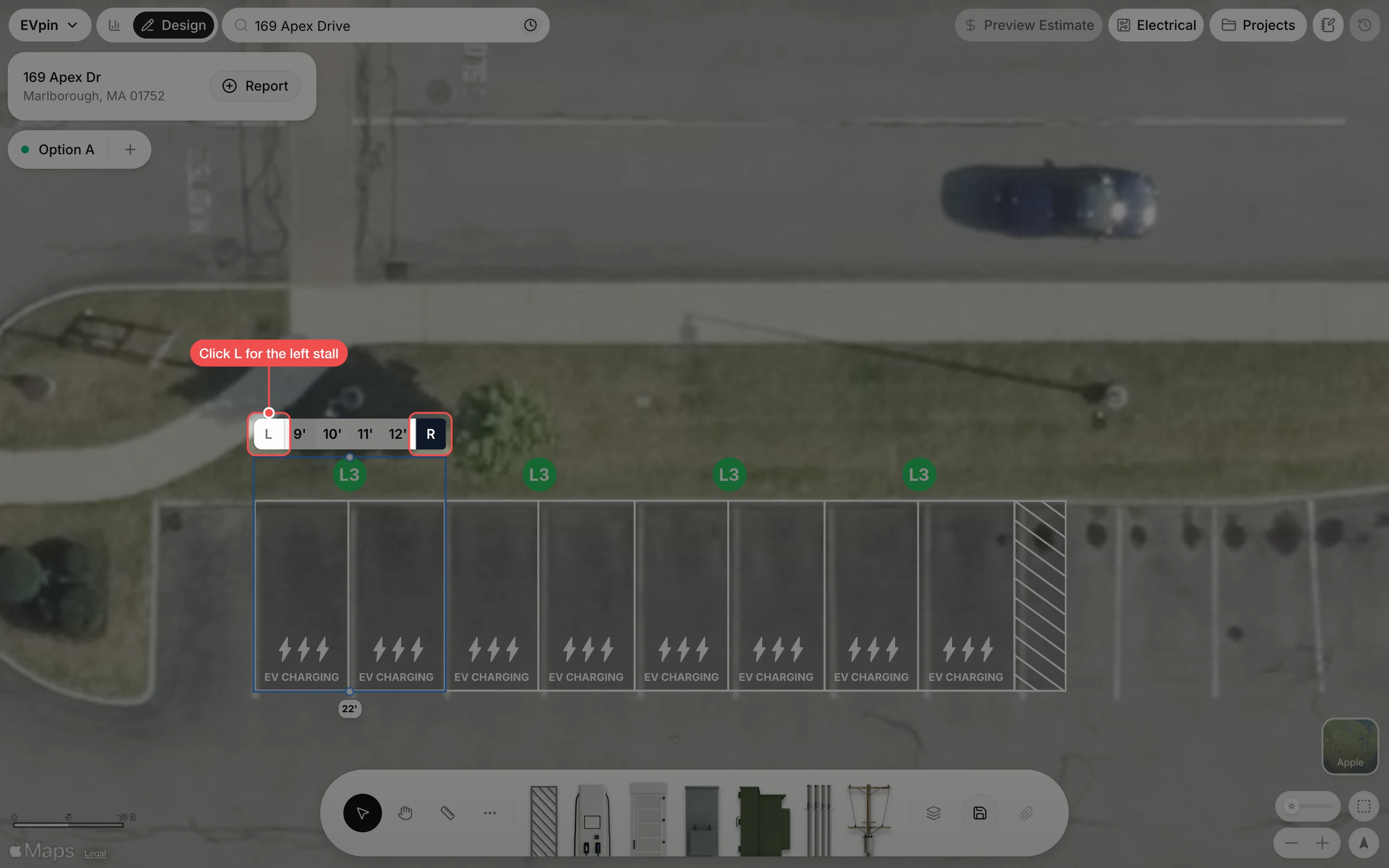
Click L to change the left stall of the pair, or R for the right one. The side you pick turns dark.
Check the stall
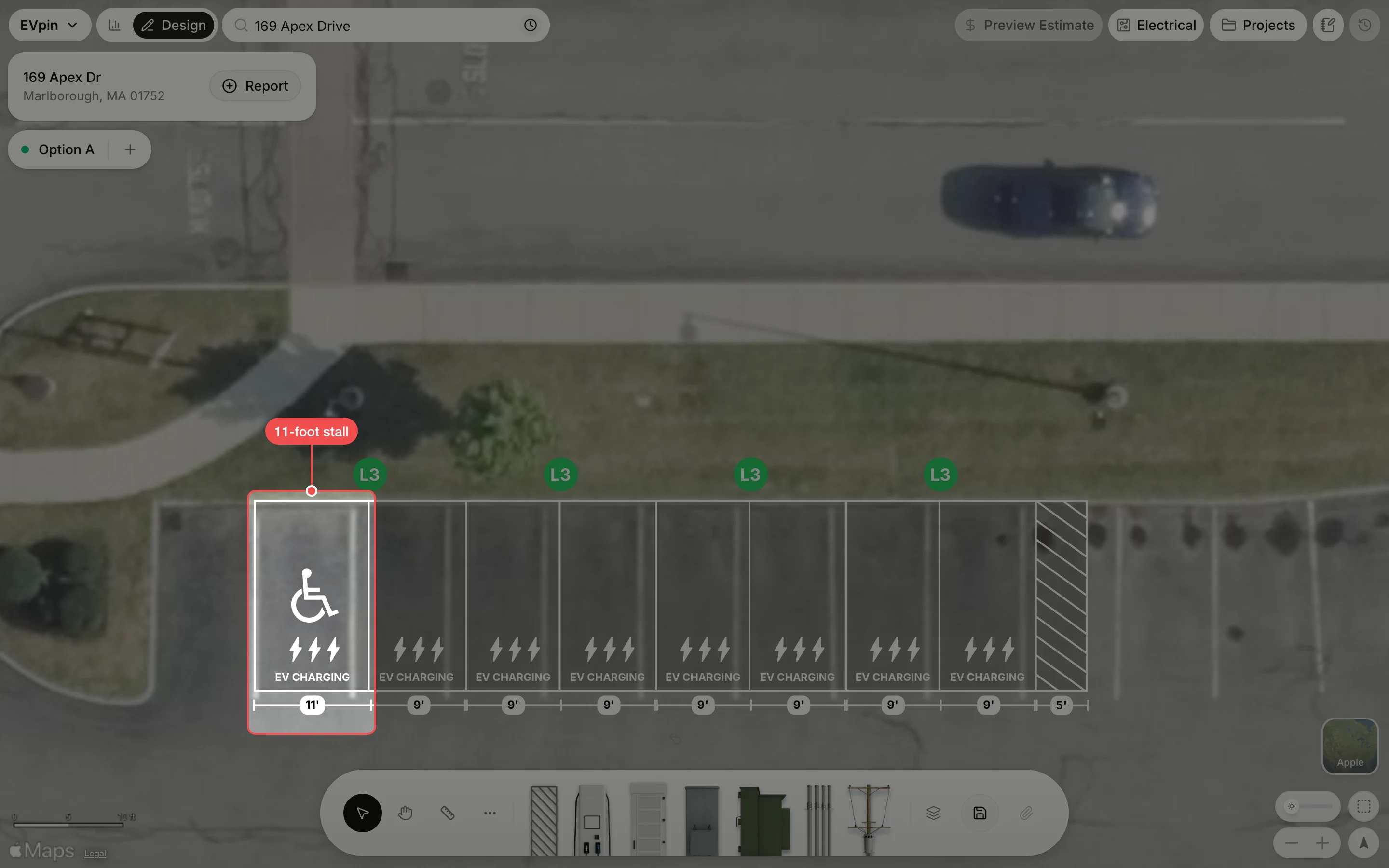
The stall widens and the rest of the row moves over so nothing overlaps. Save the design to keep it.
What's next
- How to show the width of stalls on a design to label each stall with its width, as in the last picture.