How to assign connector types to stalls
Mark which connector, such as CCS or NACS, each charging stall's port has, from the right-click menu.
By the end each stall you pick will carry a badge for its connector type, so the design shows which ports are CCS, NACS or another standard. You need a design with charging stalls on it, as in How to add charging stalls to a design.
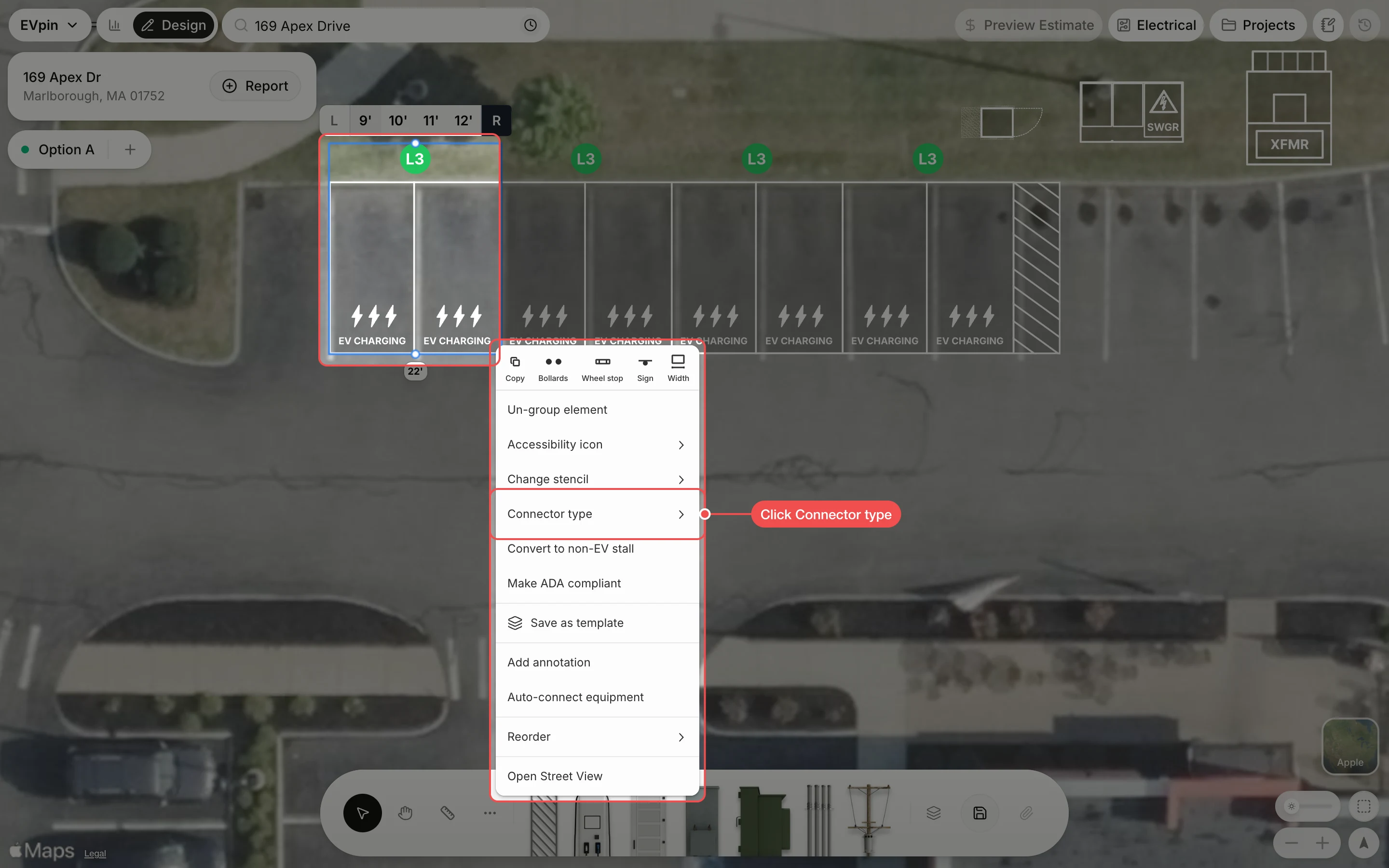
Click a connector
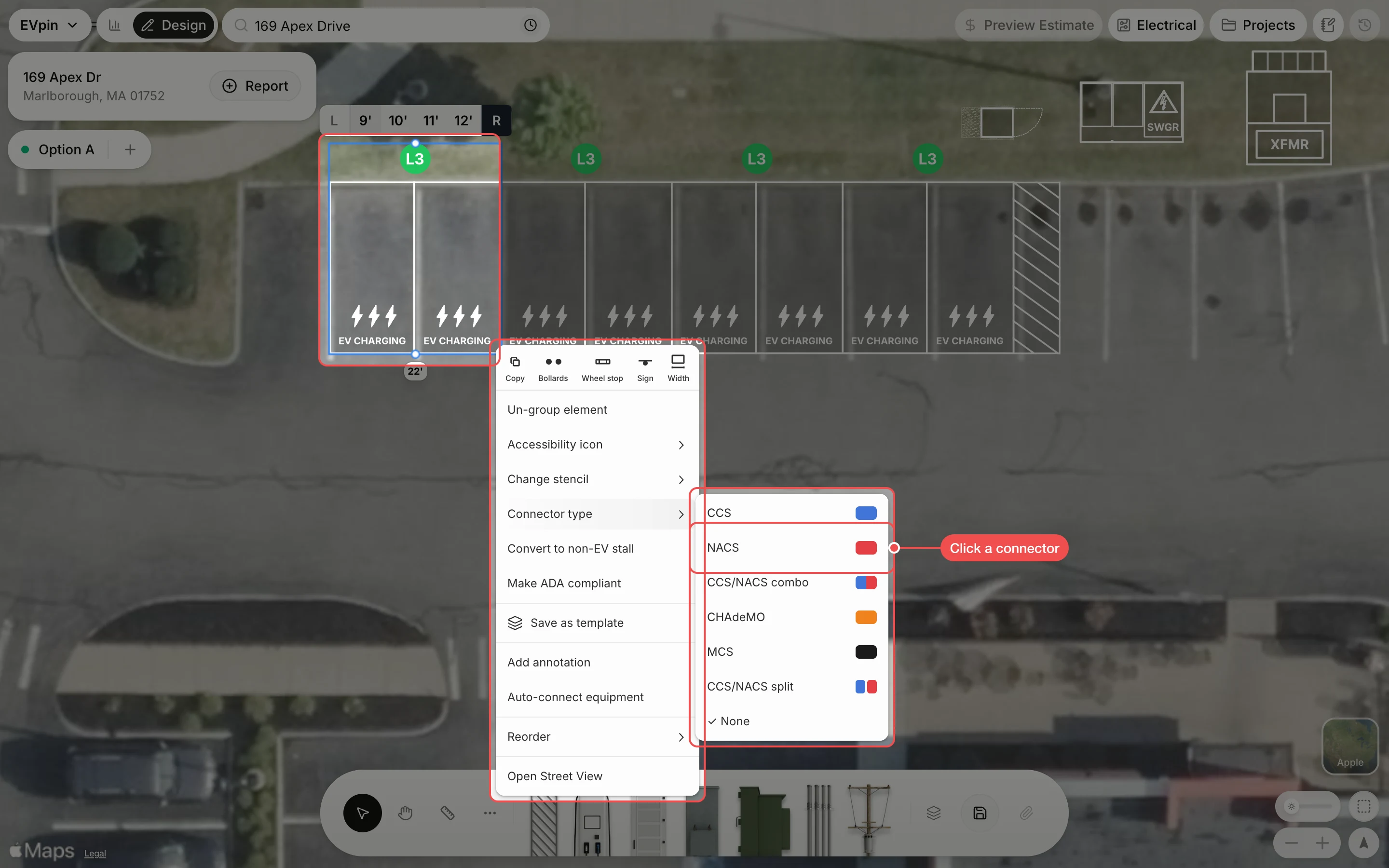
Click the connector the ports have. The list depends on the charger level: Level 3 offers CCS, NACS, CCS/NACS combo, CHAdeMO, MCS and CCS/NACS split, and Level 2 offers J1772, NACS and J1772/NACS.
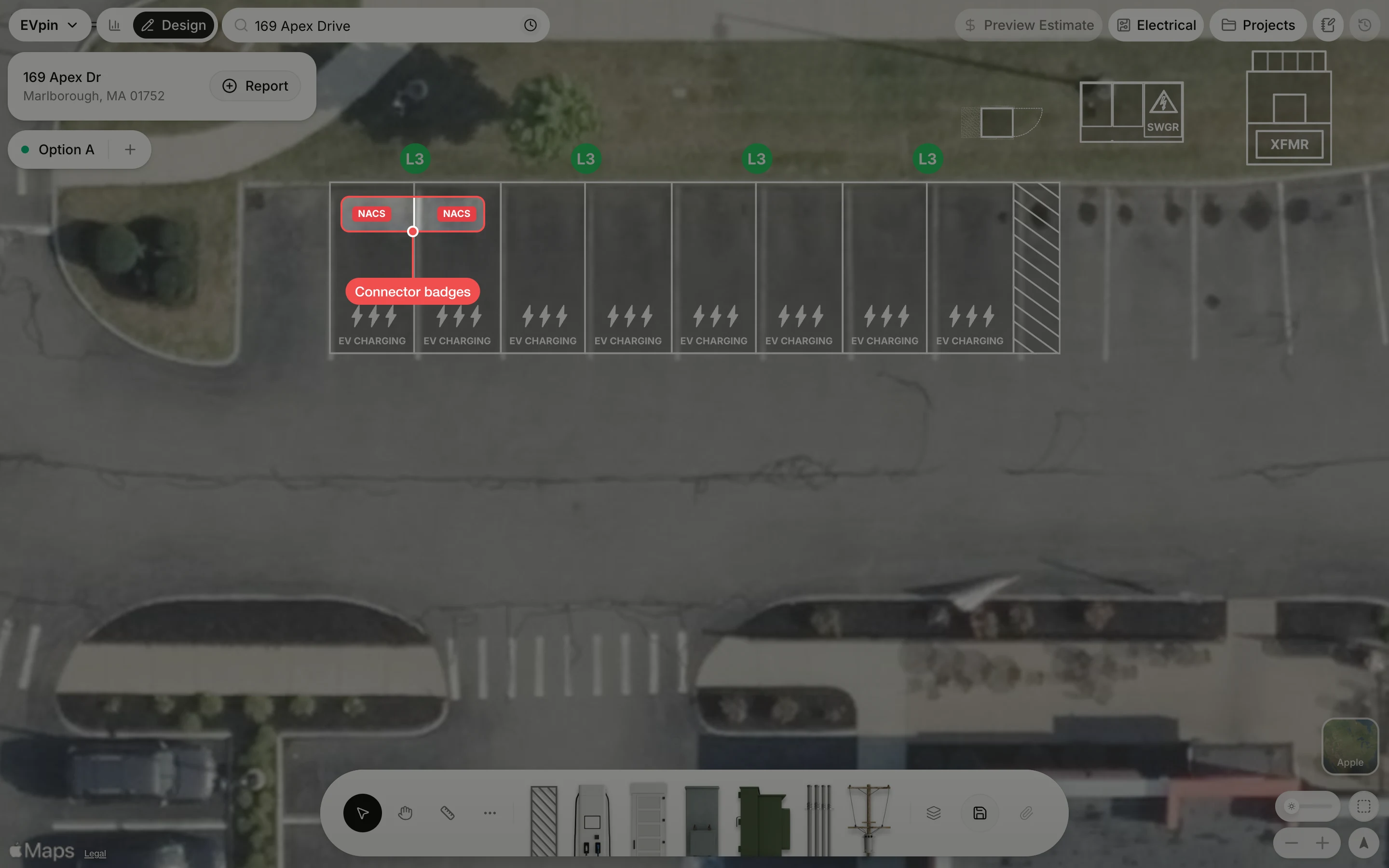
Check the badges
A colored badge with the connector name appears in each stall. Save the design to keep it.
What's next
- How to change a stall's stencil to change the text painted on the stall.