How to pause your subscription
Pause billing for 30, 60 or 90 days from Billing & Usage, and resume payments whenever you are ready.
By the end your organization's subscription will be paused: no invoices are sent, and paid access and projects are locked until it resumes. Only owners and admins can pause, and only an active subscription that is not set to cancel.
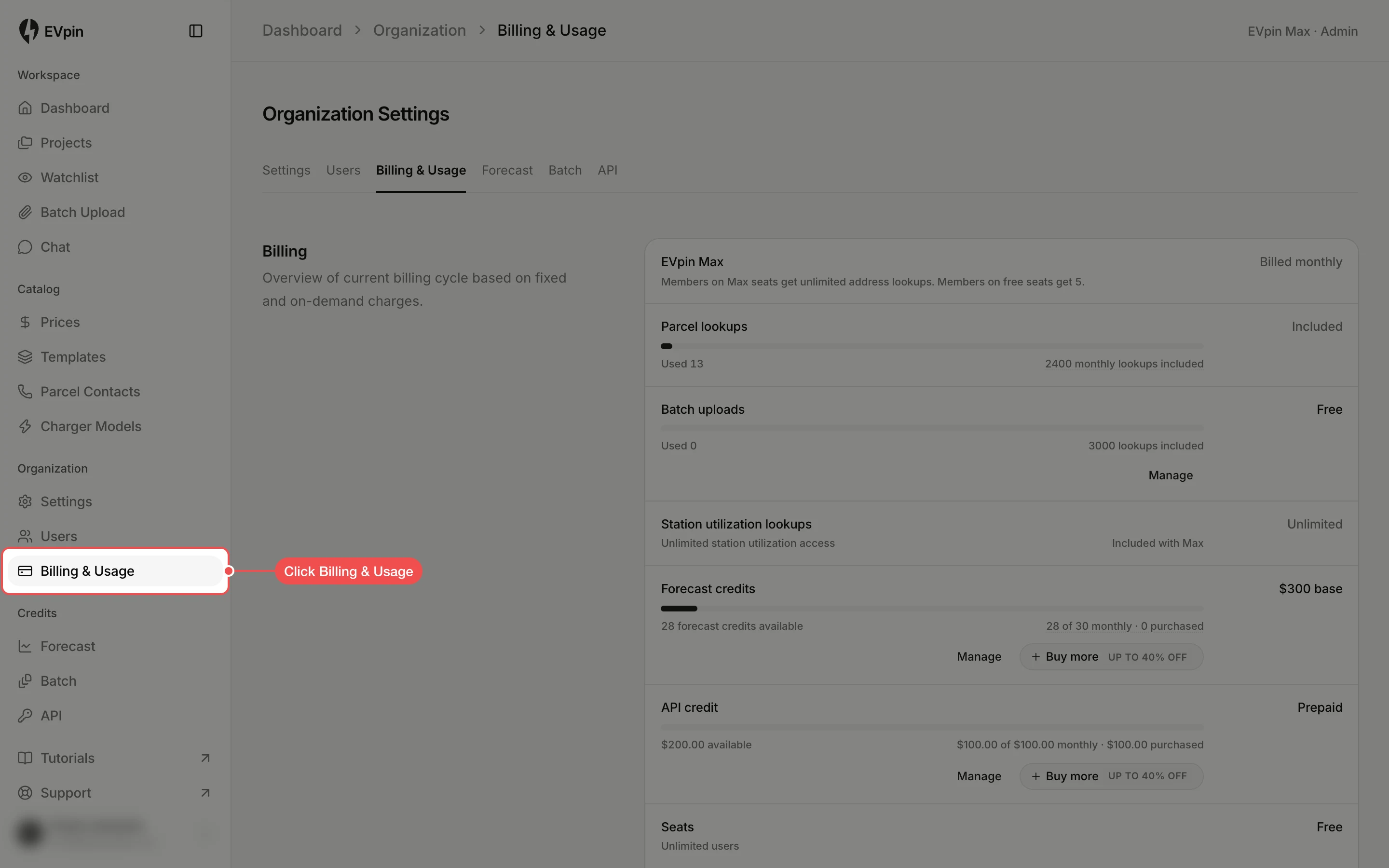
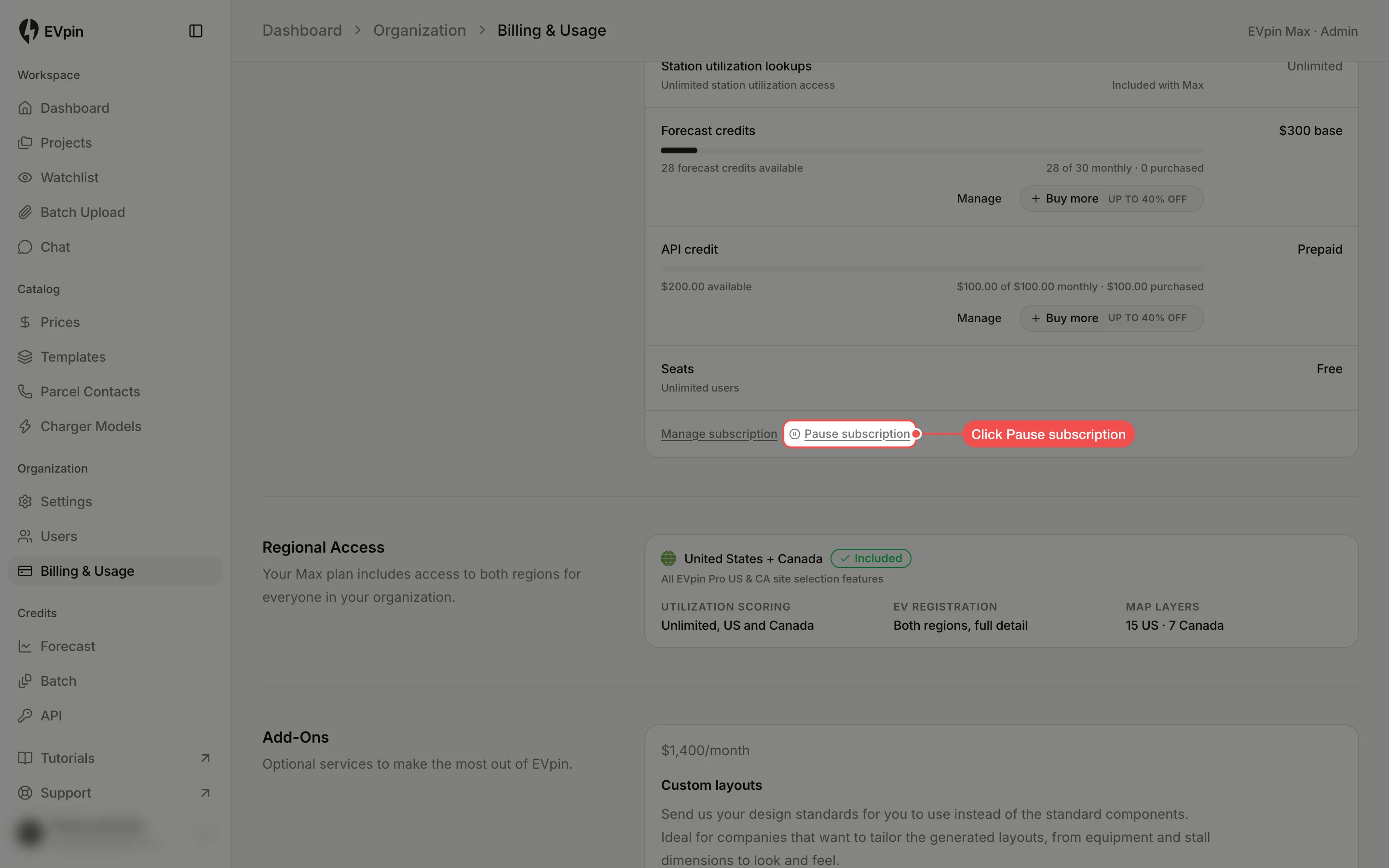
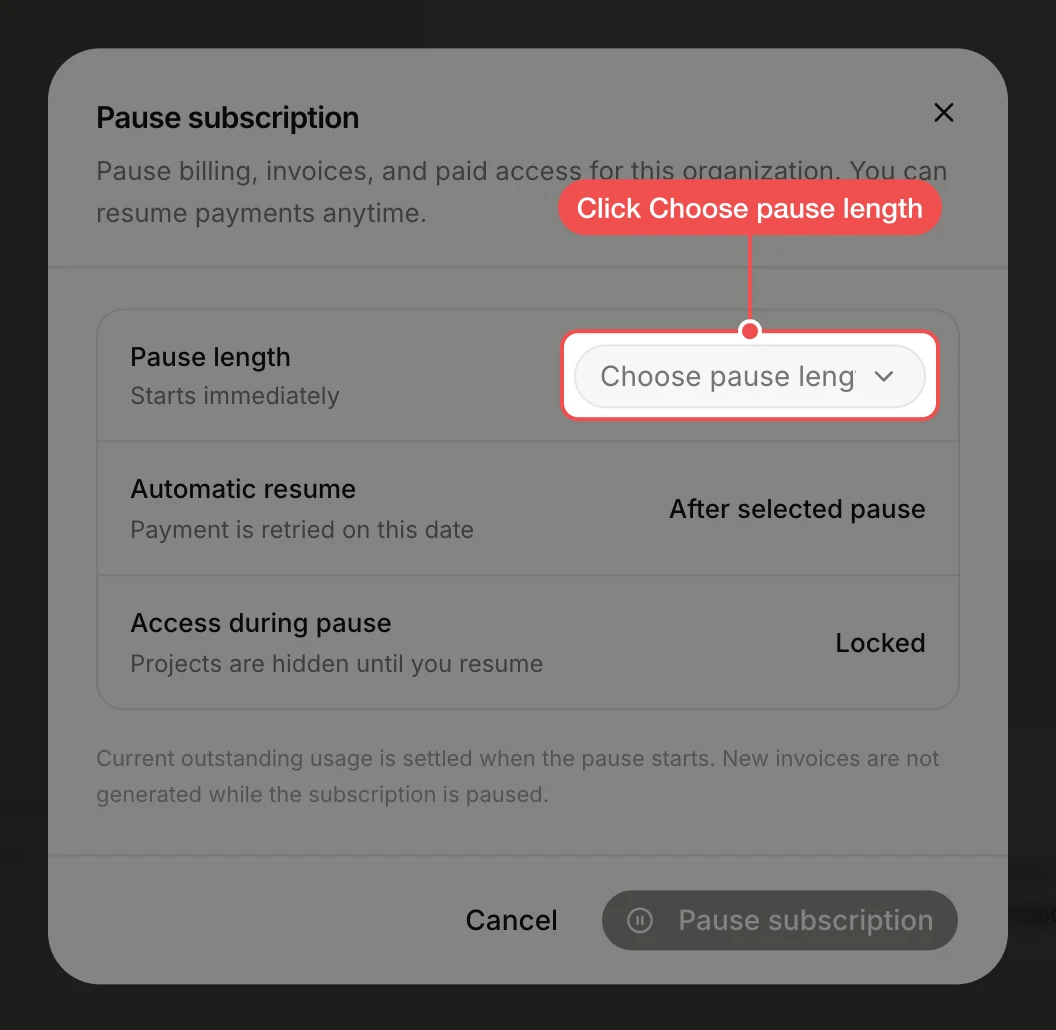
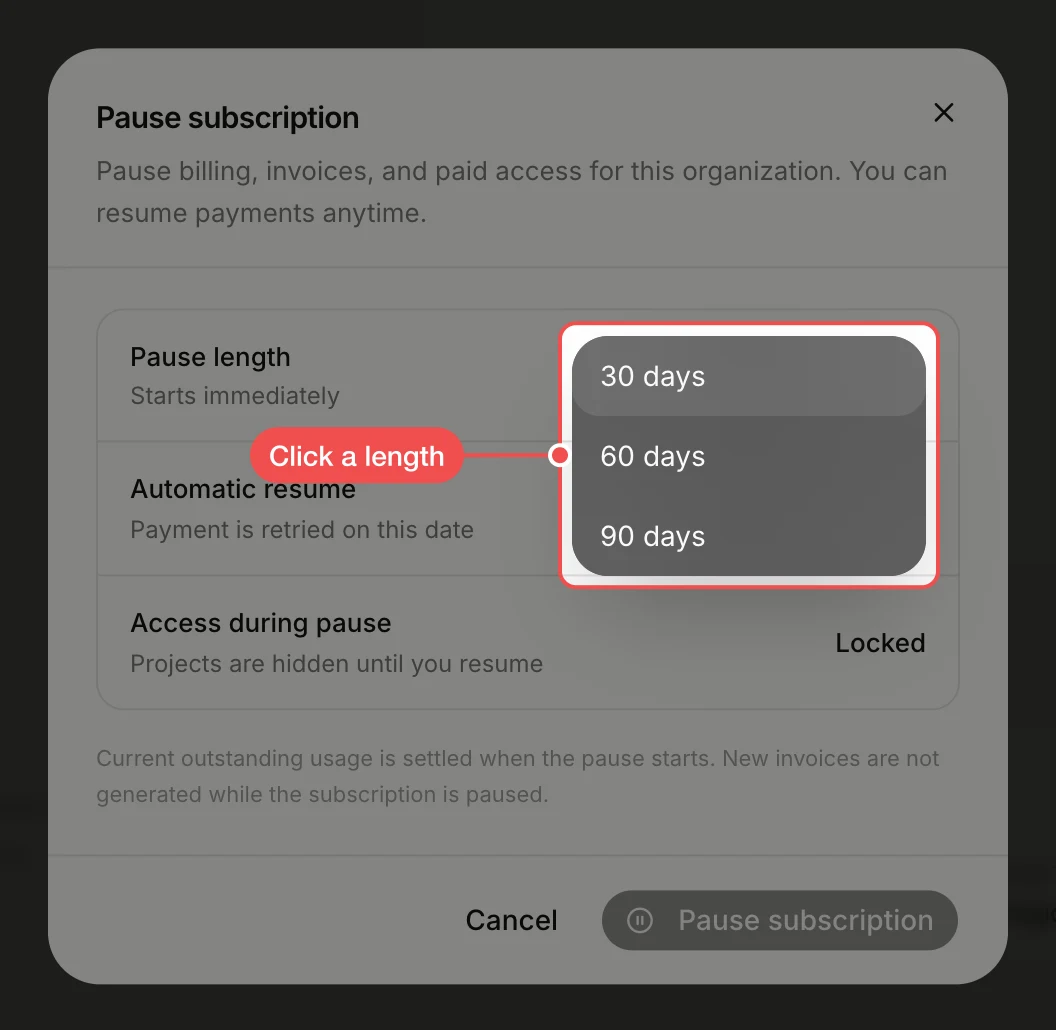
Confirm the pause
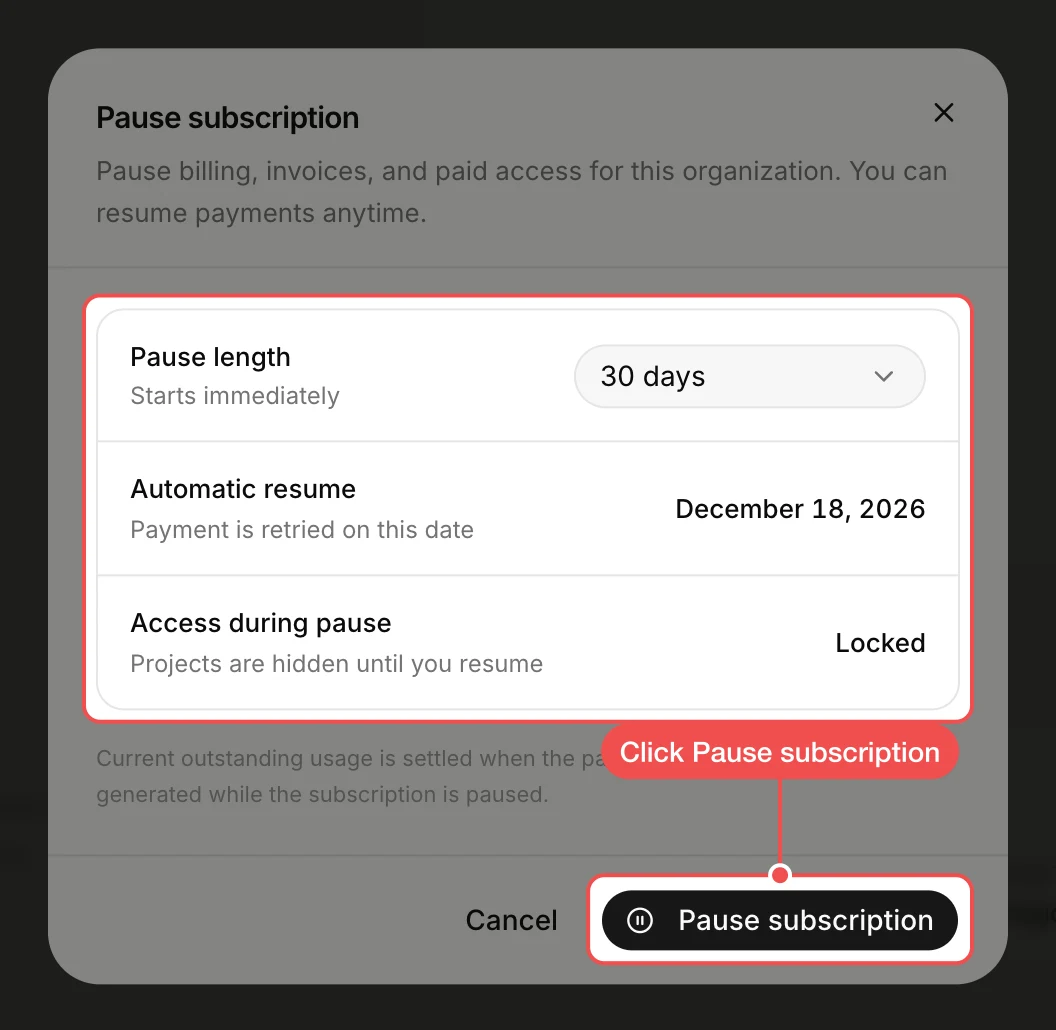
Check Automatic resume, the date payment is retried and the subscription starts again, then click Pause subscription. Any usage you owe is settled when the pause starts.
Resume your subscription
The subscription resumes by itself on the Automatic resume date. To resume sooner, click Resume payments at the bottom of Billing on the Billing & Usage page, or click Resume this subscription in the Subscription Paused message that opens when you sign in. Billing and paid access start again straight away.
What's next
- How to check your plan and credit usage once the subscription is running again.