How to create an API key
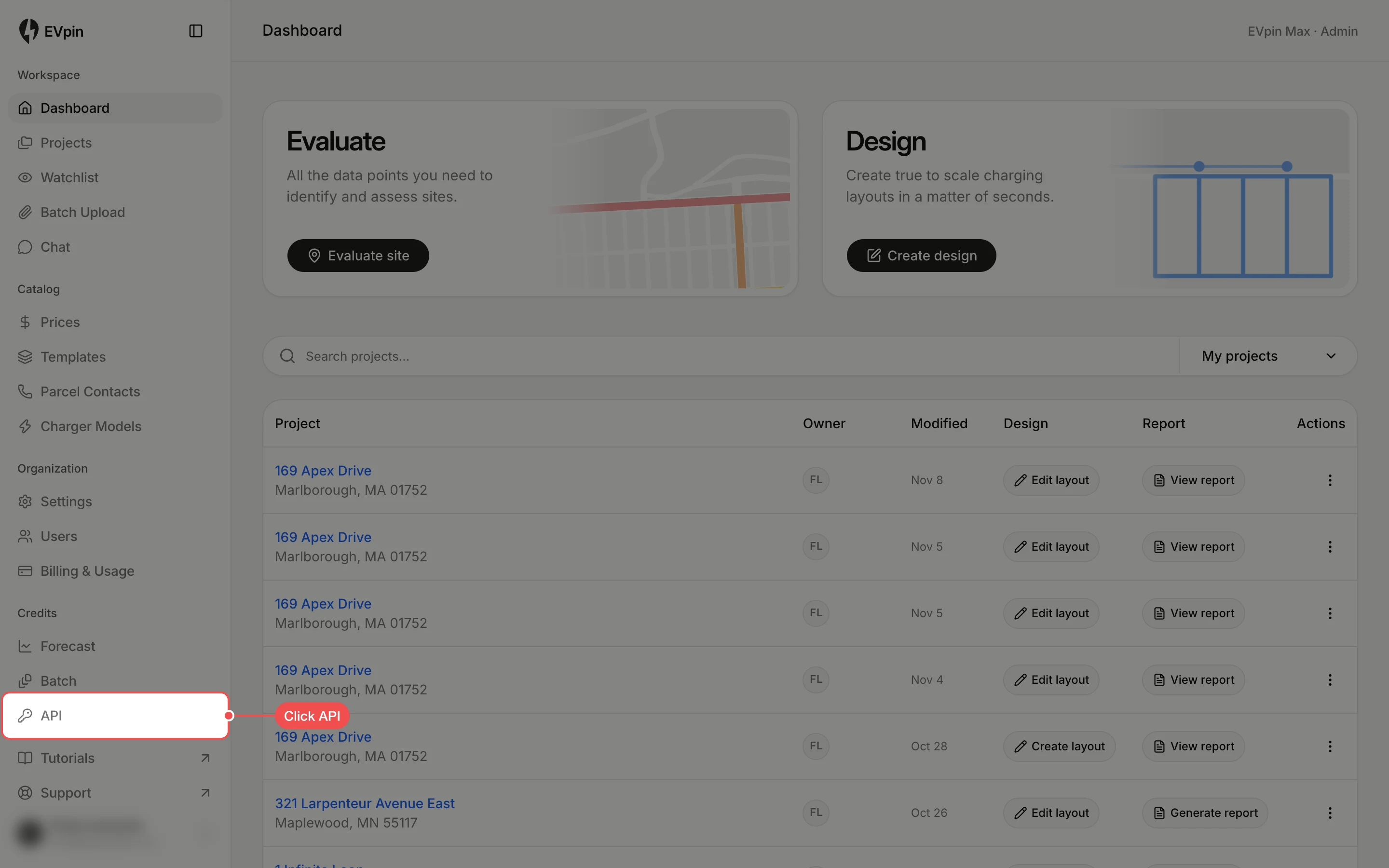
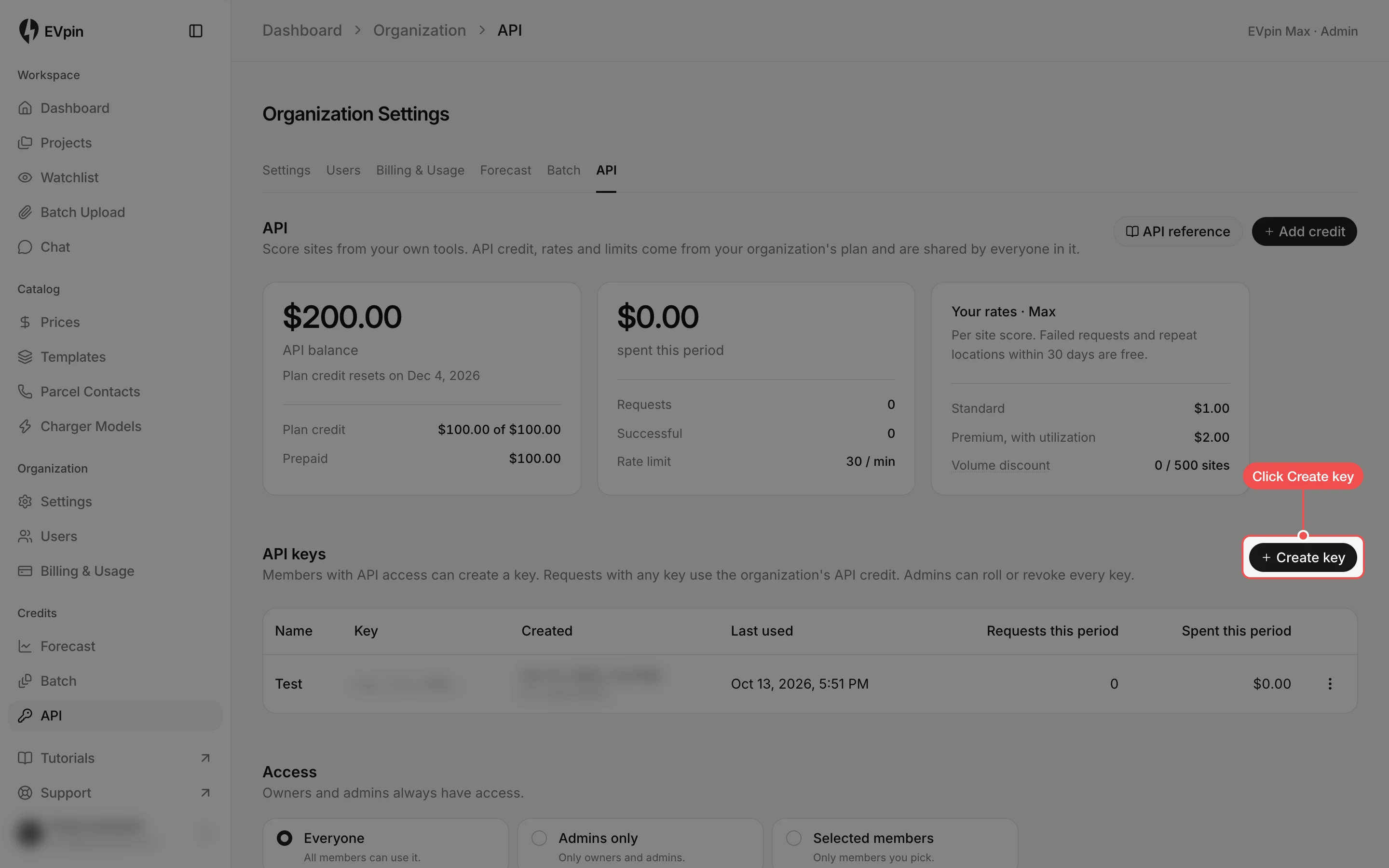
Create a key on the API page so your own tools can score sites with your organization's API credit.
By the end you will have an API key to call EVpin from your own tools. Requests with any key spend the organization's API credit, and you need API access, which admins set under Access on the same page.
Name the key
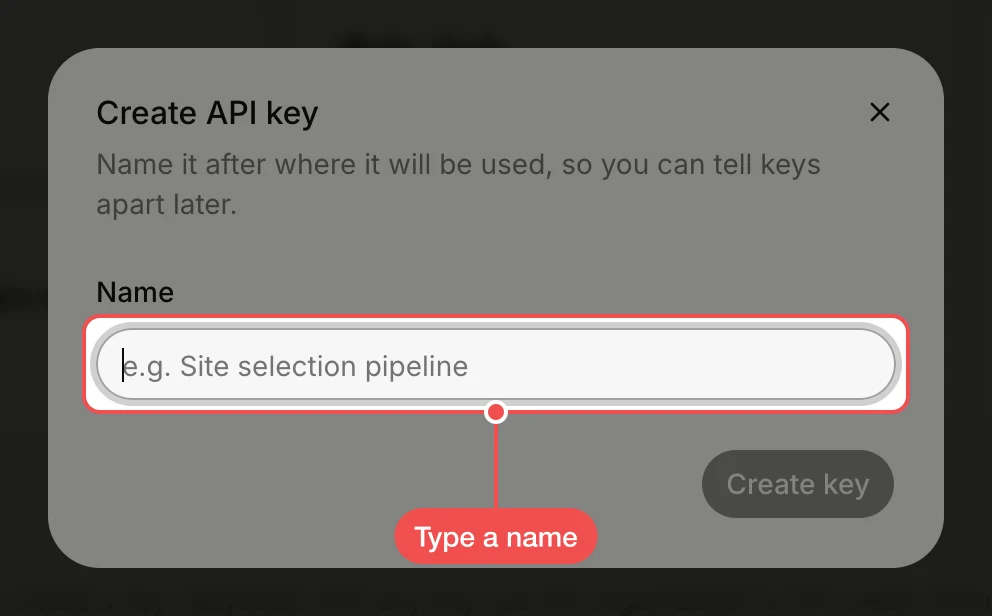
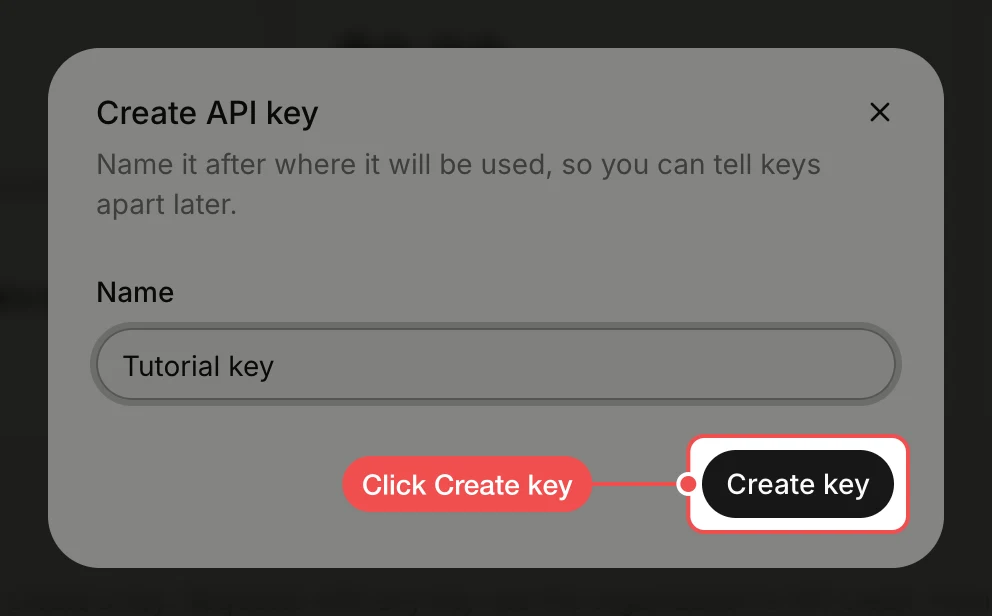
Type a name in Name. Name it after where it will be used, so you can tell keys apart later.
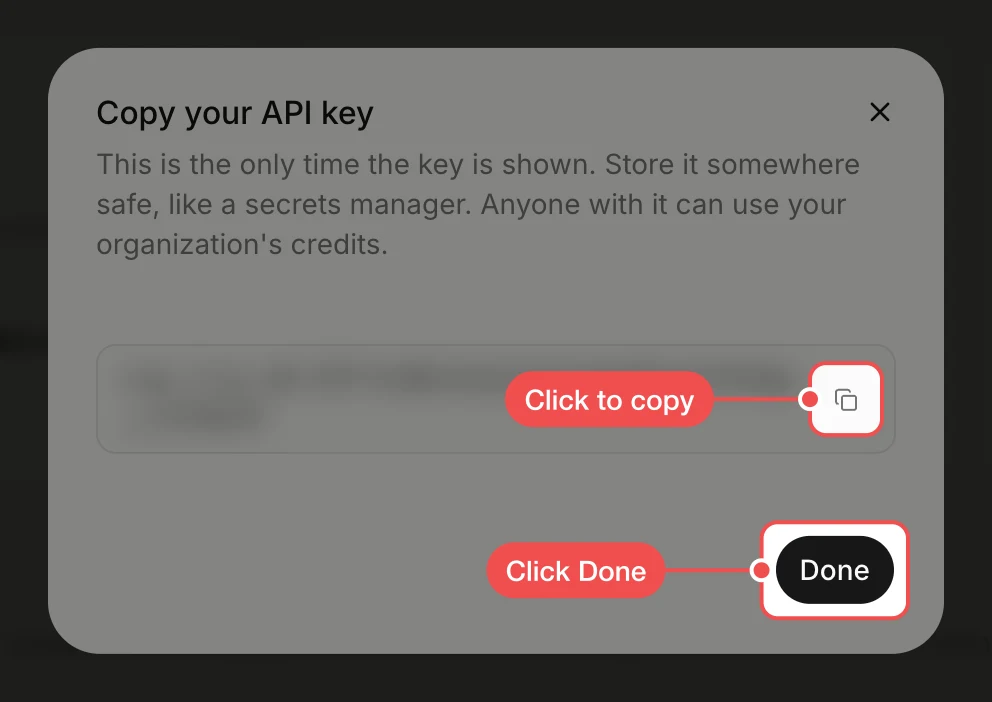
Copy the key
Click the copy button next to the key and store it somewhere safe, such as a secrets manager, then click Done. This is the only time the key is shown.
Find the key in the list
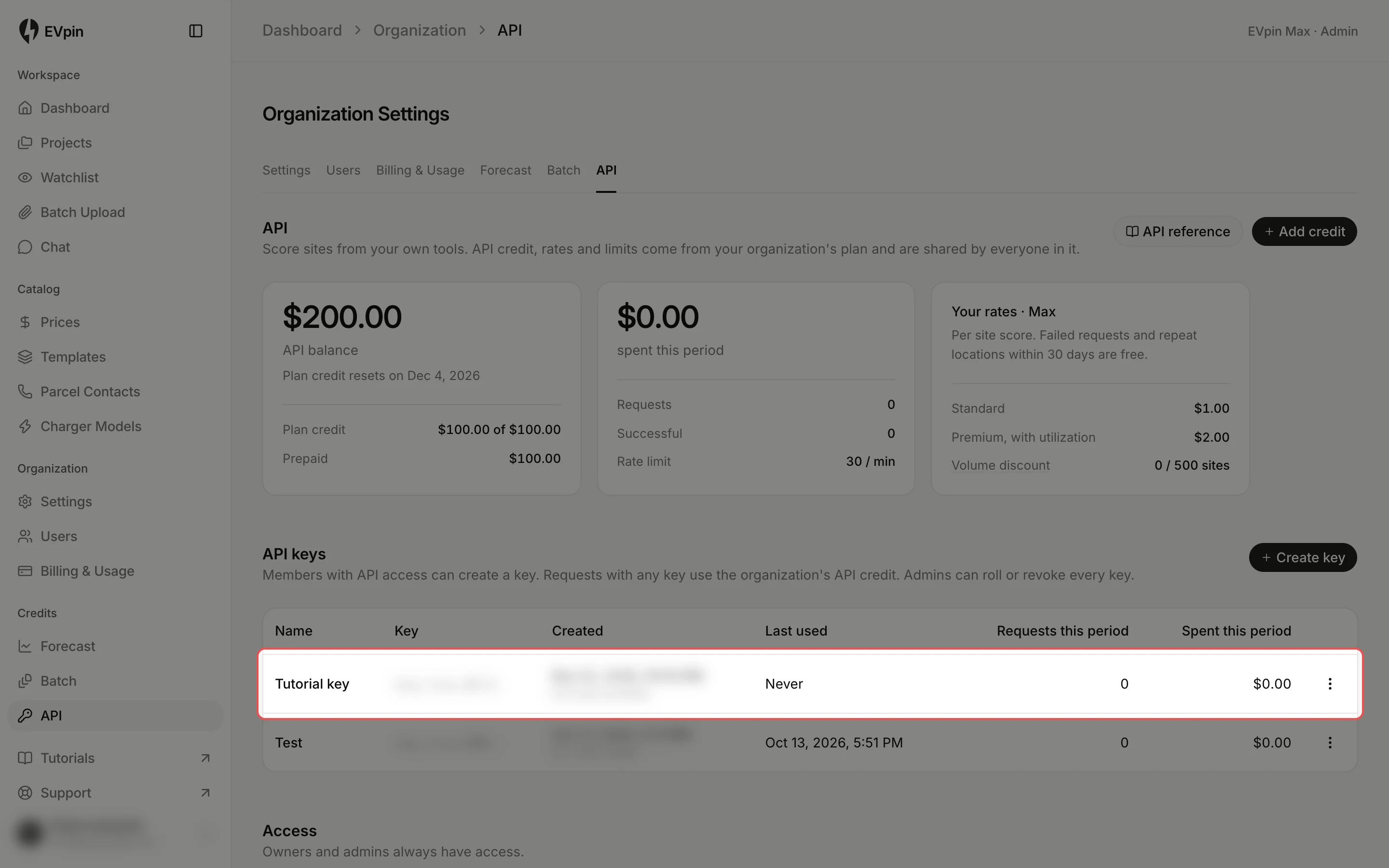
The new key appears under API keys with the start of the key, who created it, when it was last used and what it has spent this period.
What's next
- How to check your plan and credit usage to keep an eye on your API credit.