How to buy forecast credits
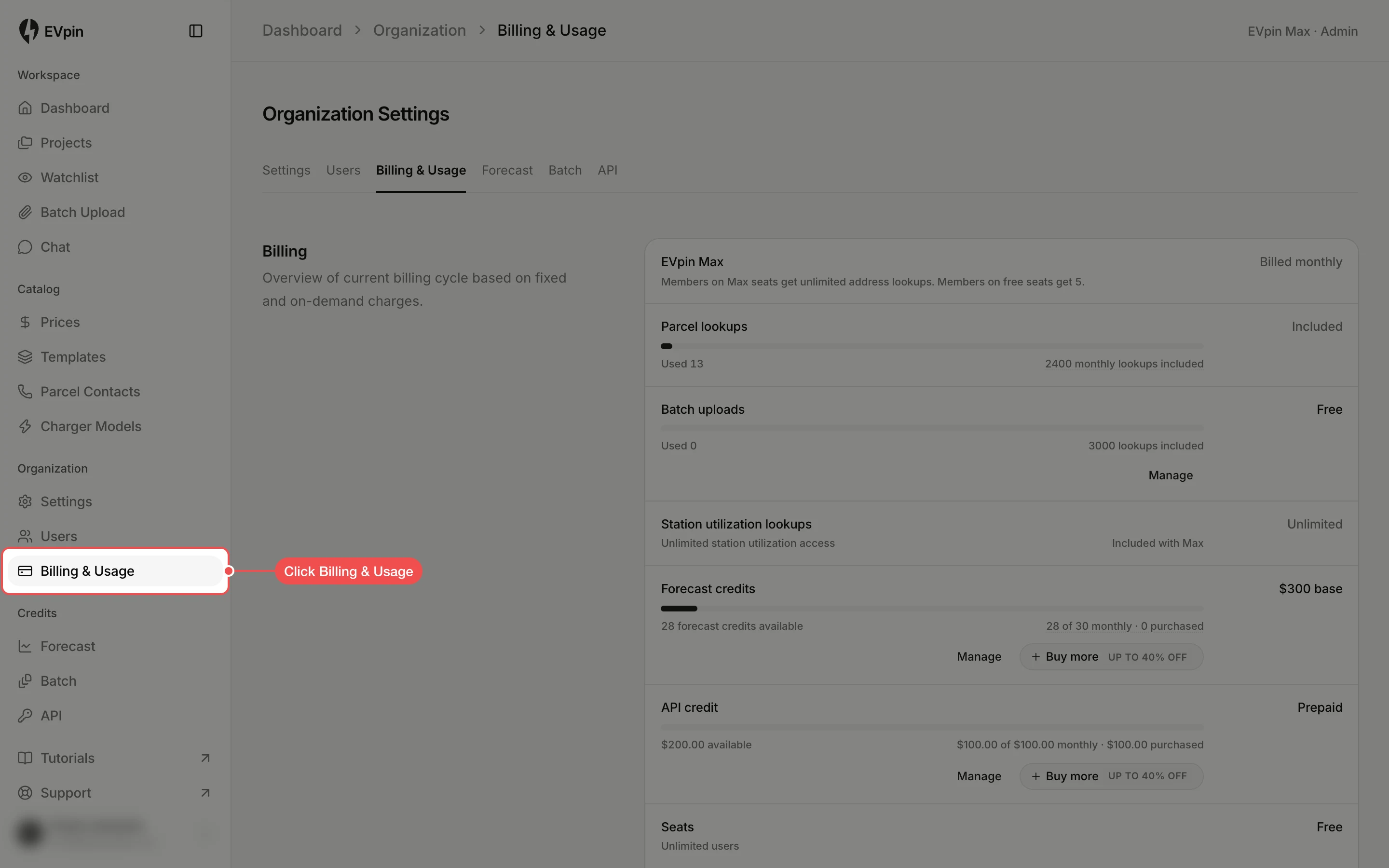
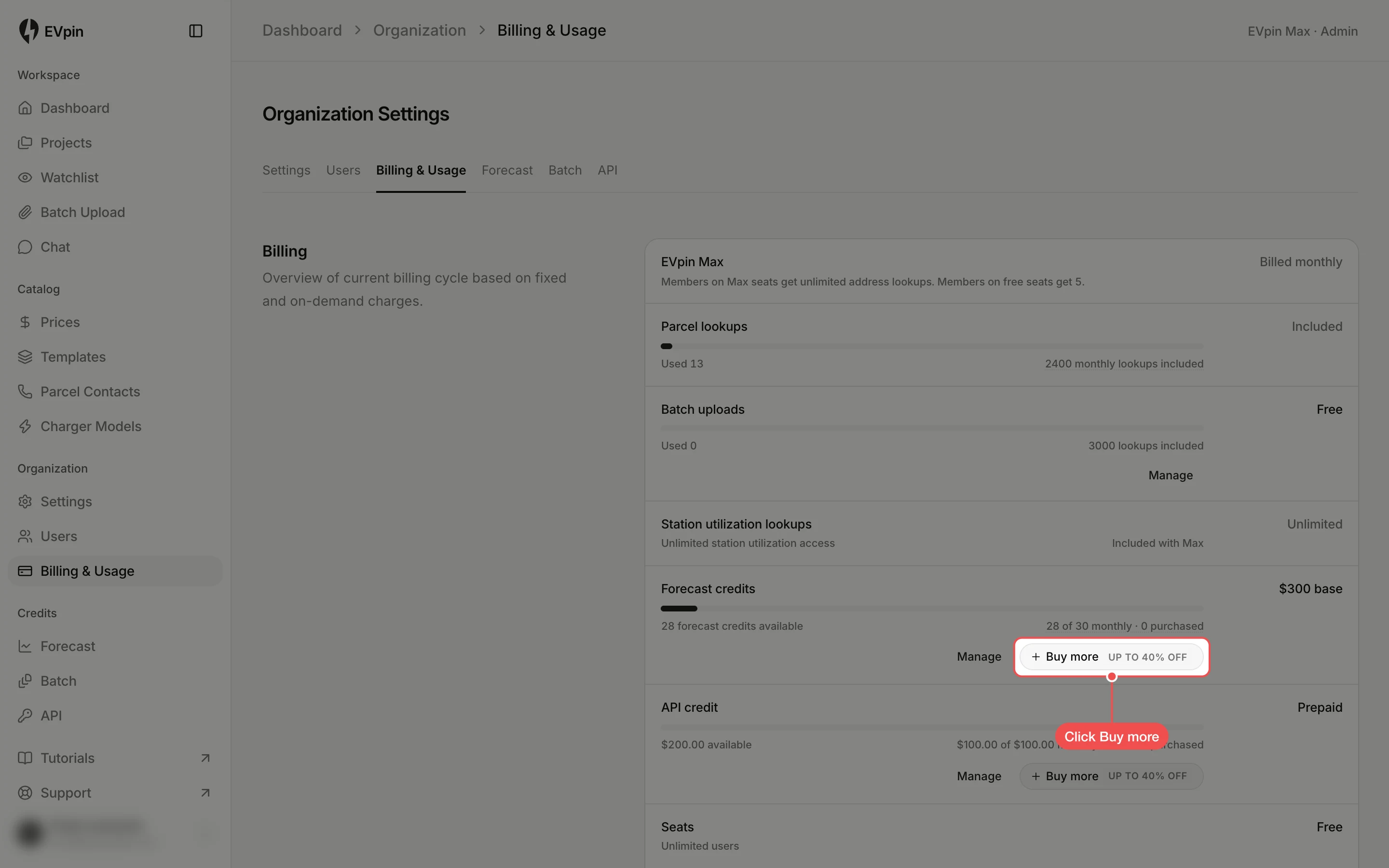
Top up your organization's forecast credits from Billing & Usage, with a volume discount for larger packs.
By the end your organization will have more forecast credits to unlock locations. Purchased credits stay on your balance until they are used. Only owners and admins can buy credits. The last step happens on the secure checkout page, so it has no screenshot.
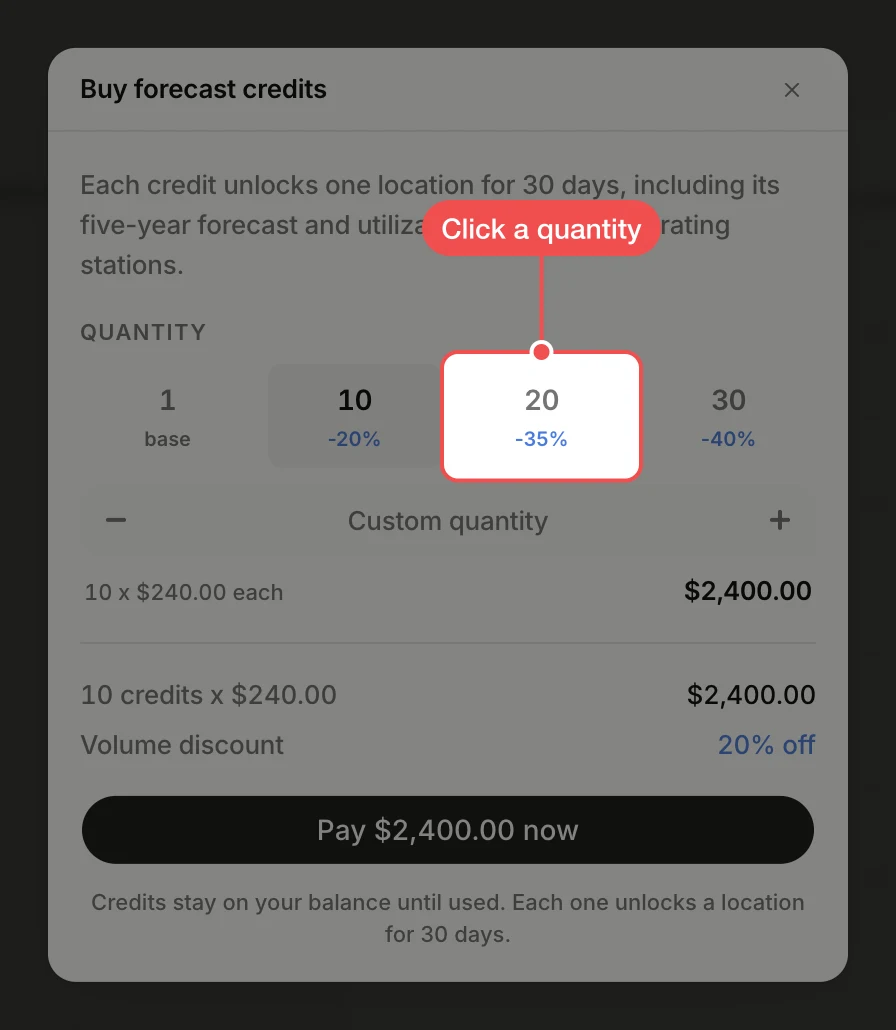
Pick a quantity
In Buy forecast credits, click a pack under Quantity. Larger packs have a bigger discount, shown under each number. For any other amount, click Custom quantity and type it, or use the minus and plus buttons.
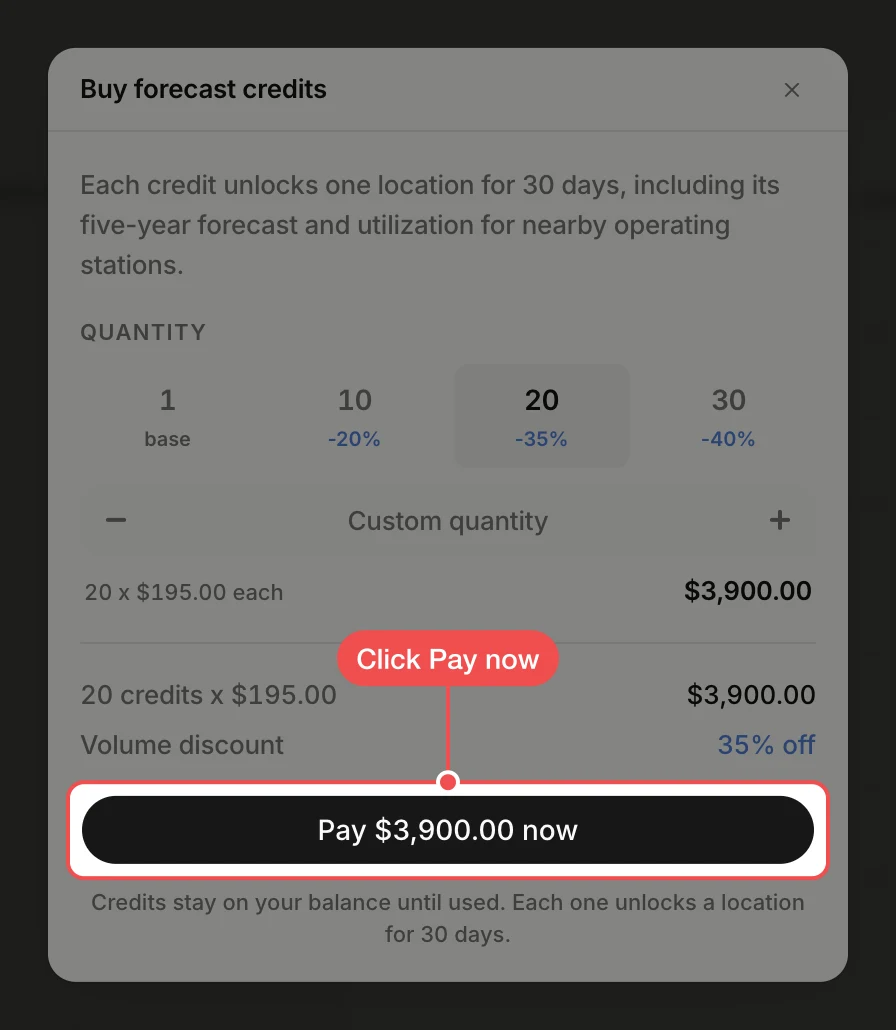
Go to checkout
Check the total and the Volume discount below the packs, then click Pay … now. The button shows the total. This opens the secure checkout page; nothing is charged yet.
Pay at checkout
On the checkout page, enter or confirm your payment details and complete the payment. You return to EVpin, and the credits are added to the purchased count in the Forecast credits row.
What's next
- How to check your plan and credit usage to see your new balance.