How to tag a project
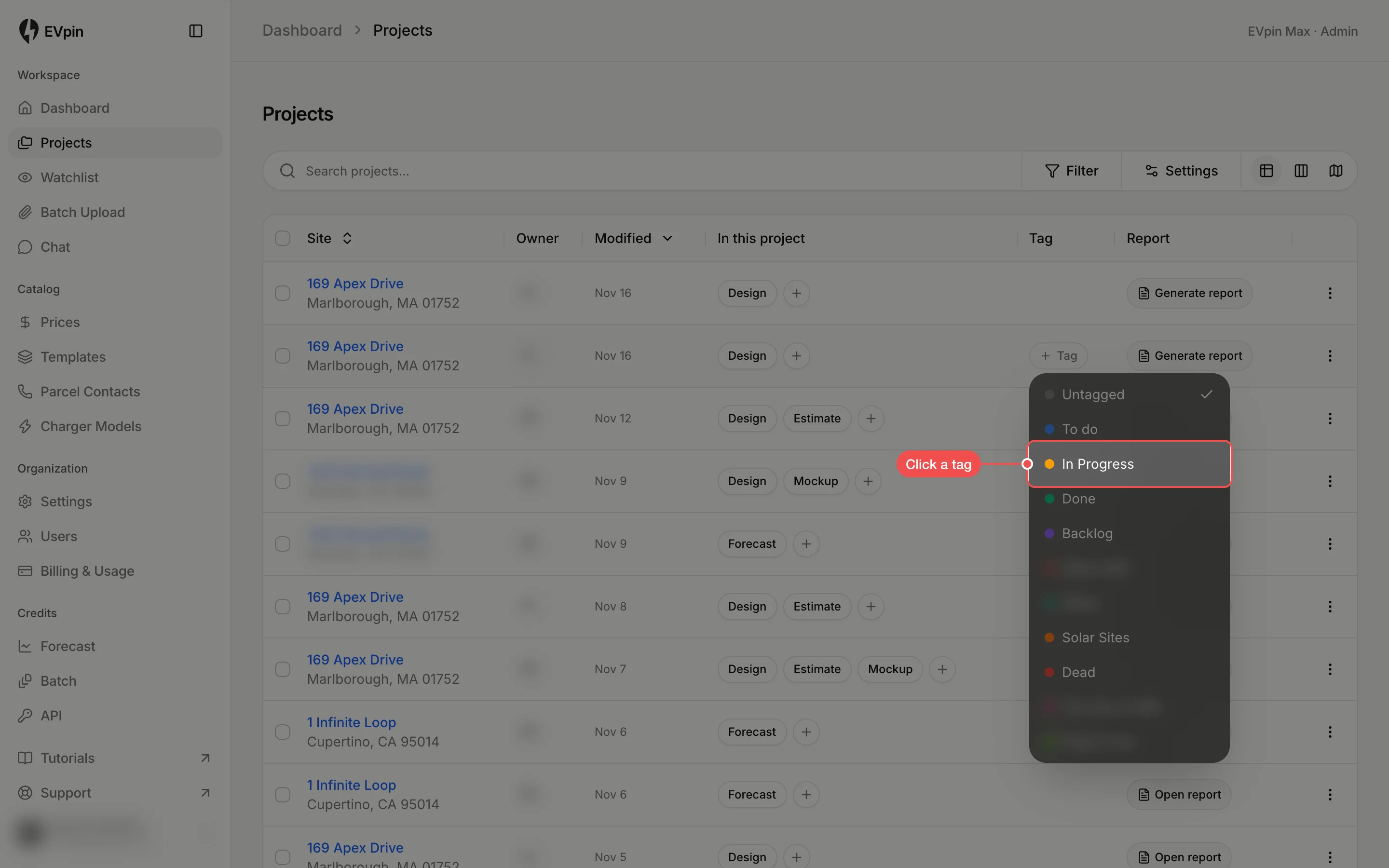
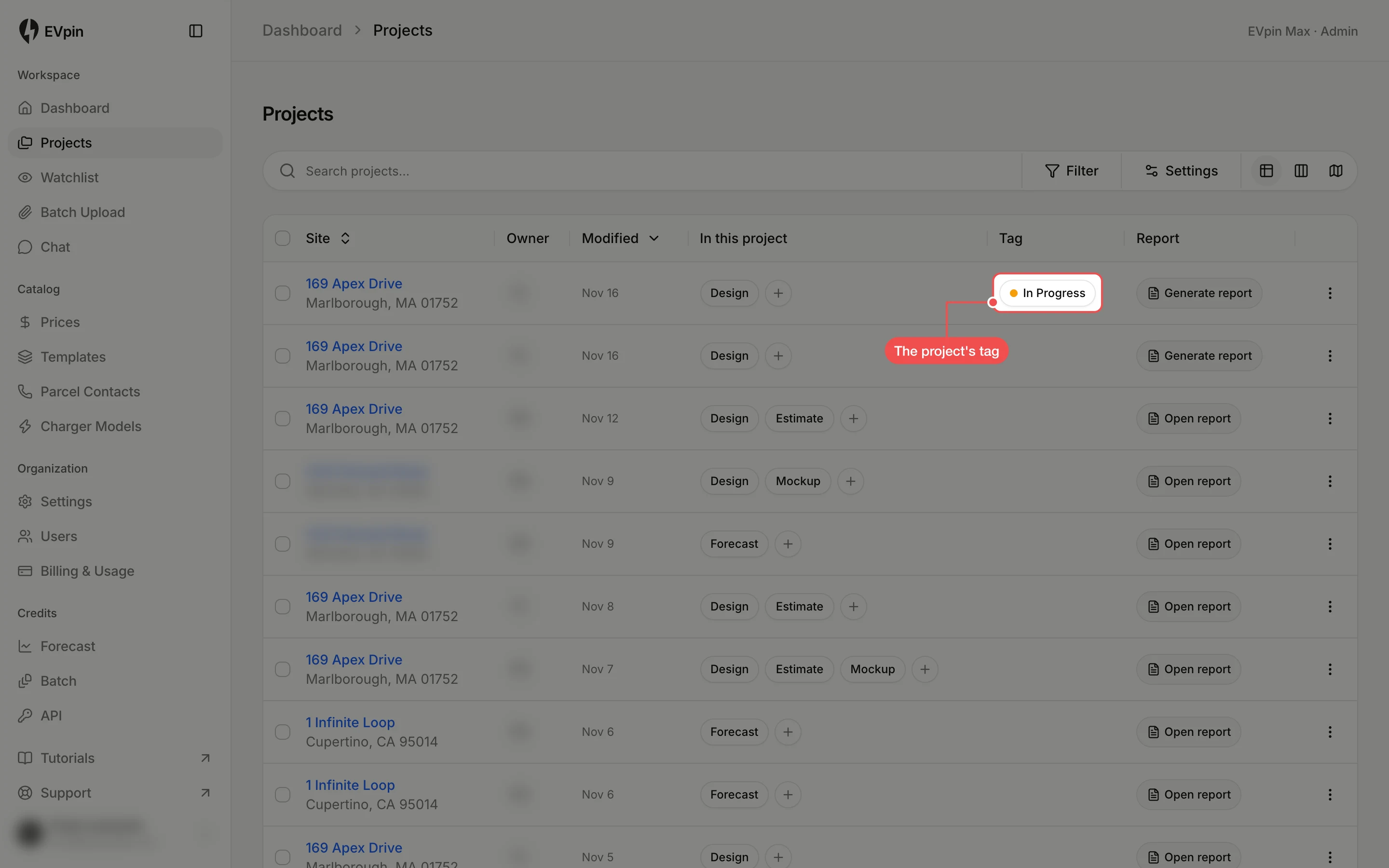
Give a project a tag such as To do, In Progress or Done from the Projects page.
A tag shows where a project stands, and it decides which column the project sits in on the board. You need a project you can edit.
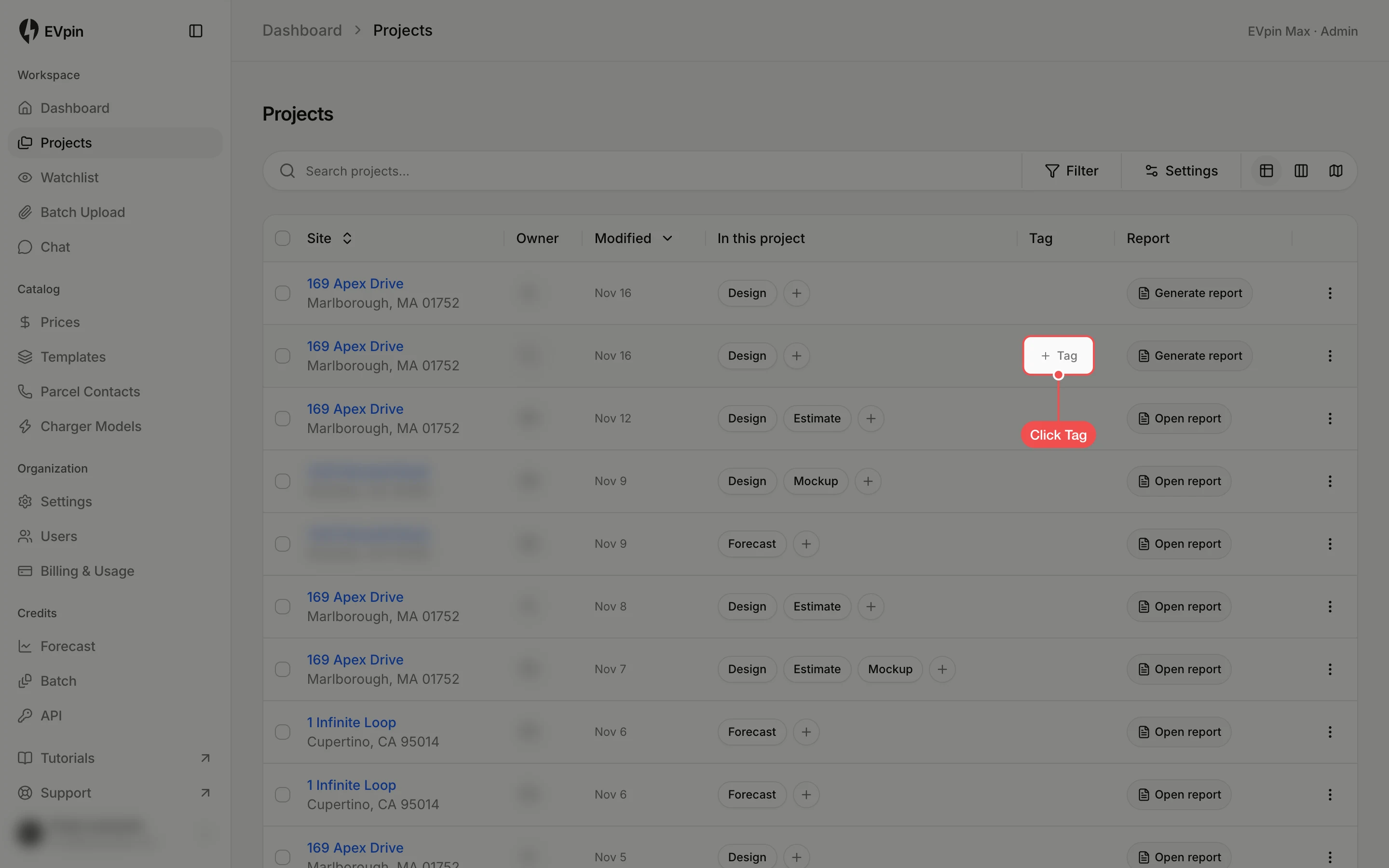
Click Tag
On the Projects page, hover over the project's row and click Tag in the Tag column. If the project already has a tag, click the tag instead.