How to move a project across the board
Switch the Projects page to the board and drag a project into another tag's column.
The board shows one column per tag, so you can see every project's stage at a glance and move it along by dragging. You need a project you can edit.
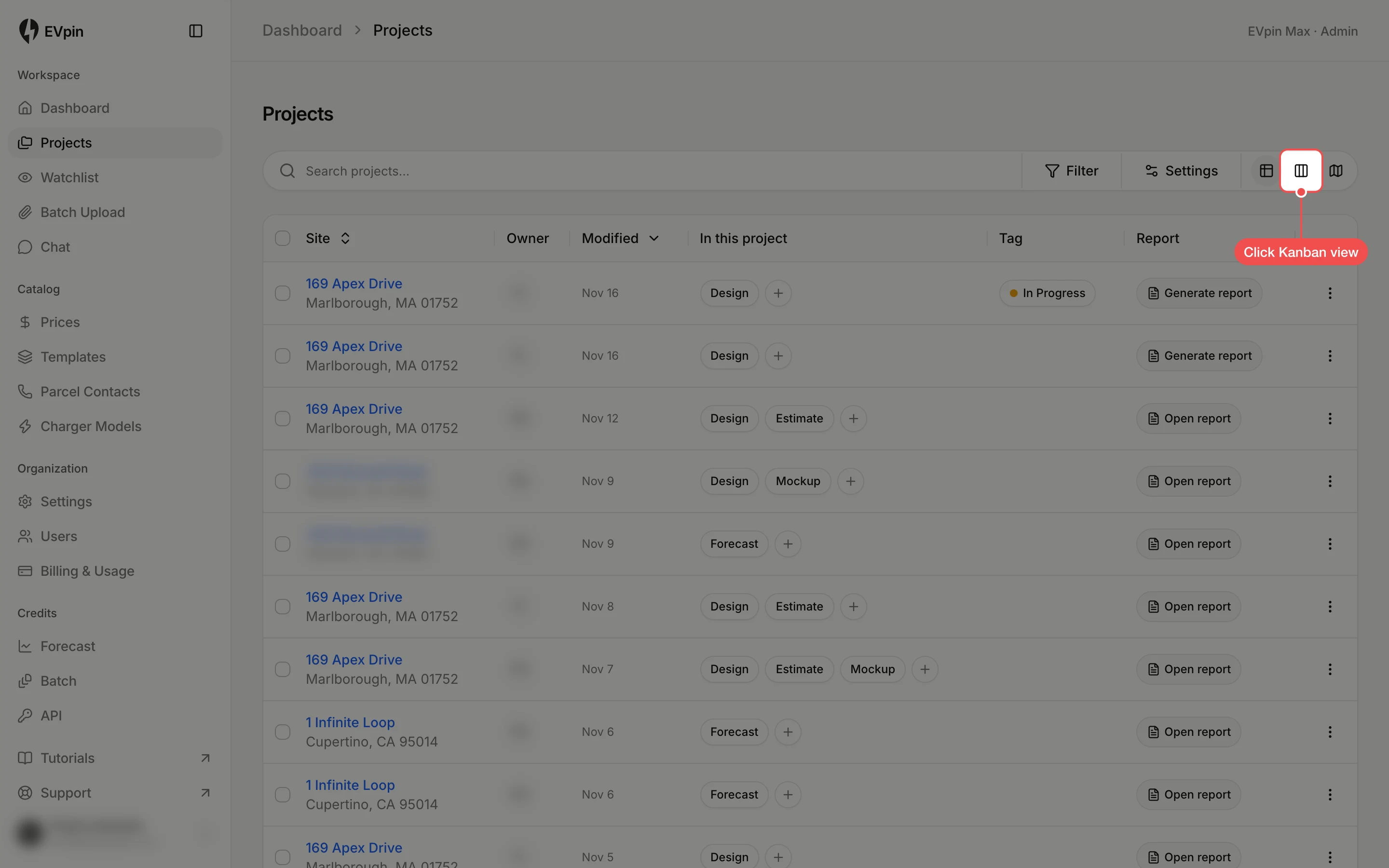
Click Kanban view
On the Projects page, click Kanban view, the middle of the three view buttons at the top right.
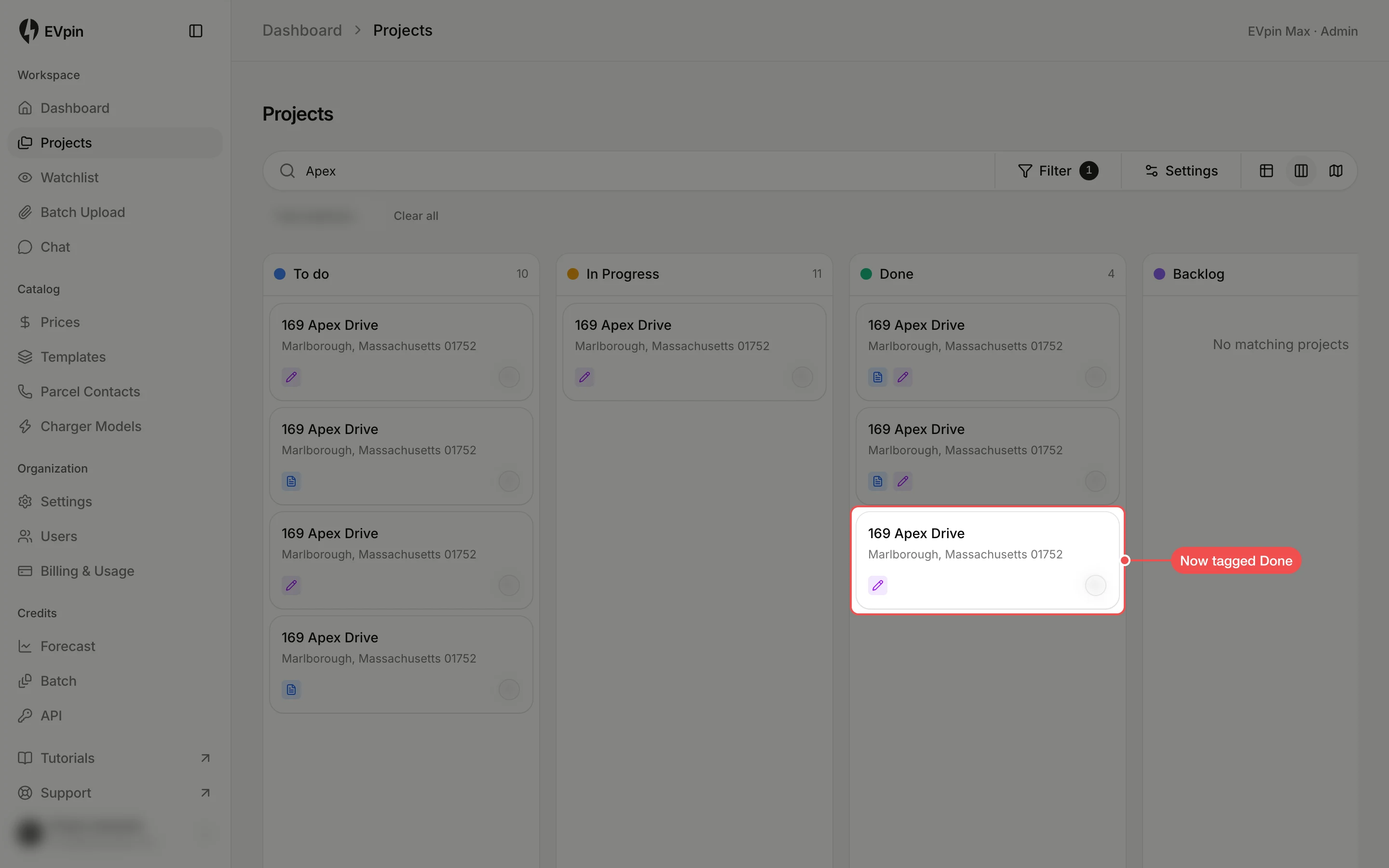
Drag the project to another column
Drag the project's card from its column into the column of its new stage.