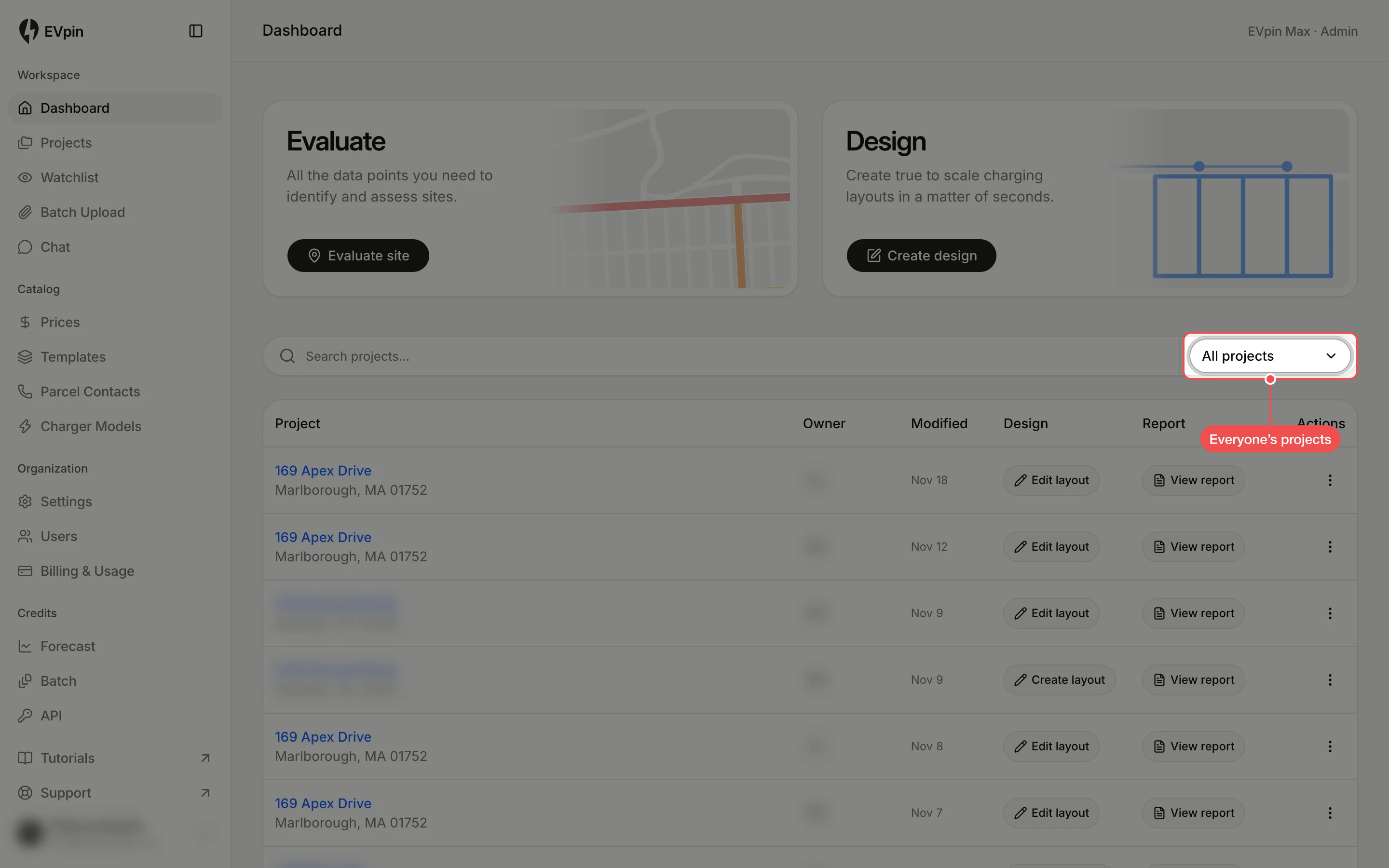
How to see all projects on the dashboard
Switch the dashboard's recent projects from your own to everyone's in the organization.
The dashboard lists your most recent projects. Switch it to show the latest projects from your whole team as well.
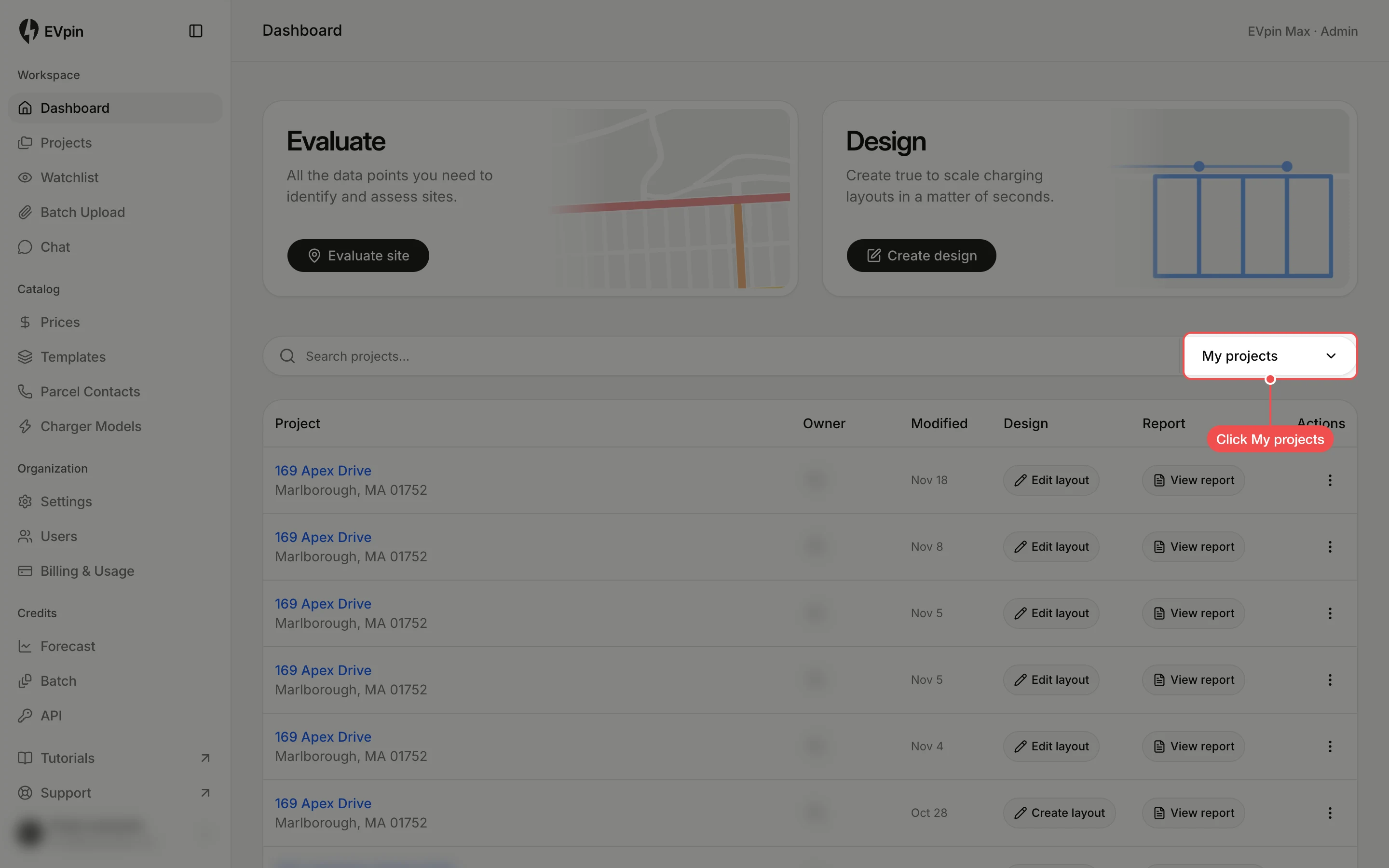
Click My projects
On the Dashboard, click My projects at the right of the search box above the project list.
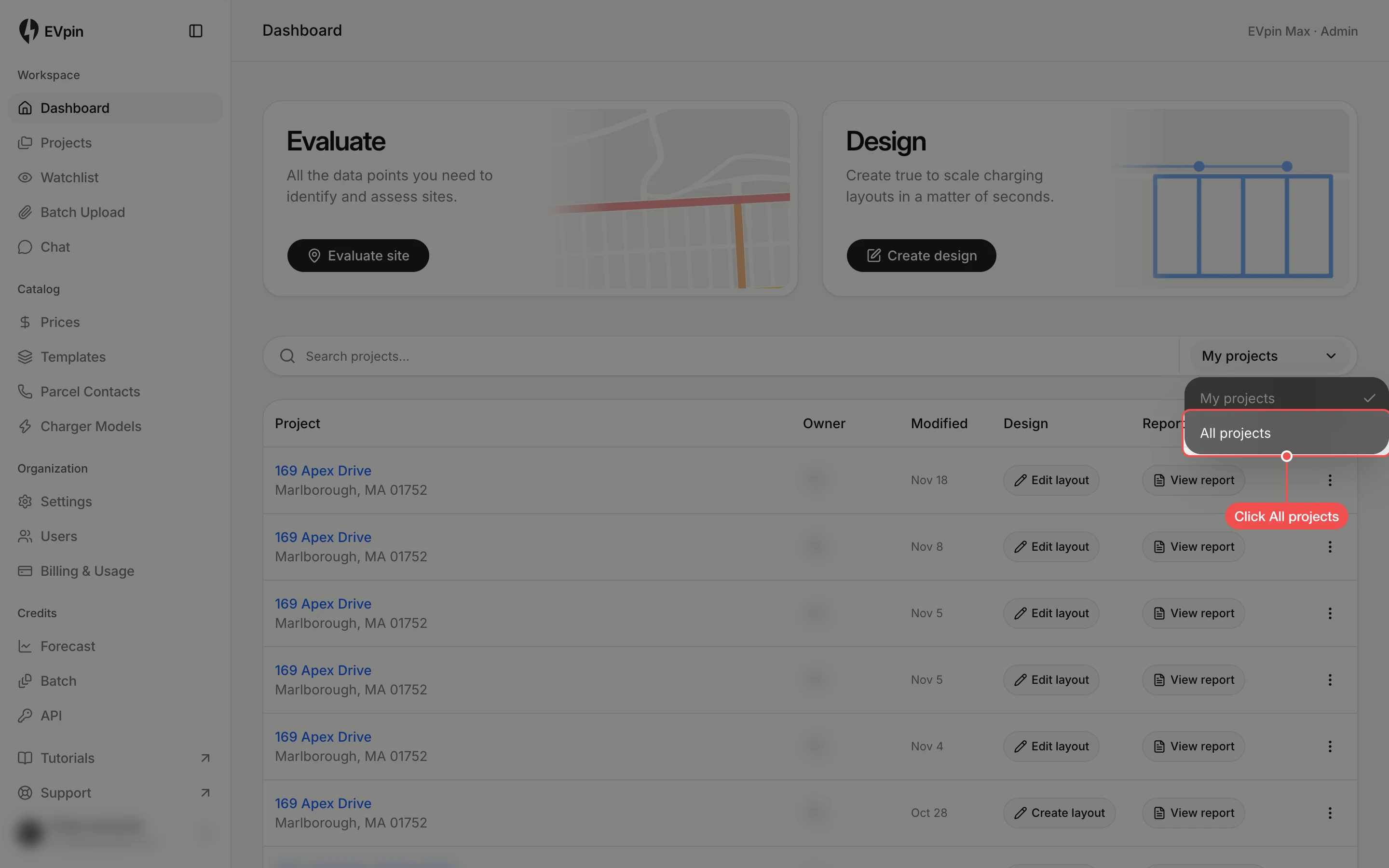
Look through the projects
The list now shows the latest projects from everyone in your organization, with each owner's initials in the Owner column. Switch back to My projects the same way.