How to see a charging station's performance
Open a charging station's details page and read its utilization, revenue, sessions, energy and price month by month.
By the end you will see how an existing charging station has performed over the last months: how busy it is, what it earns and when drivers use it. Start with the station's card open on the Evaluate map, as in How to see existing charging stations on the map.
Open the station's details page
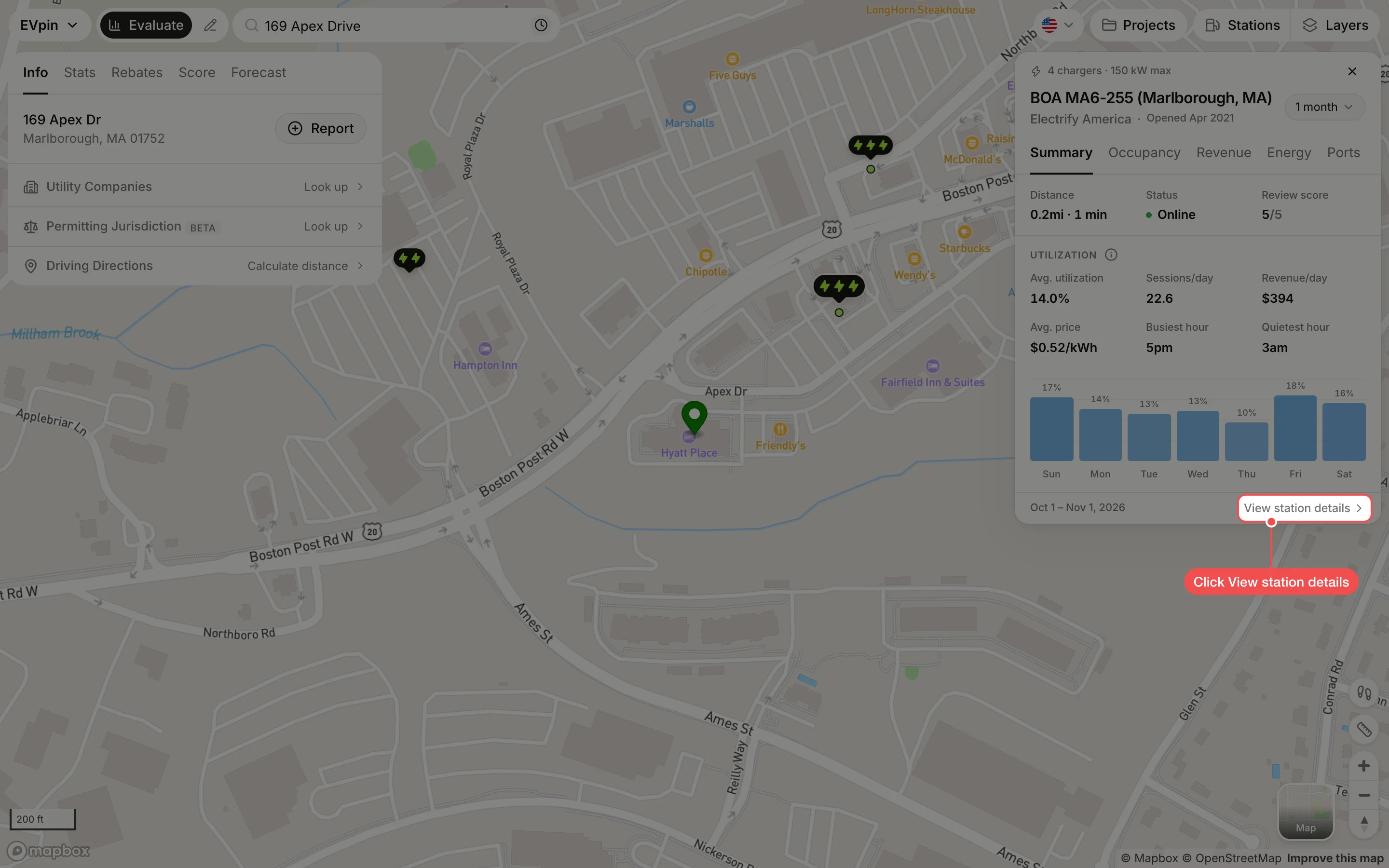
At the bottom of the station's card, click View station details. The link only shows for stations that EVpin has usage data for.
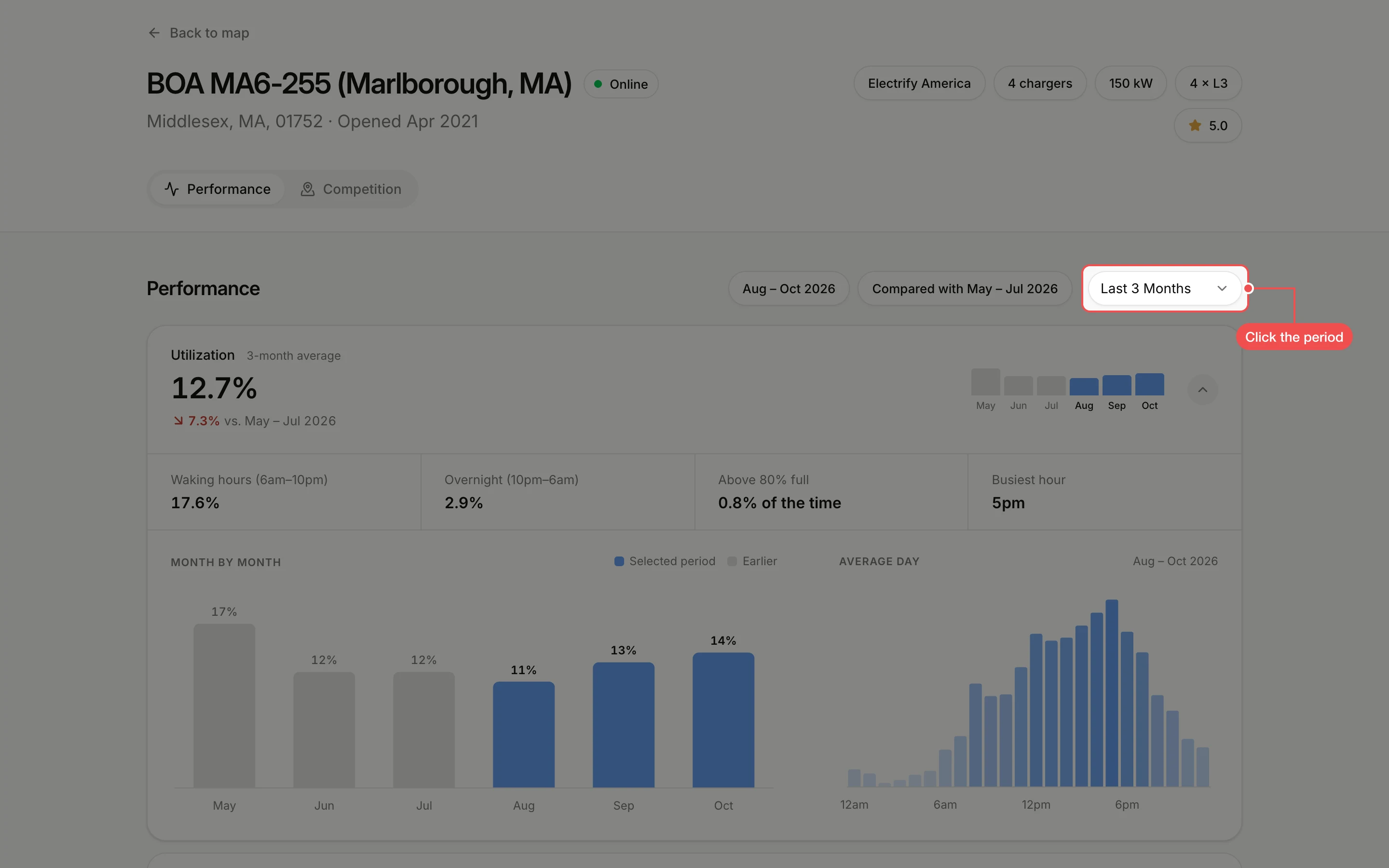
Open the period list
The header shows the station's status, location, opening date, network, charger count, top power, ports and review score. Under Performance, click the period list at the right. It starts on Last 3 Months, and the pills next to it say which months that covers and which months it is compared with.
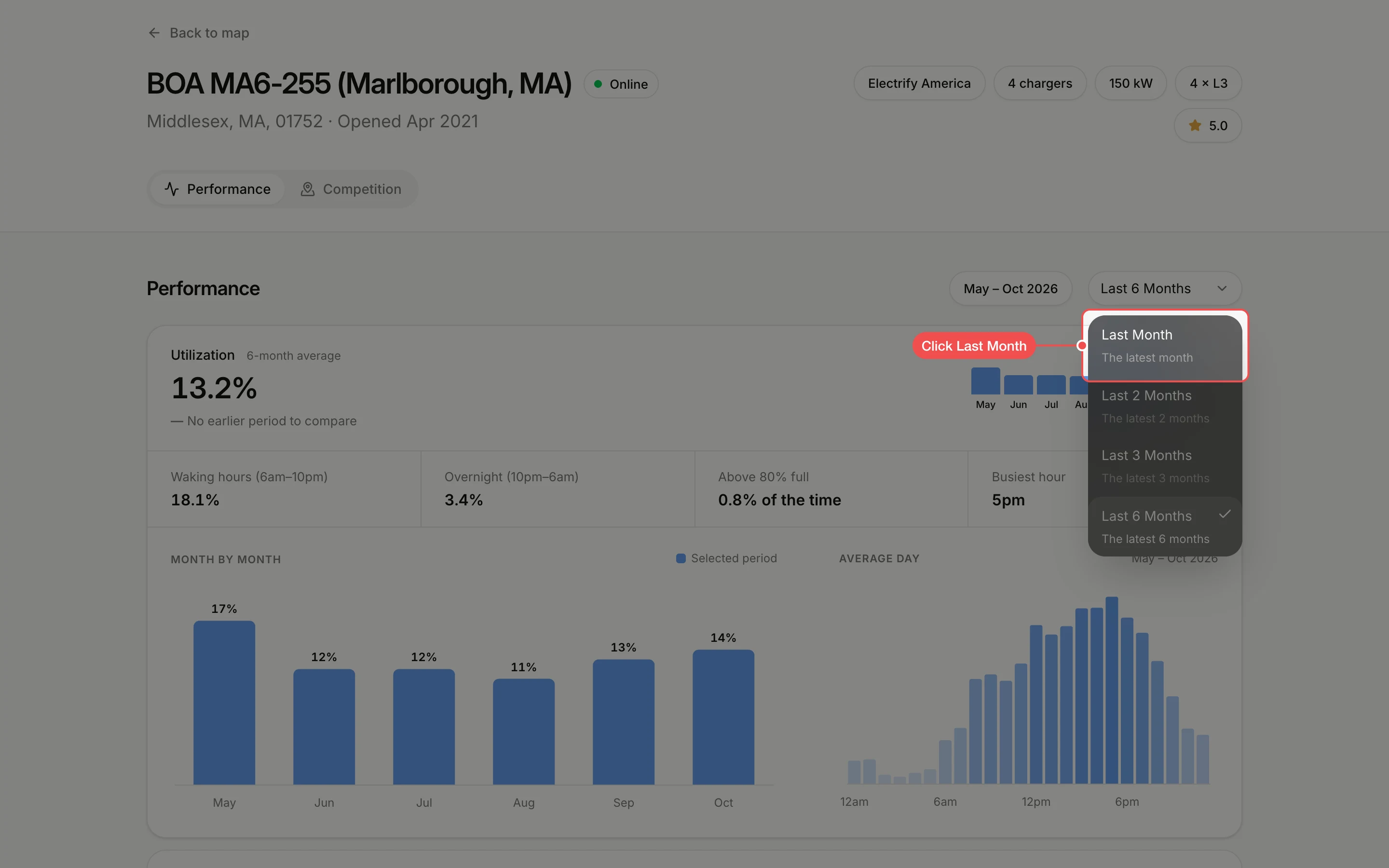
Click a period
Click Last Month, Last 2 Months, Last 3 Months or Last 6 Months. A period is greyed out until the station has that many months of data.
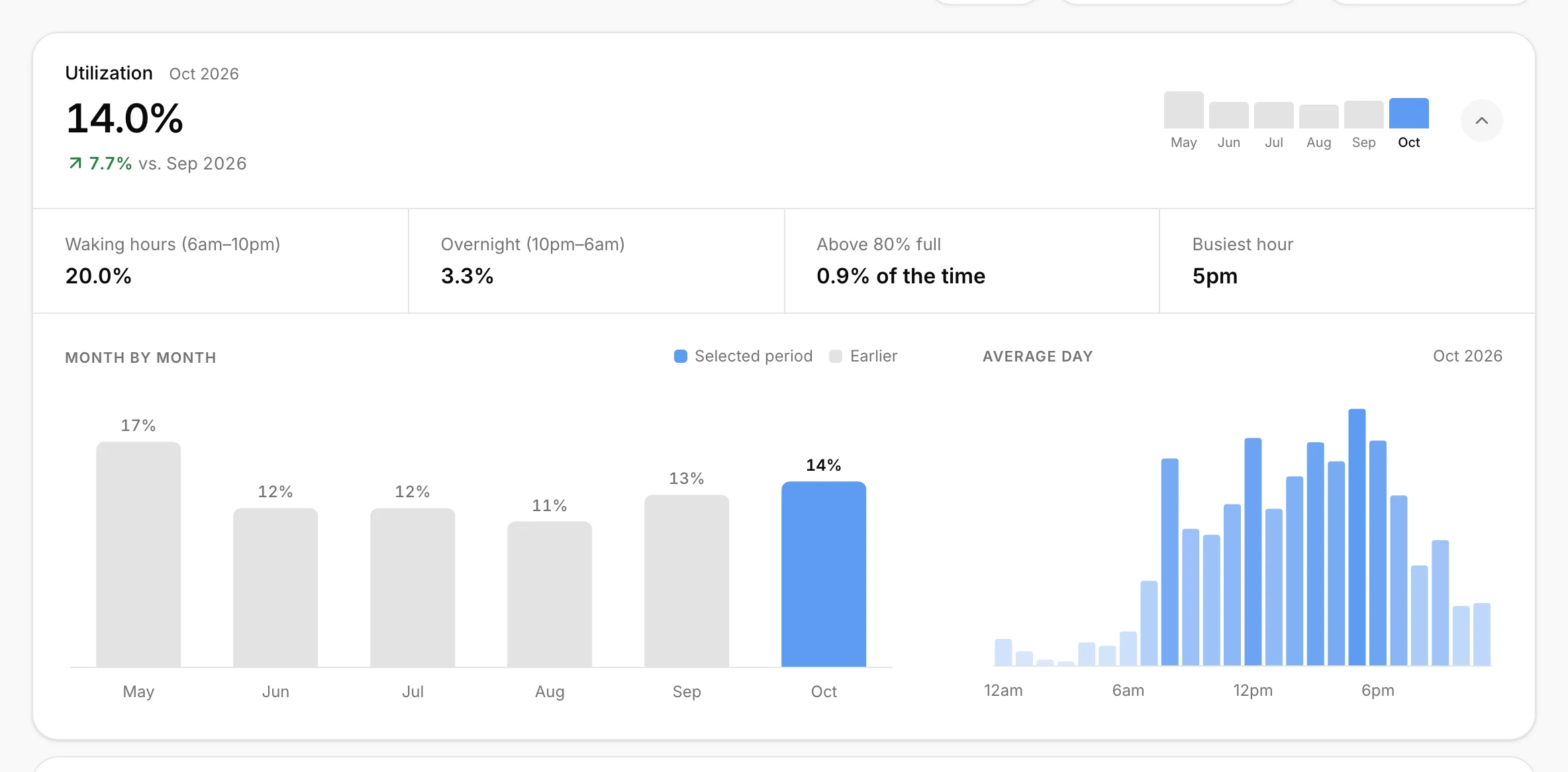
Read the utilization
The Utilization card is open first. The big figure is the share of time the chargers were in use, with its change against the earlier period. Below it, Waking hours (6am–10pm) and Overnight (10pm–6am) split that figure by time of day, Above 80% full is how often nearly every port was busy, and Busiest hour is the peak. Month by month shows each month, with the selected period in blue, and Average day shows use hour by hour.
Open another metric
Click a card to open it: Above 80% full, Revenue, Sessions, Energy sold or Avg. price. Each closed card already shows its figure for the period and a small bar per month. Click an open card to close it.
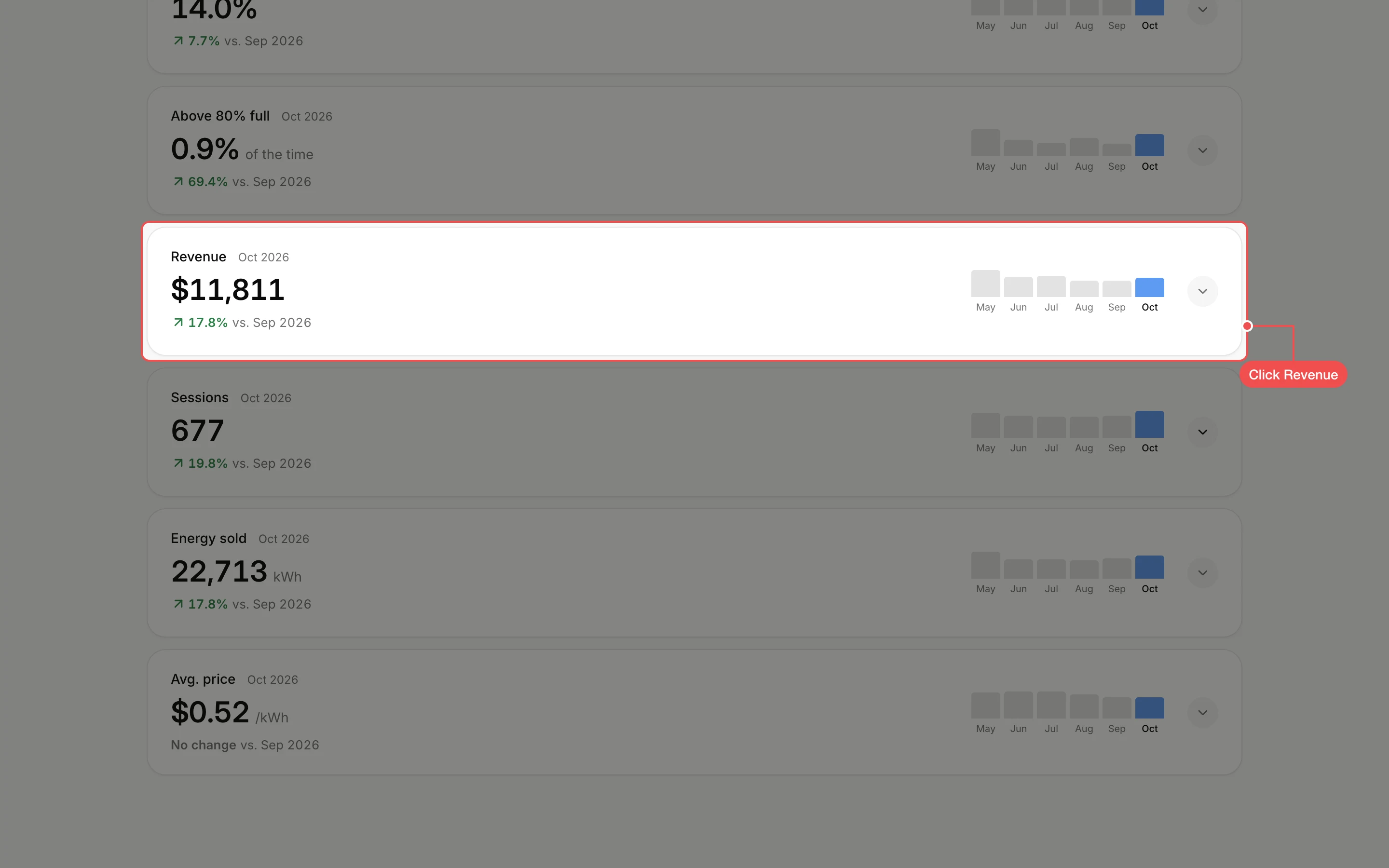
Read the metric
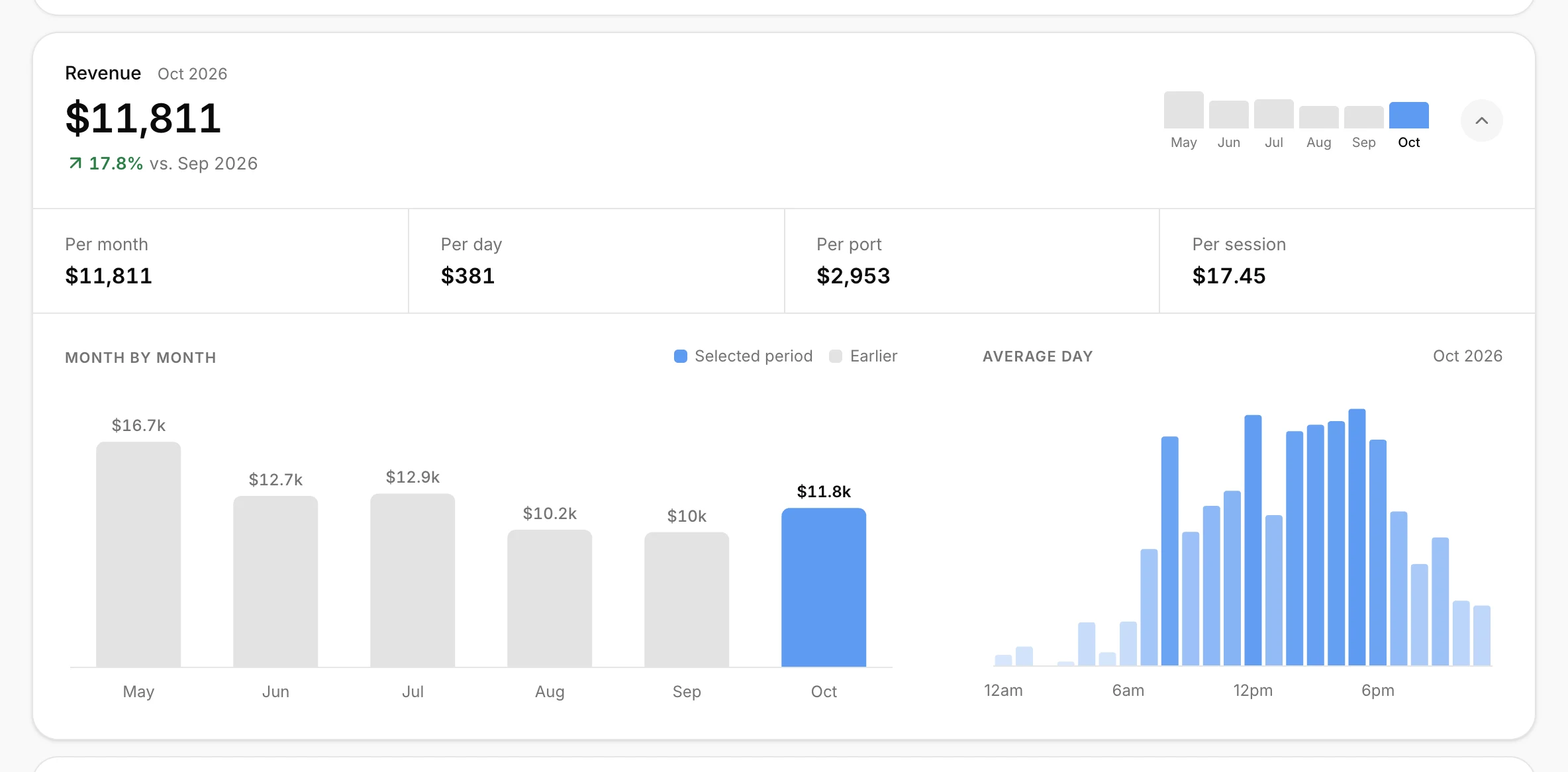
An open card breaks the figure down. Revenue shows it per month, per day, per port and per session; Sessions and Energy sold do the same, and Avg. price shows the lowest and highest price, revenue per kWh and the priciest hour. Above 80% full shows the busiest and quietest weekday and month.
What's next
- How to compare a charging station with nearby competitors from the Competition tab.
- Click Back to map at the top to return to the station on the Evaluate map.