How to combine requirements in Advanced search
Add more requirements to an advanced search and choose whether an area has to meet all of them or just one group.
By the end your search will ask for more than one thing, and you will know how to say whether an area needs all of them or any of them. Start with a search that has one requirement, as in How to find areas that meet your site requirements.
Add another requirement
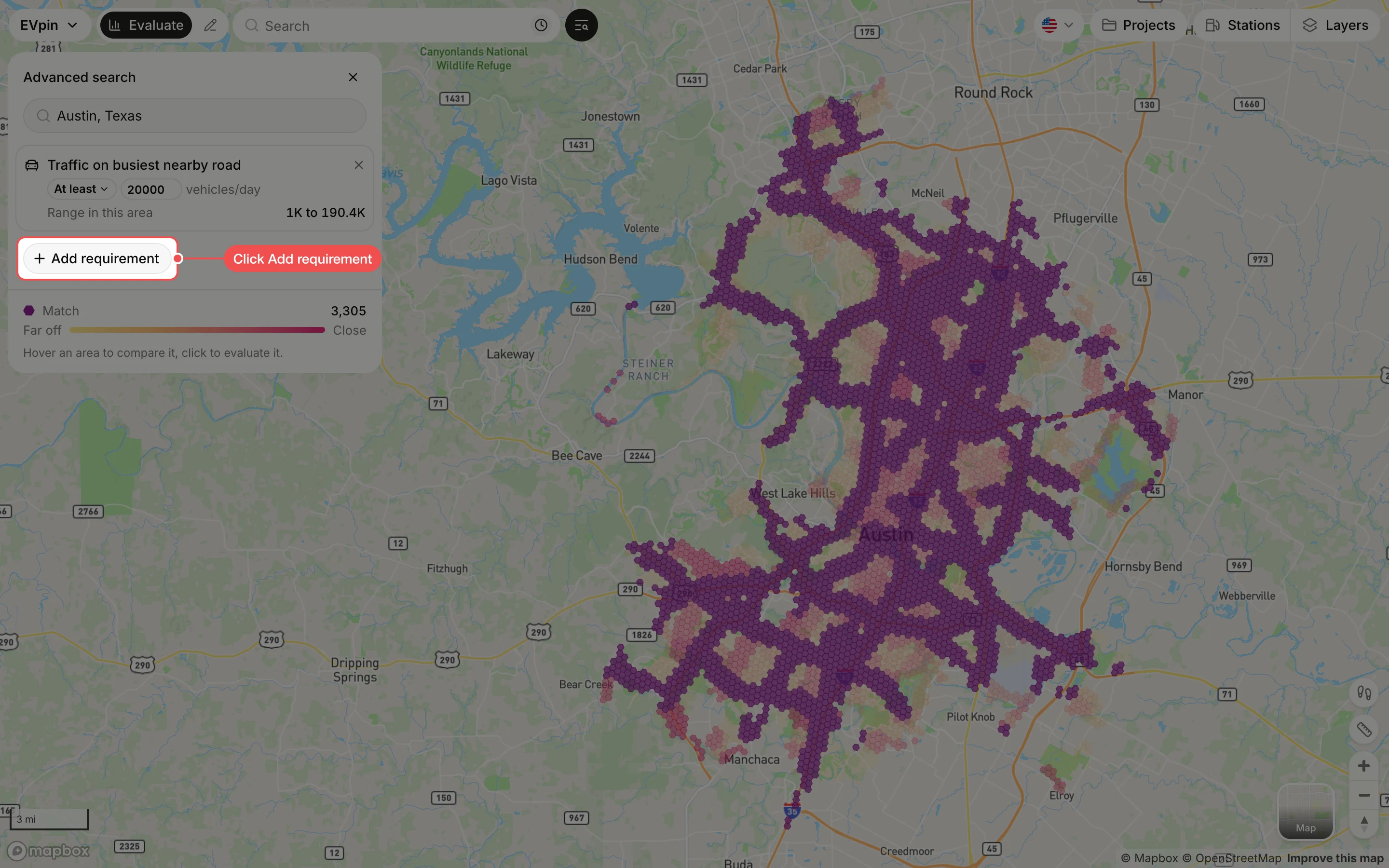
Click Add requirement, then click a second one in the list, here Distance to highway exit.
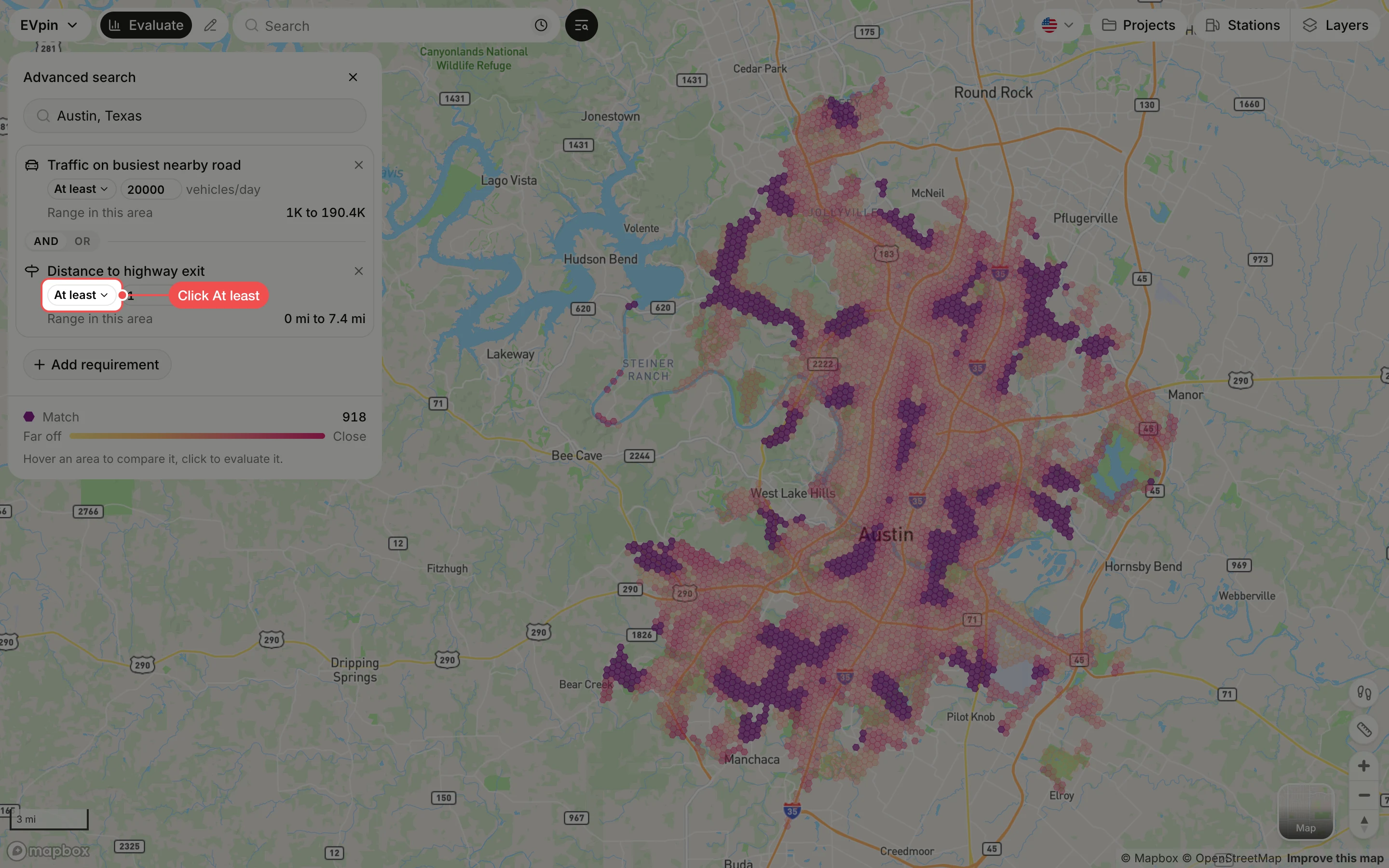
Click At least
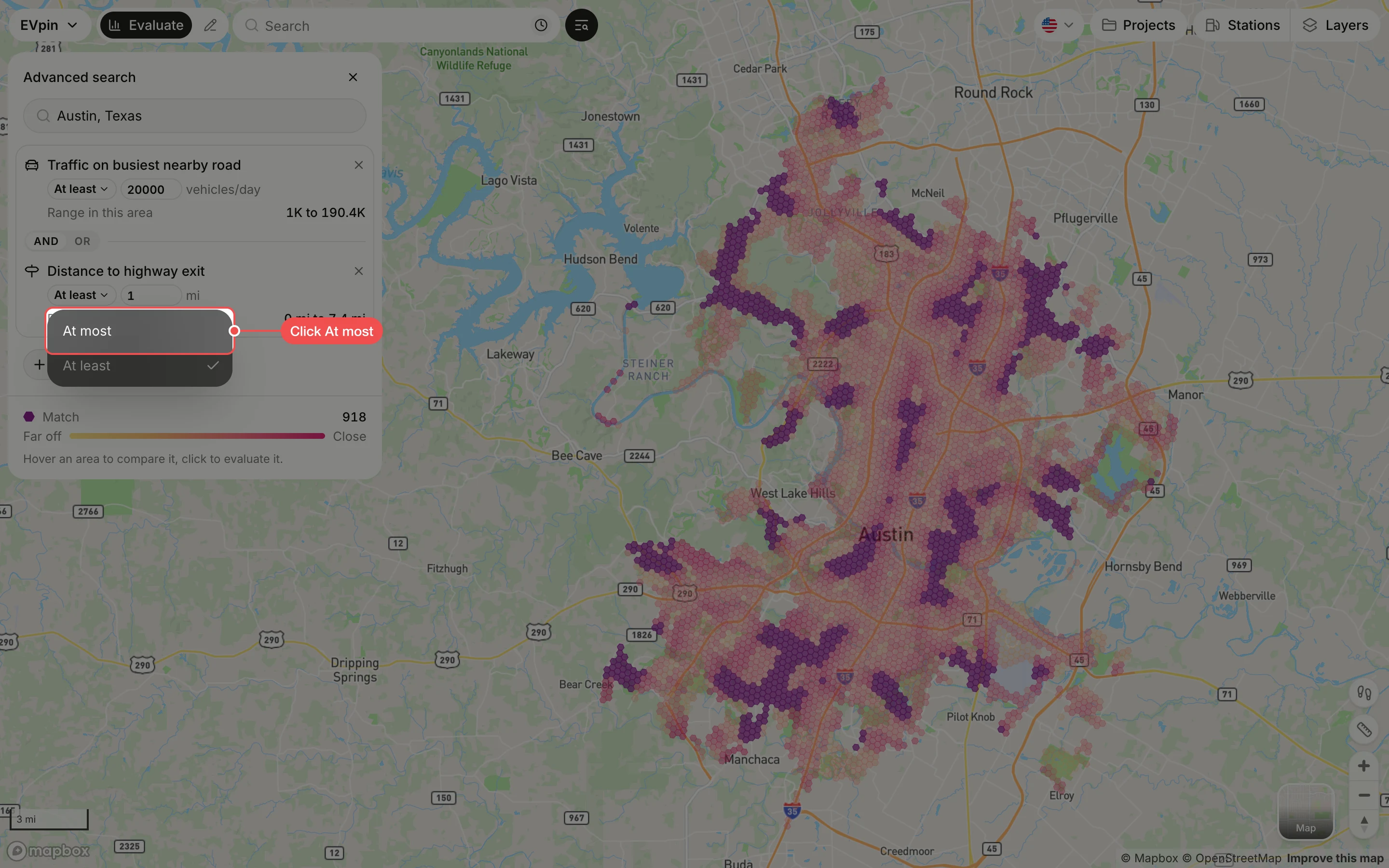
Every requirement starts on At least. For a distance you usually want the opposite, so click At least on the new requirement.
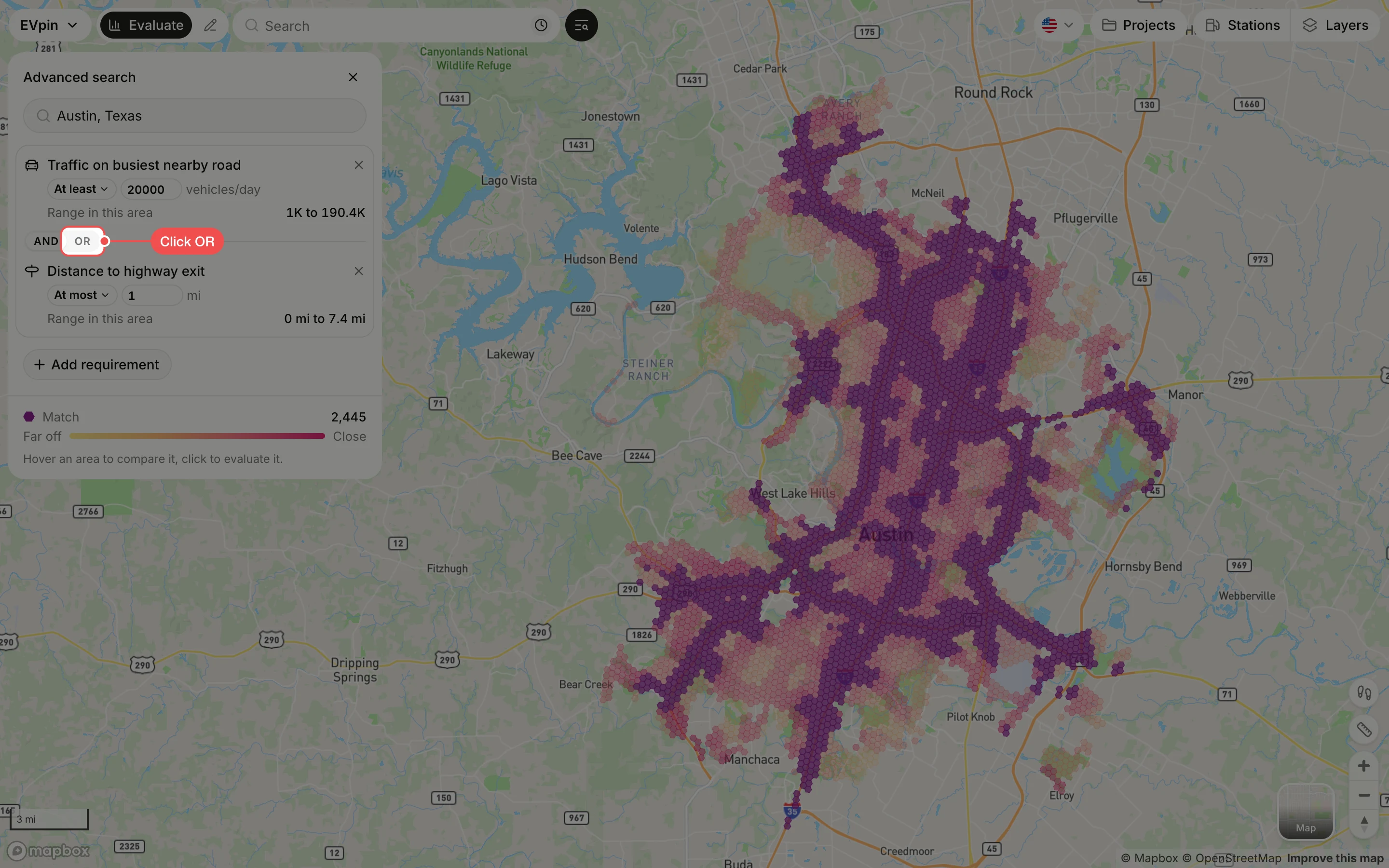
Click OR
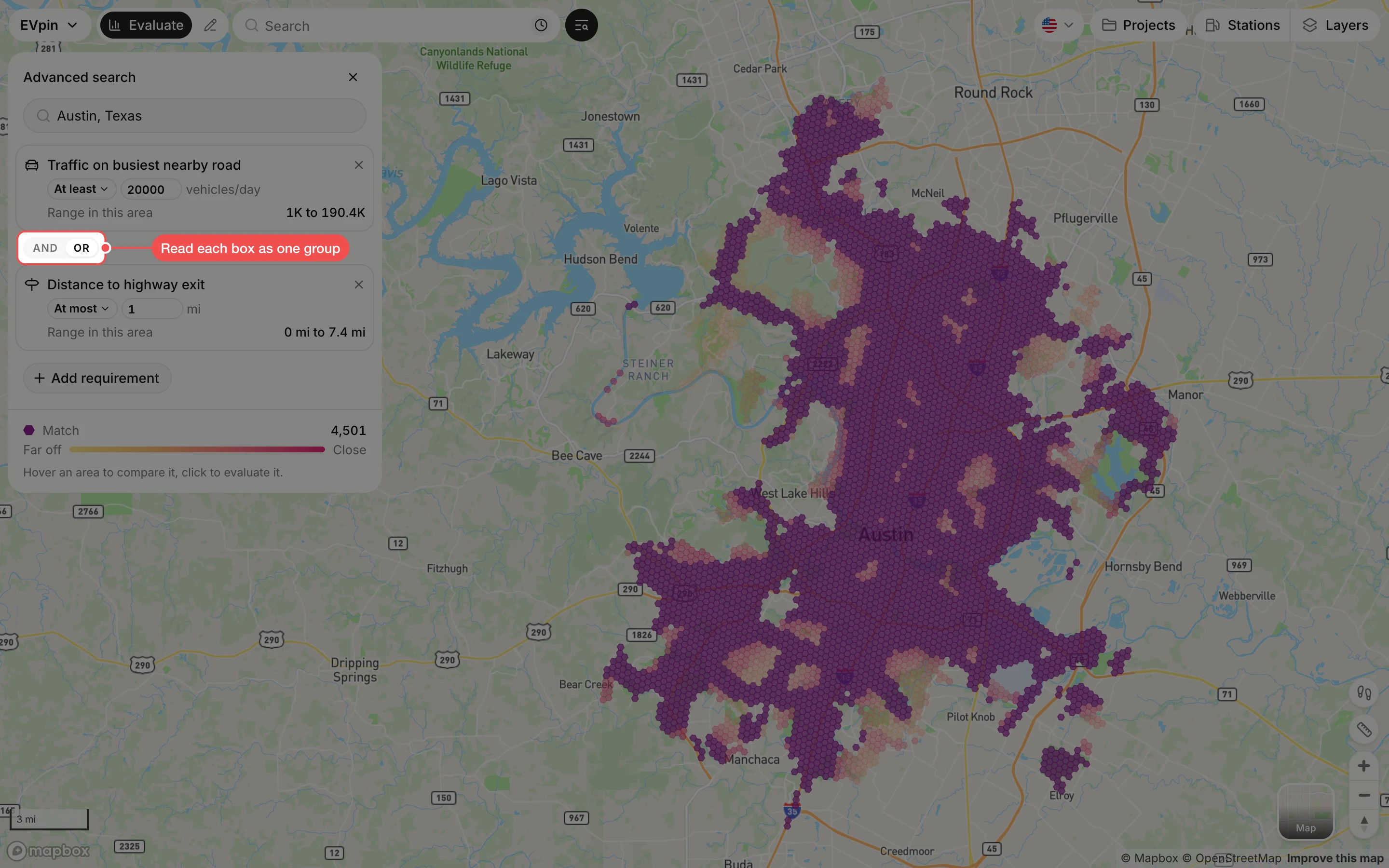
Requirements start joined by AND and share a box: an area has to meet everything in the box. Click OR to make the second requirement an alternative instead.
Read each box as one group
Each requirement now has a box of its own, and an area matches when it meets everything in any one box, so Match goes up. With three or more requirements, the ones joined by AND stay together in a box and OR sits between the boxes.
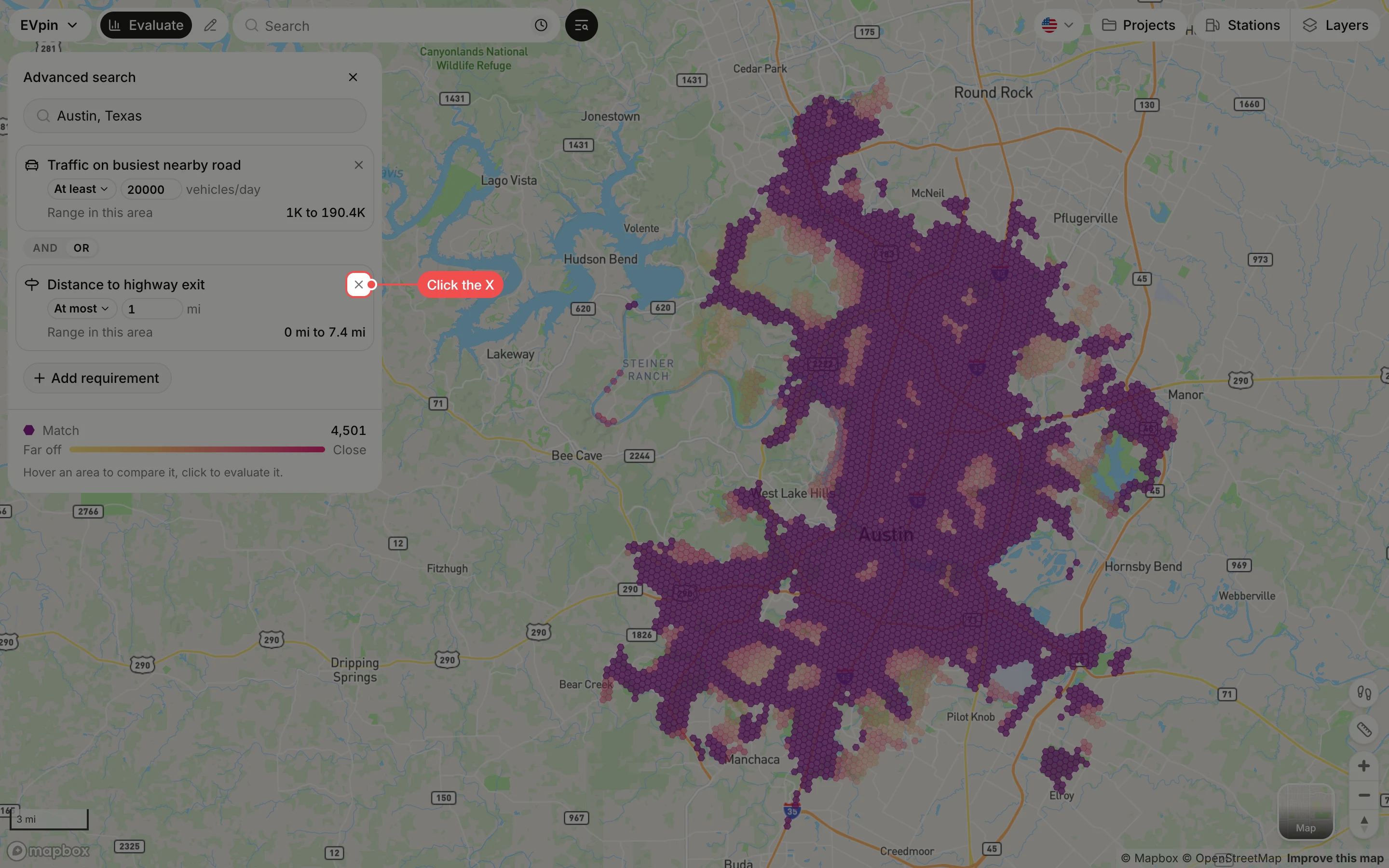
Click the X to remove a requirement
Click the X on a requirement to take it out. Anything else in its box stays as it was.
What's next
- How to check traffic volume near a site once you have opened a match.