How to annotate a design automatically
Label every charger, cabinet, switchgear and transformer on a design in one click from the right-click menu.
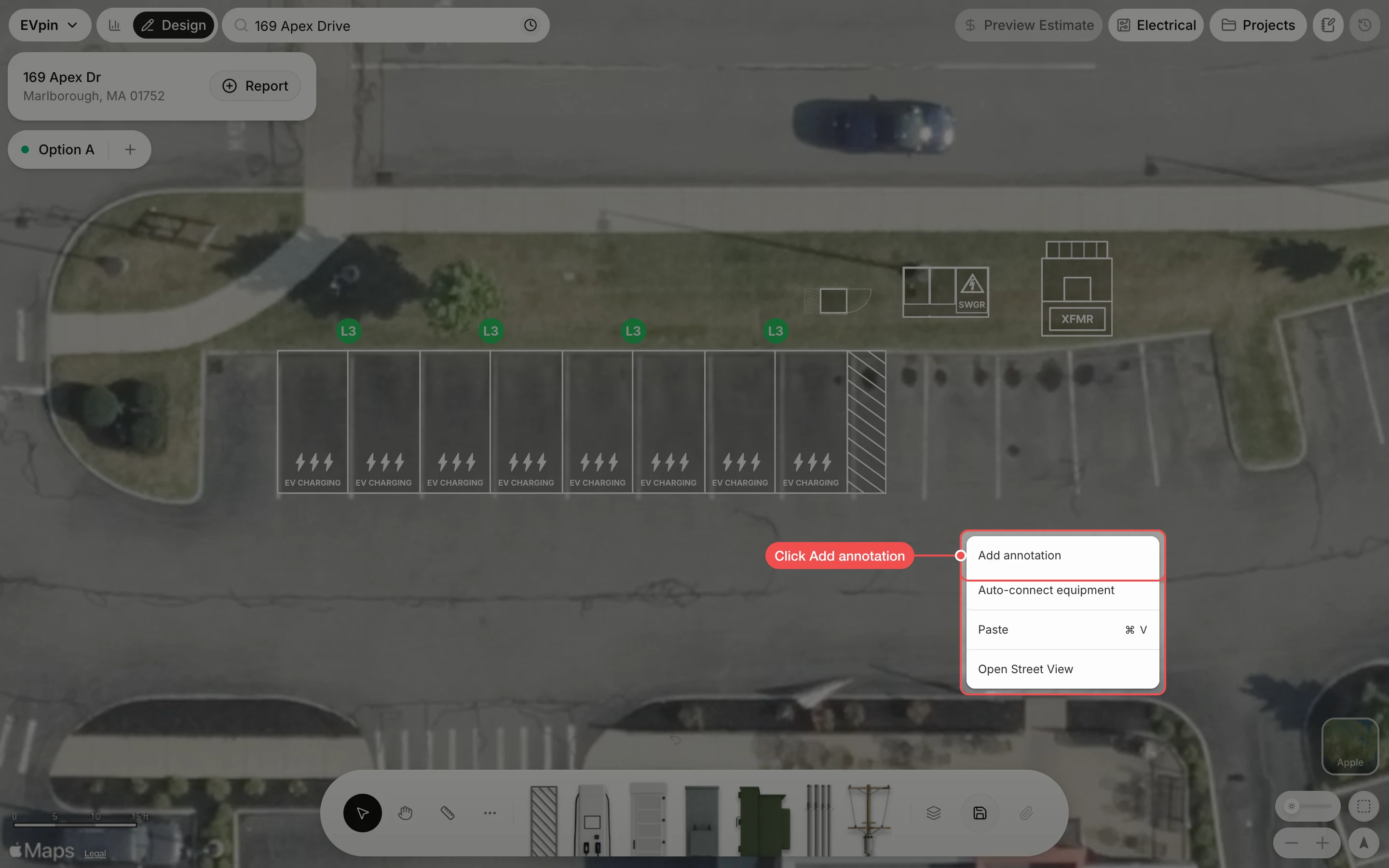
By the end each kind of equipment on your design will have a label with a leader line pointing at it, ready for a report or a client. You need a design with equipment on it, as in How to add a transformer.
Check the labels
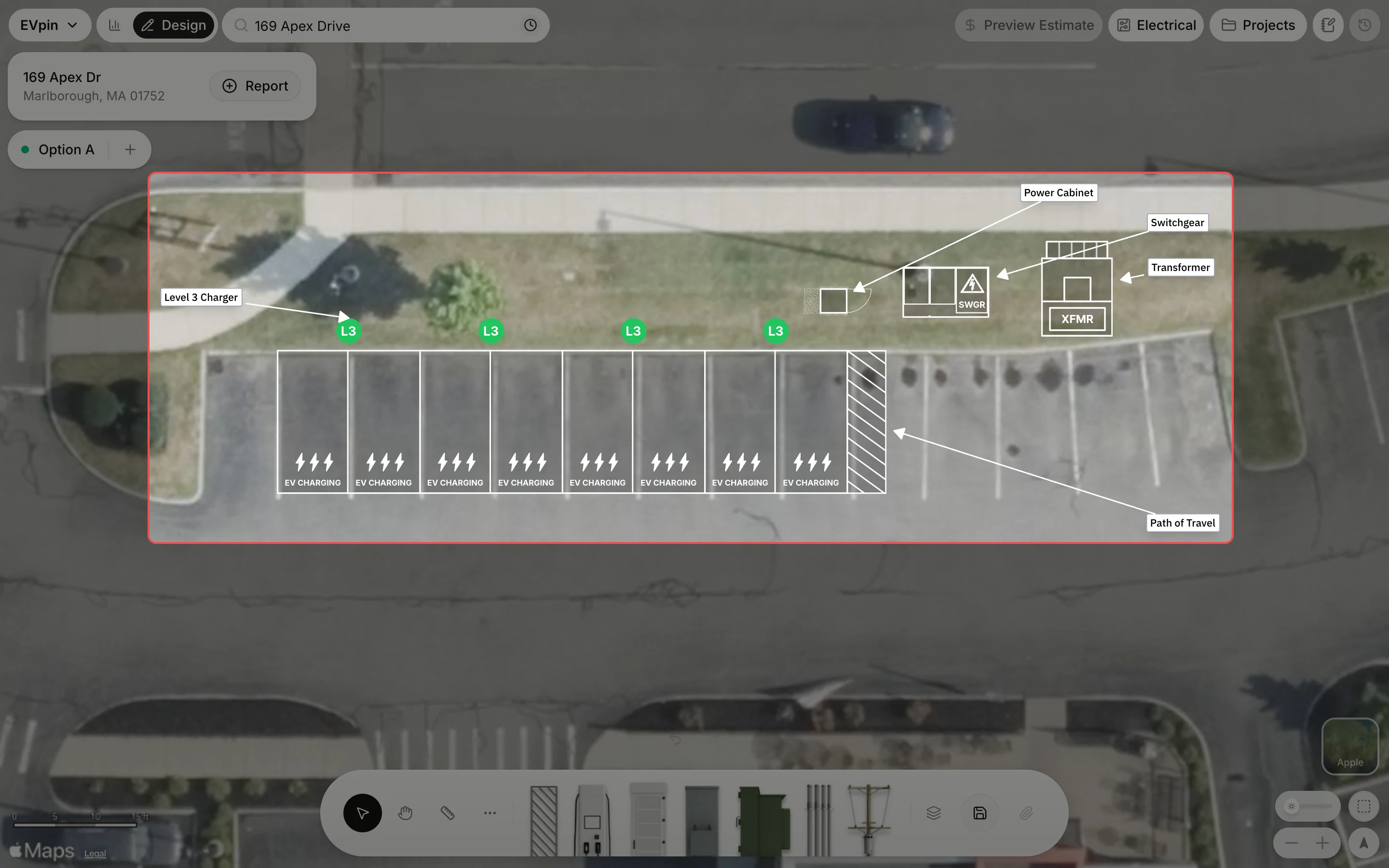
EVpin adds one label per kind of equipment, such as Level 3 Charger, Power Cabinet, Switchgear, Transformer and Path of Travel, each with an arrow to the equipment. Drag a label to move it, then save the design.
What's next
- How to auto-connect equipment to wire the labelled equipment together.